Professional Headshots From Selfies in About 2 Minutes
MakeAiPhotos is an AI headshot generator that lets you turn a selfie into a headshot in about 2 minutes, applying studio lighting, a clean background, and business attire to your real face. To turn a selfie into a professional headshot, upload a single phone selfie, pick from 50+ industry style packs (executive, healthcare, legal, real estate, tech founder, board), and download studio-quality professional headshots for LinkedIn, resumes, company bios, and team pages the same day. One-time pricing at $11.99, no photographer, no studio booking, no subscription, with a money-back guarantee (terms apply).
Built for founders, job seekers, lawyers, doctors, real estate agents, and any professional who needs to turn selfies into headshots without booking a shoot. Upload one selfie, pick an industry-specific business style to convert selfie to headshot quality output, and get results the same day.
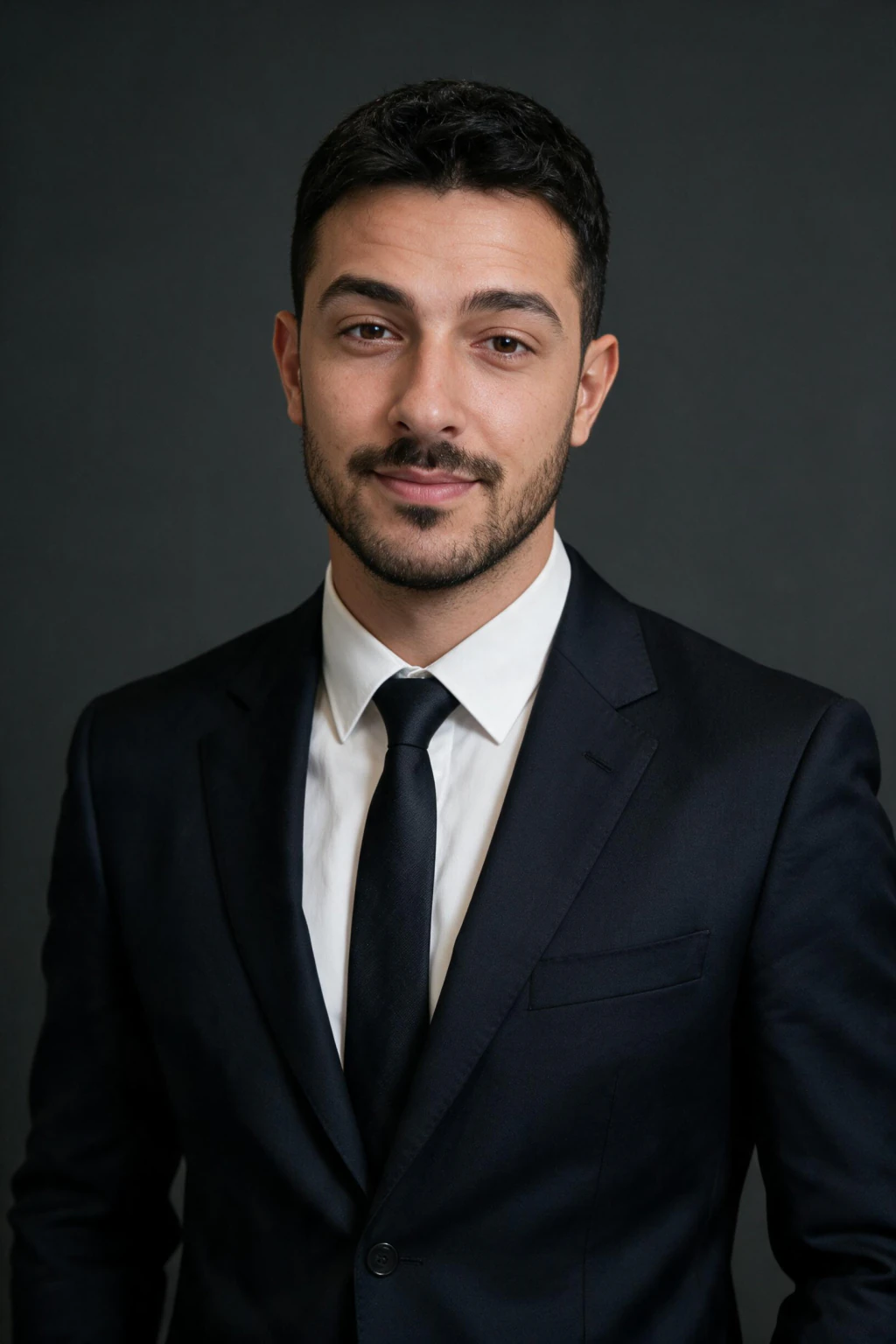
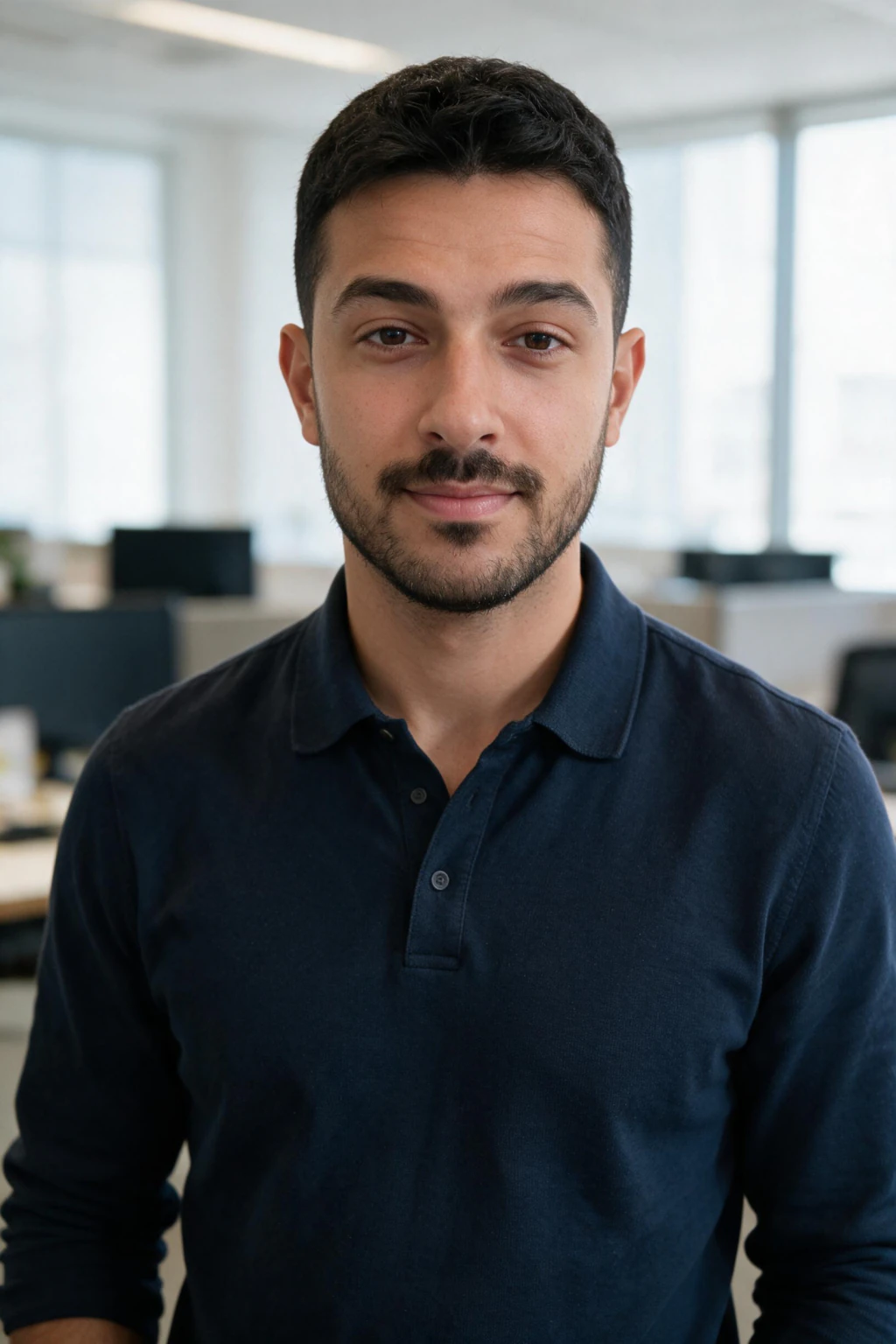
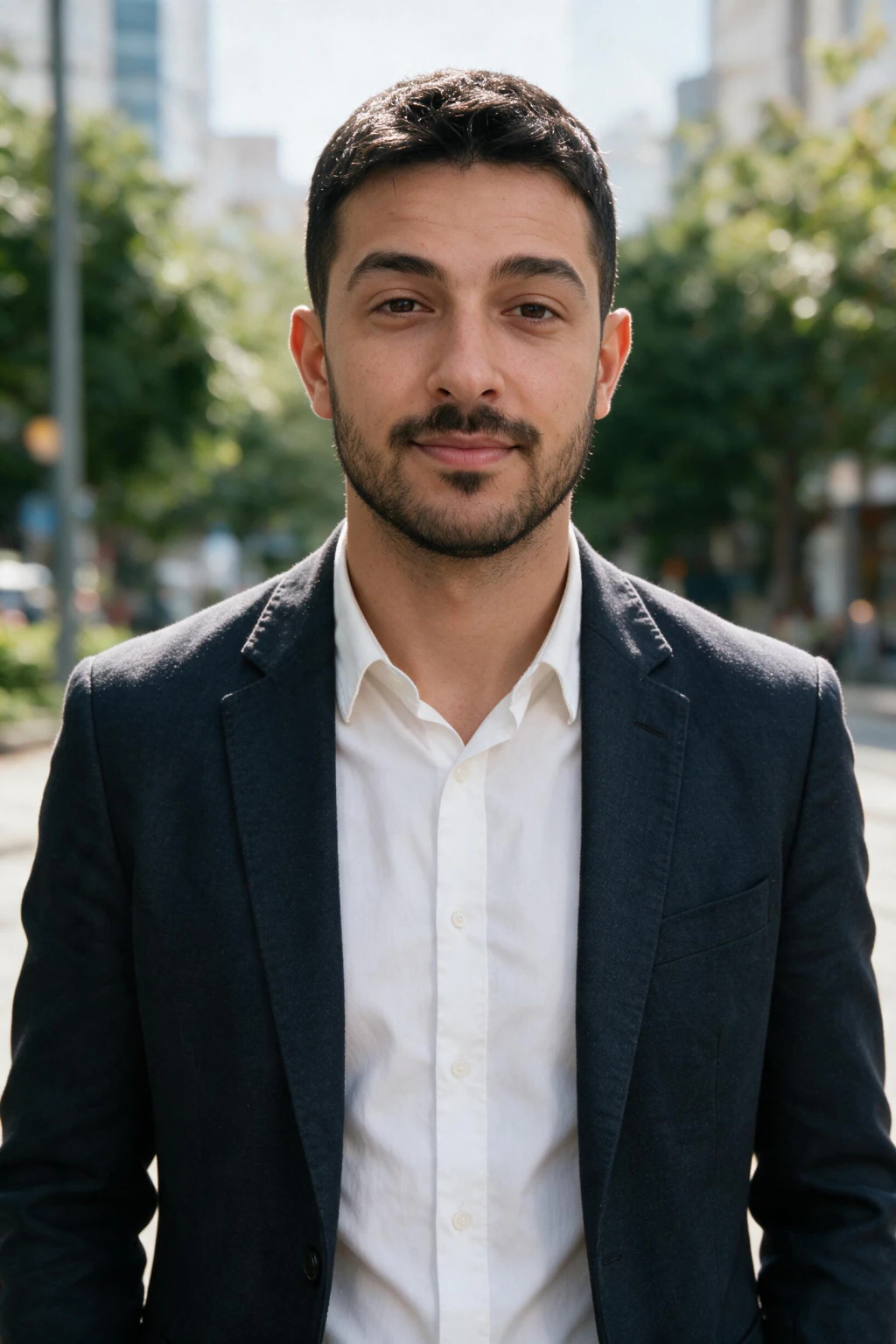
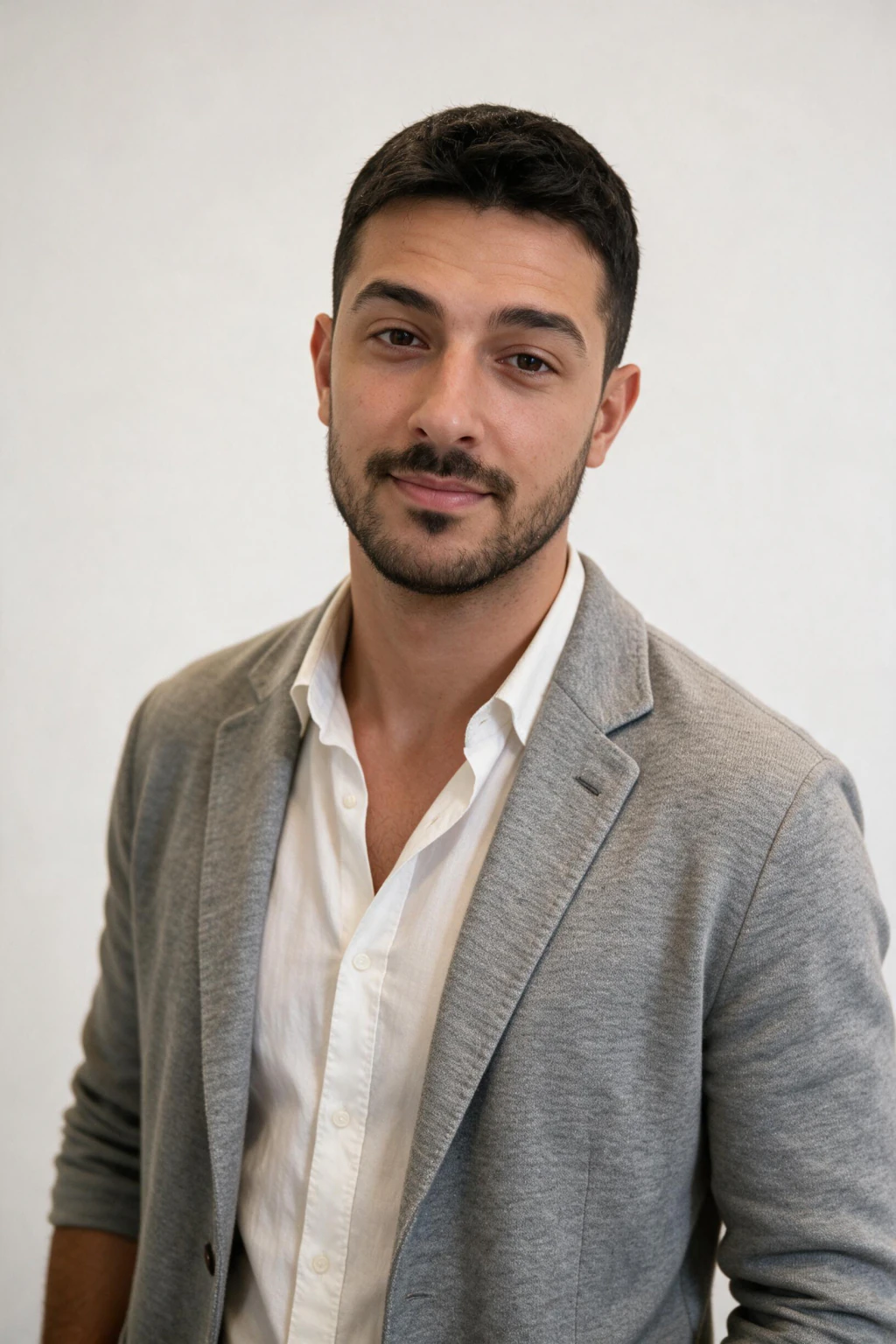
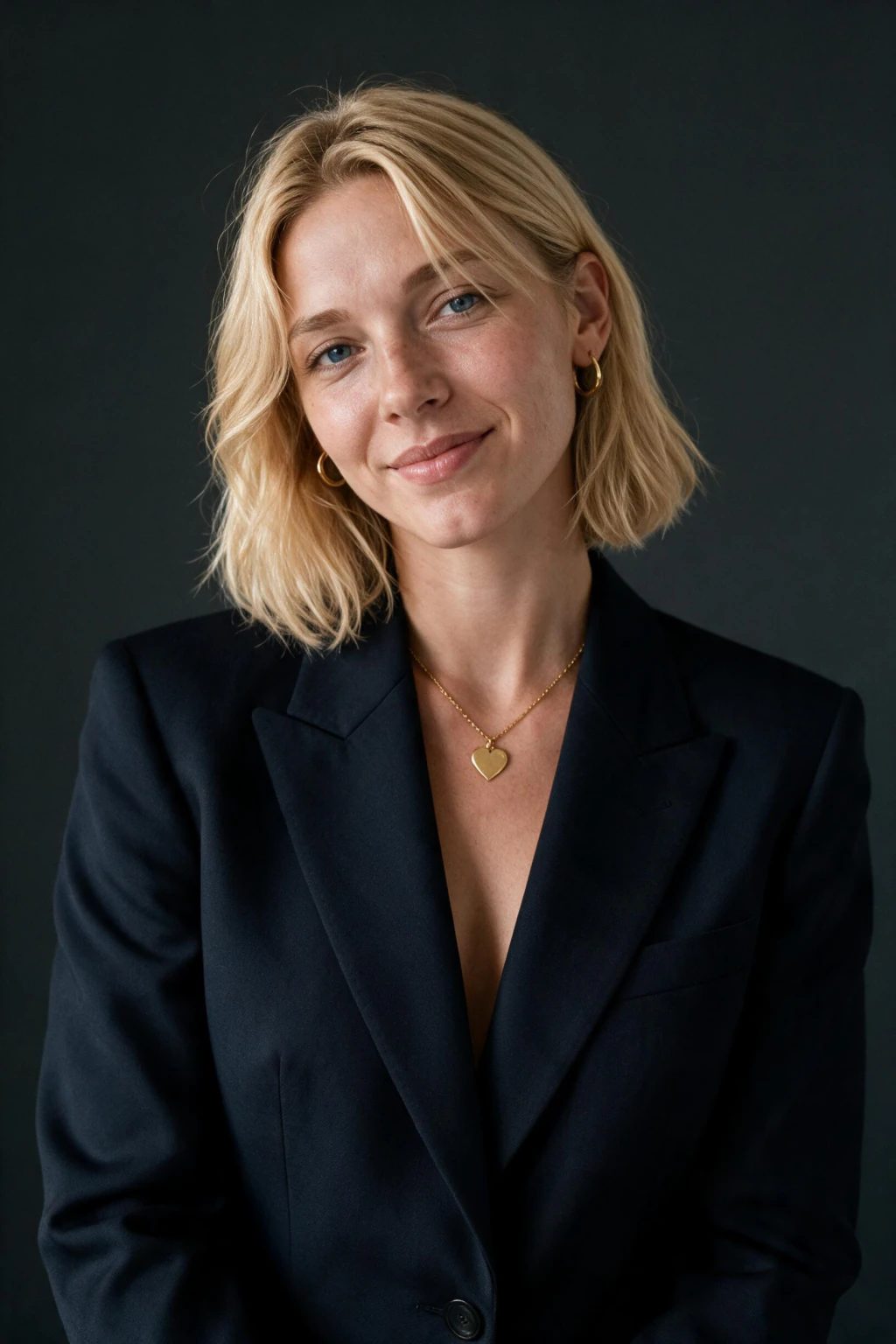
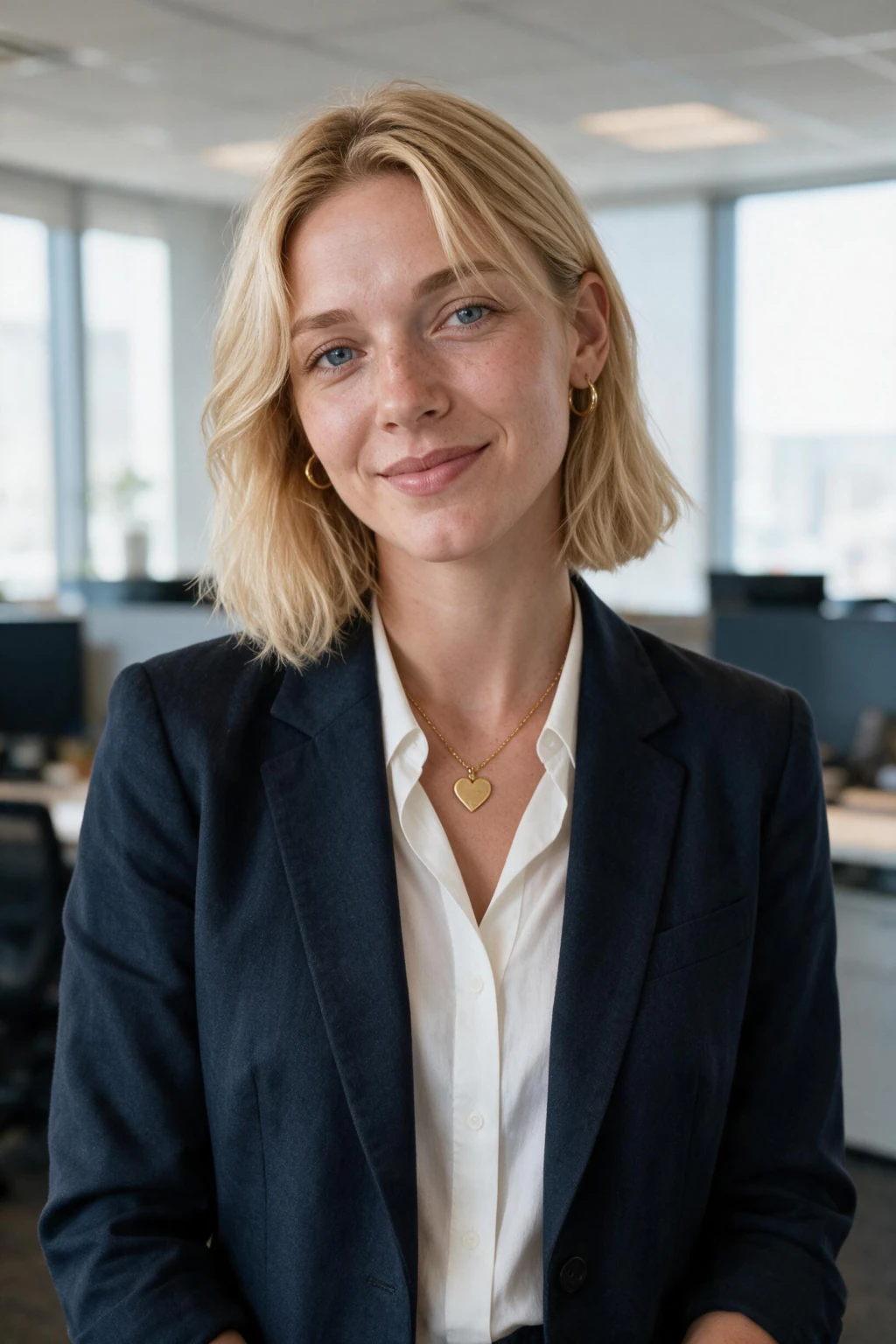
- Studio-quality professional headshots from your own selfies
- Results in about 2 minutes, no photographer or studio visit needed
- One-time packages $11.99, no subscription required
Why turn a selfie into a headshot with AI instead of booking a studio?
No scheduling required
A studio headshot session takes days to book and costs $200 to $500. With MakeAiPhotos, you upload one selfie today and have professional results in about 2 minutes.
Your face, not a template
The AI works from your own photo, so the output looks like you with studio lighting applied. Not a generic AI portrait, not a filter over a selfie.
Works across every platform
LinkedIn, company bios, team pages, resumes, CVs, speaker bios, and social profiles. One upload produces portraits you can use across all of them.
Industry-specific style packs
Executive, CEO, healthcare, legal, real estate, finance, tech founder, board portrait. Pick the style that matches what your industry expects, not a generic suit photo.
AI model photoshoot vs photographer vs turning a selfie into a headshot
If you are choosing between booking a photographer, paying for a full AI model photoshoot session, or letting an AI turn a selfie into a headshot directly, the trade-off is time, price, and how many style variations you get for one upload. Here is how MakeAiPhotos compares.
Studio photographer: $200 to $500 for a session, 1 to 2 weeks of advance booking, 3 to 7 days of editing turnaround, and one set of looks from that single shoot. You leave with maybe 5 to 10 retouched files in one outfit, one background, one expression range. Excellent for one specific high-stakes use, expensive and slow if you need variety.
MakeAiPhotos: one-time package $11.99, results in about 2 minutes from upload, 50+ professional style packs (LinkedIn, executive, CEO, healthcare, legal, real estate, finance, tech founder, board, creative). One selfie upload powers all of them, so you can switch industries or refresh your photo any time without re-shooting.
AI model photoshoot style packs (editorial, fashion, magazine cover) sit alongside the business packs in MakeAiPhotos. If you want the same upload that turns a selfie into a headshot to also drive an editorial-style shoot for portfolio or social use, browse the AI model photoshoot examples under photo ideas and add an editorial pack to your run.
Other AI headshot generators in the mid tier: typically $29 to $49, 2 to 4 hour turnaround, fewer style variations, results that often look more obviously generated when you swap industries. MakeAiPhotos edits your own selfie directly (not a shared template), so the headshot you get back stays consistent with your real face across every style pack.
Premium AI headshot tiers in the $45 to $75 range: longer turnaround in some plans, comparable quality on a single style but less industry variety. If you only need one LinkedIn-style headshot, any tool works. If you need to turn a selfie into a headshot that covers multiple industries, board bios, healthcare directories, or speaker pages from a single upload, MakeAiPhotos wins on cost per usable headshot.
The right choice depends on use. One executive portrait for a magazine cover, hire a photographer. A LinkedIn refresh, a new resume photo, a directory headshot for a healthcare site, or team bios for ten people, AI tools that turn a selfie into a headshot win on every measurable axis: cost, time, variety, and how quickly you can update.
How to take a selfie that becomes a professional headshot
The output is only as good as the input. AI professional headshot generators fed a weak selfie produce weak results, no matter the model. Spend five minutes shooting one clean selfie and the AI does the rest.
Light wins everything. Stand near a window during the day, face the light, and let it hit your face evenly from the front. Avoid overhead ceiling light (it casts dark eye sockets and a hard nose shadow) and avoid backlight (it silhouettes your face). If you must shoot indoors at night, use a single warm lamp angled from the front, not above. The AI cannot fix a photo where it cannot clearly see your features.
Outfit colour follows the rule of thirds. Pick a top that contrasts with both your skin tone and your background. Pale skin against a pale wall in a pale shirt produces washed-out AI output, every time. Navy, charcoal, burgundy, emerald, and saturated cobalt blue read as professional on LinkedIn, resumes, and company pages. Avoid pure white (blows out under studio lighting), neon, and busy patterns. Logos shrink to noise at profile-picture size.
Face the camera with a relaxed mouth, eyes open and looking through the lens, shoulders square. Take one selfie straight-on, chin level or tilted a fraction down, the angle that reads as confident rather than aggressive. Shoot two or three and upload the single sharpest one.
No filters. No beauty smoothing. No sunglasses, hats, or face coverings. No group shots. No photos older than 12 months. No screenshots of other photos. If the input selfie is clean, the AI returns a professional headshot from selfie inputs that looks like you walked into a studio. If the input is filtered or low-light, the output will look filtered or low-light, no matter how good the AI is.
Professional headshots from selfies by industry: what works for each
Different industries expect different headshot styles. The same MakeAiPhotos upload can generate every style below; pick the one that matches the role you are presenting yourself for. Each row covers the background, outfit, and expression that industry employers and clients expect.
Lawyer, accountant, finance
First photo: Clean charcoal or navy background, dark suit with crisp shirt, neutral confident expression
Must have: Sharp focus on eyes, formal jacket, no smile or a closed-mouth confident smile, traditional studio lighting
Avoid: Casual sweaters, busy backgrounds, wide smiles, tilted angles, anything that reads as informal
Doctor, dentist, healthcare
First photo: Soft white or clinic-blue background, white coat or scrubs over a clean shirt, warm approachable smile
Must have: Warm even lighting, full eye contact, calm relaxed posture, visible name area on the coat is fine
Avoid: Harsh shadows, cluttered hospital backgrounds, jewellery that catches glare, anything that hides the eyes
Real estate agent
First photo: Outdoor neighbourhood feel or modern interior, blazer over an open-collar shirt, confident bright smile
Must have: Friendly approachable energy, slightly informal but polished outfit, golden-hour or soft daylight tone
Avoid: Stiff studio look, dark stuffy backgrounds, closed-mouth serious expression, dated outfit
Executive, CEO, board
First photo: Dark grey or office-window background, structured dark suit, calm authoritative expression
Must have: Slight contrast lighting for depth, formal jacket and shirt, posture upright, neutral or small smile
Avoid: Casual tops, beach or vacation backgrounds, exaggerated smiles, novelty styling
Tech founder, startup
First photo: Light office or neutral grey background, smart casual (knit polo, blazer, button-down, no tie)
Must have: Bright even lighting, relaxed posture, real warm smile, modern crop with some space around the head
Avoid: Full formal suit (reads as out of touch), dark moody lighting, overly serious face
Creative, marketing, consulting
First photo: Coloured backdrop (sage, terracotta, deep blue) or clean white, smart outfit with one personality element
Must have: Strong eye contact, confident half-smile, lighting with some dimension, modern composition
Avoid: Generic grey background, fully formal suit, flat lighting, anything that looks like a passport photo
How do you turn a selfie into a headshot?
- Upload a single clear selfie in daylight or soft window light, not harsh ceiling light
- Use a straight-on angle with your face fully visible, chin level or slightly down
- Wear a solid colour top (navy, charcoal, burgundy, emerald), avoid logos and busy patterns
- Keep the frame at chest level up, with about 20 percent space above your head
- No sunglasses, no hats, no heavy filters, no group shots, no extreme close-ups
- Use a plain wall or simple background so the AI focuses on your face, not the room
Who uses an AI professional headshot generator from selfies?
- Founders and freelancers who need a sharp profile photo for their website or LinkedIn
- Job seekers refreshing their headshot before applications, interviews, or LinkedIn outreach
- Lawyers, accountants, and consultants who need a credible firm bio photo
- Doctors, dentists, and healthcare professionals updating practice websites and directories
- Real estate agents who need new listing-site headshots every season
- Teams that need consistent business portrait photos without booking a group studio shoot
How much do AI professional headshots from selfies cost?
MakeAiPhotos uses one-time package pricing at $11.99. No subscription, no monthly charge. Compare that to a studio headshot at $200 to $500 plus a week of editing turnaround. Come back for more photos or different styles whenever you need them.
Frequently asked questions
Can a headshot be a selfie?
A raw selfie is not a headshot, and the difference is measurable rather than a matter of taste. A headshot is shot from about chest up at eye level on a longer lens, with your face filling roughly 40 to 60 percent of the frame and light coming from in front of you. A selfie is shot at arm's length on a wide front camera, which enlarges your nose, narrows your jaw and puts the light wherever you happen to be standing. What a selfie can be is the source: one clear selfie carries enough facial information to generate a real headshot from, which is exactly what this page does.
Is a selfie good enough for a professional headshot?
Good enough as an input, not as the final photo. The selfie needs three things: your face front-facing with both eyes visible, soft light coming from in front of you rather than behind, and beauty mode and skin smoothing switched off. Smoothing removes the pore texture that makes an output read as a photograph, and it is the single most common reason a result comes back looking plastic.
How do you turn a selfie into a headshot?
To turn a selfie into a headshot, upload a single clear daylight selfie to MakeAiPhotos, pick a business style pack (executive, LinkedIn, healthcare, legal, real estate, tech founder, board), and the AI edits your own photo directly. About 2 minutes later you can download studio-quality headshots with clean lighting, business attire, and a professional backdrop, all built around your actual likeness. One-time pricing at $11.99, no subscription.
Can I turn a selfie into a professional headshot with AI?
Yes. AI can turn a selfie into a professional headshot that holds up on LinkedIn, resumes, and company bio pages, as long as the input is a clear daylight selfie with no heavy filters. MakeAiPhotos edits your own photo, then renders studio lighting, a clean background, and business attire around your real likeness. The blog post on whether AI can create professional headshots covers recruiter and hiring-manager acceptance in detail.
How long does it take to turn selfies into headshots?
It takes about 2 minutes per photo to turn a selfie into a headshot with MakeAiPhotos, from the moment you finish uploading one photo to the moment your studio-quality headshot is ready to download. A traditional photographer typically needs 1 to 2 weeks of advance booking plus 3 to 7 days of editing turnaround, so the AI route is roughly 100x faster end to end.
How do I convert a selfie to a headshot for LinkedIn?
To convert a selfie to a headshot tuned for LinkedIn, upload a single selfie and pick the LinkedIn or executive style pack. The output is sized and styled for LinkedIn's square profile crop with even studio lighting, business attire, and a clean grey or office background. The AI LinkedIn headshot generator linked below uses the same upload to produce LinkedIn-specific variants alongside the standard professional pack.
Can I use MakeAiPhotos as an AI model photoshoot?
Yes. The same upload that turns a selfie into a headshot also drives an AI model photoshoot. Pick an editorial or fashion style pack alongside the business packs, and the personalised AI model returns magazine-style portraits with the same face. See the AI model photoshoot examples under photo ideas for the editorial style range. One upload, both business headshots and a full AI model photoshoot result set.
Can I use a selfie as a business headshot?
A raw selfie usually reads as informal on LinkedIn and company pages, but a selfie can become a business headshot. Upload one clear daylight selfie to MakeAiPhotos and the AI generates studio-quality business headshots from it: professional lighting, clean background, and business attire built around your real likeness. So the selfie is the input, not the photo you publish.
Can you get professional headshots from selfies?
Yes. MakeAiPhotos reads your specific facial features from one selfie, then generates professional-quality headshots with studio lighting, clean backgrounds, and business-appropriate styling. The results work for LinkedIn, company bios, team pages, and resumes.
How do I make a professional headshot from a selfie?
Upload a single clear selfie taken in good natural light, with your face fully visible and no heavy filters. MakeAiPhotos edits your photo directly, then generates multiple professional headshot options. You download the portrait that looks best and use it immediately.
How long does it take to get professional headshots from selfies?
Each photo comes back in about 2 minutes. You upload a single selfie and each photo is ready to download about 2 minutes later. Compare that to a studio photographer: typically 1 to 2 weeks advance notice plus 3 to 7 days for edited files to arrive.
What should I wear for a professional headshot selfie?
Wear the outfit you would wear to a job interview or client meeting in your industry. Solid colours photograph best: navy, charcoal, burgundy, emerald, or muted blue. Avoid bright patterns, neon colours, large logos, and sheer fabrics. A well-fitted top with a clean neckline looks most professional at the sizes used on LinkedIn and company pages.
How accurate are AI headshots to your real appearance?
MakeAiPhotos edits your own photo directly, not a generic face. The result looks like you with professional lighting and styling applied. The clearer and better-lit your input selfie, the more accurate and consistent the outputs will be. Upload one clear photo with your face fully visible for the best results.
How much does a professional headshot cost?
A studio session with a photographer typically costs $200 to $500 in most cities, plus travel time and 3 to 7 days of editing turnaround. MakeAiPhotos generates studio-quality professional headshots from your selfies in about 2 minutes with one-time package pricing and no scheduling required.
Can I use AI headshots on LinkedIn and company websites?
Yes. LinkedIn has no rule against AI-generated profile photos. The requirement is that the photo looks professional and represents your actual appearance. AI headshots generated from your own selfies meet both criteria. They work equally well for company bios, speaker profiles, email signatures, and resume photos.
How do you make a professional photo from a selfie?
Upload a single clear selfie to MakeAiPhotos with daylight or soft indoor lighting. The AI edits your face straight from that upload, then generates a professional photo from selfie inputs with studio lighting, business backdrops, and a credible business style. Each photo comes back in about 2 minutes from upload to download.
Is a professional photo from selfie as good as one from a photographer?
For LinkedIn, company bios, resumes, and team pages, a professional photo from selfie generated by MakeAiPhotos is comparable to a studio session at a fraction of the cost. The AI applies studio lighting, clean backgrounds, and business-appropriate styling. A photographer remains the right choice for very high-resolution print use, but for digital profiles the result is functionally equivalent.
Is it safe and private to upload a selfie to MakeAiPhotos?
Your selfie is used only to generate your headshots. We do not sell uploaded images, we do not use them to train shared models, and you can request deletion at any time. Your upload is yours; it is never pooled into a shared model.
How many selfies do I need for professional headshots from selfies?
One. Use daylight or soft indoor lighting, a straight-on angle, a neutral expression, and no heavy filters or sunglasses. One clean, well-lit selfie is all the generator needs, and it produces more believable studio-quality results than a batch of weak ones.
What is the best AI for professional headshots from selfies?
The best AI for professional headshots from selfies works from your own face rather than a generic template. MakeAiPhotos edits your own selfie, generates clean backgrounds and studio lighting, and includes 50+ style packs (LinkedIn, executive, CEO, board, founder, healthcare, legal, realtor). Results in about 2 minutes from upload, at $11.99.
Can I use AI headshots for my company website or team page?
Yes. AI headshots generated from your own selfies are widely used on company About pages, team rosters, leadership grids, and speaker bios. The headshots look consistent across a team when each member uploads their own selfie and picks the same style pack (executive, corporate, professional).
Are AI headshots worth it compared to a photographer?
For digital profiles, yes. A photographer charges $200 to $500 and needs a week or more of lead time, while MakeAiPhotos generates professional headshots from your selfies in about 2 minutes with one-time pricing. You also get multiple styles and backgrounds from a single upload, which a single studio session does not include. A photographer still wins for large-format print work.
Do professional headshots from selfies look fake or AI-generated?
No, when your input selfie is clear and well lit. MakeAiPhotos edits your real face directly, so the headshots keep your features, skin texture, and natural proportions. The studio lighting and clean background are added around your likeness, not pasted over a filter. Upload one clear, daylight selfie and the output reads as a real professional photo.
Can I get a professional headshot from one selfie?
Yes. MakeAiPhotos is built for exactly this: upload one clear selfie and the AI generates the headshots straight from it. Use a straight-on shot where your face is sharp, well lit, and fills most of the frame, and you get consistent, believable professional headshots.
What is the best site for professional headshots from selfies?
MakeAiPhotos is built specifically for professional headshots from selfies. It edits your own photo directly (not a shared template), returns each photo in about 2 minutes, offers 50+ industry style packs covering executive, CEO, board, healthcare, legal, real estate, finance, tech founder, and creative looks, and is $11.99 one-time with no subscription. MakeAiPhotos covers more industry styles per upload at a lower entry price than typical AI headshot generators in the $29 to $75 range.
Can I use professional headshots from selfies on my resume and CV?
Yes. The same upload that powers your LinkedIn photo also generates resume and CV crops, including the passport-style portrait format expected on European, UAE, and most Asian resumes. The headshot looks like a studio session: clean background, even lighting, business attire, neutral or confident expression. Use the square crop on LinkedIn and the passport-style crop on your CV.
Do recruiters and hiring managers accept AI professional headshots from selfies?
Yes. Recruiters care that the photo looks professional and recognisably represents you, not that it came from a studio. AI professional headshots from selfies generated by MakeAiPhotos start from your real face, so the result is your likeness with studio lighting and a business backdrop applied. LinkedIn, company bio pages, hiring platforms, and ATS resume systems treat them the same as photographer-captured headshots.
How recent should my selfies be for professional headshots from selfies?
Use a selfie taken in the last 6 to 12 months, ideally with your current hairstyle, glasses, and facial hair. An older photo can pull the AI model toward an outdated likeness. If you recently changed your hair or grew or shaved a beard, take a fresh selfie that day. The AI is only as current as your input.
Related pages
- AI LinkedIn headshot generator
- AI resume photo generator
- generate AI photos of yourself online
- AI headshot generator pricing comparison
- therapist headshots
- accountant headshots
- consultant headshots
- AI headshots for marketing managers
- browse professional headshot examples
- AI model photoshoot examples
- are AI headshots worth it
- how to take a selfie for AI headshots