AI Fan Cam Generator: Put Yourself in the Stadium Crowd From One Selfie
An AI fan cam is a broadcast-style shot of you in a stadium crowd, and MakeAiPhotos is an AI fan cam generator that turns one selfie into that crowd photo in about 2 minutes, then into a short video with crowd audio.
You have seen the clips: the camera sweeps the stands, picks one fan out of the crowd, and holds on them for two seconds. The AI stadium fan cam trend is still working in 2026, now driven by match day itself, NFL kickoff and college Saturdays, and the face in the stands is yours even though you never left your kitchen. Upload one clear selfie, pick your look, and the generator builds the crowd, the lighting, and the telephoto camera look around your real face.




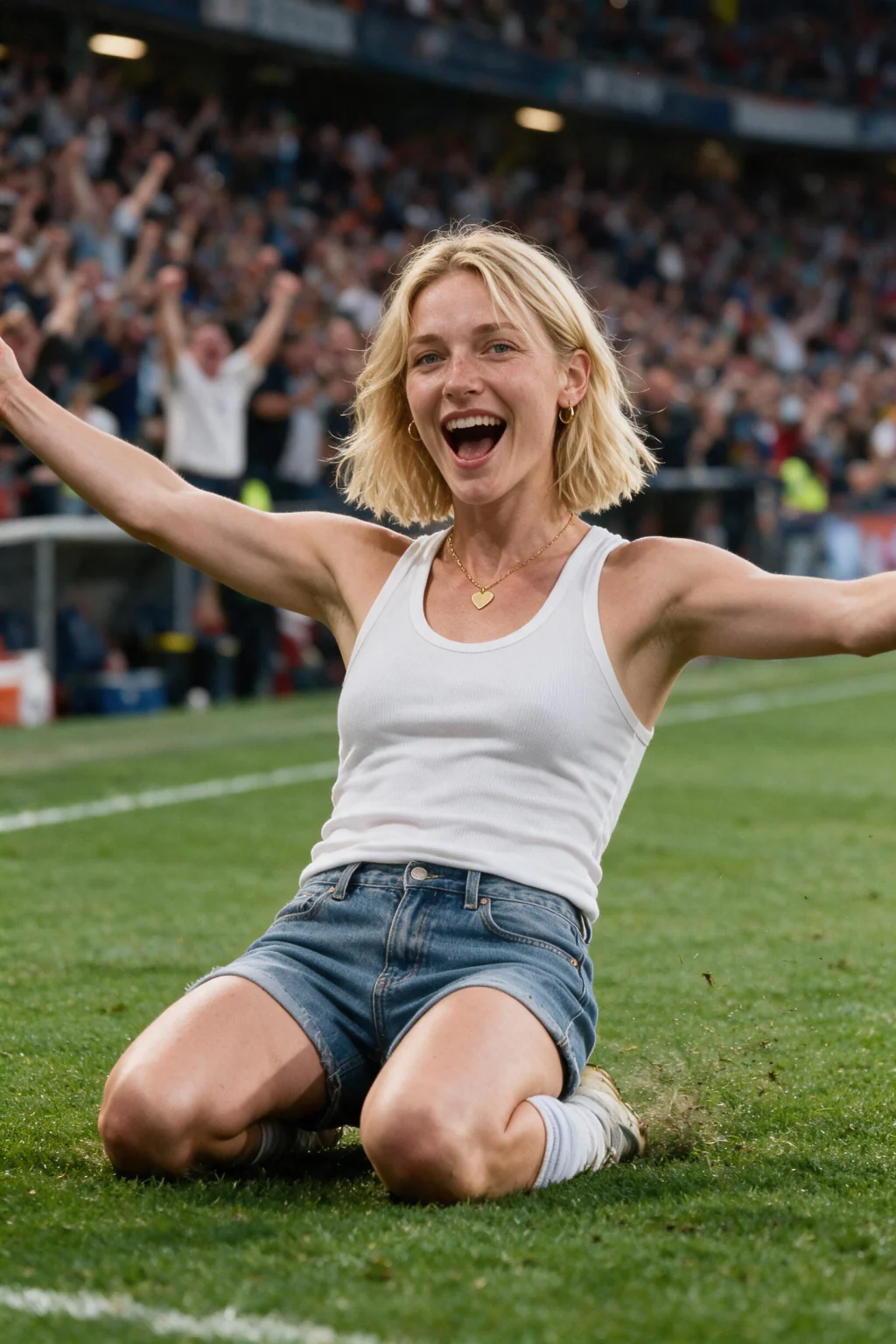

- One clear selfie in, a broadcast-style stadium crowd photo of you back in about 2 minutes
- Turn that photo into a short video with crowd audio, made to post to TikTok, Reels, and Shorts
- $9.99 one time buys 100 credits, and each photo or video costs 10, so no subscription and nothing renews
Why does an AI fan cam look real instead of like a filter?
The whole scene is rebuilt, not pasted on
A filter drops a flag on top of your face and reads as a sticker. The generator builds the crowd, the stadium lighting, and your team's colors around you, so the light on your face matches the light in the stands.
It copies the camera, not just the place
Real fan cam shots come from a long telephoto lens: the fan is sharp, the rows behind melt into bokeh, the framing sits slightly off-center. Your photo is rendered with that broadcast look, the detail most AI crowd photos miss.
Your face, matched
The output is a new photo of you, not a stock model in your shirt. Your face and hair are matched from the one selfie, then the video adds natural head and crowd motion plus crowd audio.
Which sport do you want? World Cup or NBA courtside
This page is the general entry point for the fan cam trend. Two dedicated pages run the same generator with a scene built for one sport each, and picking the right one gets you a better result than a generic crowd.
For soccer, use the AI World Cup photos page. You get the kit, the pitch, and a packed tournament stand with floodlights and broadcast grading.
For basketball, use the AI NBA courtside photos page. That one puts you courtside instead of high in the stands, so you get hardwood, arena floodlights, the jumbotron, and the front-row angle the courtside trend is built on.
Both take the same input, one clear selfie, and both return a photo first and a short video second. Both cost 10 credits per photo and 10 per video, so one $9.99 credit pack covers either.
Want yourself on the pitch instead of in the crowd? The World Cup page carries both: lifting the trophy, a goal celebration, on-pitch action, the lineup portrait, and the tunnel walkout. Five looks, same single selfie.
Where to post your AI fan cam
The clip is short and vertical-friendly, so it fits every short-form feed. Here is what each one rewards, so you know which frame to post where.
TikTok
Post this: The video, vertical, crowd audio left on
What works: Your reaction visible in the first second
What to skip: Muting it, the crowd noise is what sells it
Instagram Reels and Stories
Post this: The video for Reels, the photo for a Story frame
What works: Clean vertical crop, face in the upper third
What to skip: Text overlays covering your face
YouTube Shorts
Post this: The same vertical clip, no re-edit needed
What works: A title naming the team or the match
What to skip: Letterboxed exports with black bars
Profile picture
Post this: The stadium photo, cropped square on your face
What works: Sharp eyes, colors readable at thumbnail size
What to skip: Wide crops where you get lost in the crowd
How do you make an AI fan cam?
- Upload one clear, front-facing selfie in good light, with nothing covering your face. Sunglasses, heavy shadows, and group photos all weaken the likeness
- Pick your look from the tap list, which sets the scene, the kit colours, and the crowd around you
- Get your stadium photo in about 2 minutes, then tap create video to turn that same frame into a short clip with crowd audio
Who makes an AI fan cam
- Fans who saw the stadium fan cam trend on TikTok and want their own version without writing a prompt
- Creators who need a scroll-stopping vertical clip on match day, not a static edit
- Supporters who want a profile picture or story frame of themselves in their team's colors
What the AI fan cam generator costs
One payment of $9.99 buys 100 credits. A stadium photo costs 10 credits and a short video costs 10 credits, so that is about 10 photos, or 5 photos plus 5 videos, and you decide the mix. There is no subscription, checkout is secure with card or PayPal, and there is a 14-day money-back guarantee (terms apply).
Frequently asked questions
What is an AI fan cam?
An AI fan cam is a photo or short video that places your own face in a stadium crowd, made to look like a TV camera panned across the stands and stopped on you. You upload one selfie, the AI builds the crowd, the stadium lighting, and the telephoto camera look around you, and the result reads as broadcast footage rather than a filter.
How do I make an AI fan cam of myself?
Upload one clear, front-facing selfie, pick or type your team, and tap create. Your stadium crowd photo comes back in about 2 minutes, and you can turn that same frame into a short video with crowd audio. No prompt writing involved.
How long does an AI fan cam take?
The stadium photo takes about 2 minutes. The short video is built from that photo afterwards and takes about a minute, so keep the page open while it runs. There is no model to train first.
How many selfies do I need to upload?
One clear selfie. Front-facing, good light, face unobstructed, no sunglasses and no group shots. The crowd, the shirt, and the lighting are all generated around that single photo.
How much does an AI fan cam generator cost?
$9.99 one time, which buys 100 credits. A photo costs 10 credits and a short video costs 10, so that is about 10 photos, or 5 photos plus 5 videos. Nothing renews, and there is a 14-day money-back guarantee (terms apply).
Does the fan cam video have sound?
Yes, the short clip includes crowd audio, which is most of why it reads as real match-day footage. Post it with sound on, because a muted fan cam loses the effect.
Does the AI fan cam work for any sport?
Two scenes are live. The soccer version puts you in a packed tournament stand on the World Cup fan cam video page, and the basketball version puts you courtside on the NBA fan cam video page. Both take one selfie and return a photo plus a short video.
Can I pick my own team?
Yes. Each fan cam page has quick picks for the most-supported teams, and you can type any team or country instead. Your pick sets the shirt you wear and the colors around you in the crowd.