What a football fancam maker online actually does
A football fancam maker online renders your stadium photo first, then generates the short broadcast clip out of that finished still. You give it one front-facing selfie and a team. It gives you a frame that looks like a camera operator swung across the stand during a stoppage and held on you for two seconds.
Most results for fancam maker online are clip editors. You feed them footage of somebody else, cut it to a beat and export. Nothing in that workflow can put you in the picture, because you were never in the footage to begin with. This tool starts from your face instead of from a timeline.
The scene itself is generated, not composited. Your shirt, the supporters in the rows around you, the floodlight spill on your cheekbone and the slight telephoto squeeze of the background are all produced together, in one pass, as parts of the same image. Nothing is layered on afterwards, which is why the edges of you do not have that cut-out halo you get from a background swap.
It runs in a browser on a phone or a laptop, with nothing to install and no footage to import. Everything you make comes out vertical by default, which is the shape your phone screen already is and the shape every short-video feed rewards. You upload once, you choose once, and you download two files.

One phone selfie to 5 AI photos of the same person




Why the still renders before the video
This is the part that separates a fan cam you can post from one you quietly delete. The photo is generated and locked, and the clip is then produced from that finished photo. Every frame of the video traces back to a single image you have already looked at and accepted.
Tools that generate video straight from a selfie work the other way round. They have one small face to reason from and a few hundred frames to fill, so nothing anchors the middle of the clip. Frame 1 usually looks fine. Frame 40 is where the face starts sliding: the nose narrows, the jaw softens, the person at the end is a cousin of the person at the start.
Anchoring the clip to a finished still removes that failure mode. The stadium, the shirt colour, the light direction and your bone structure are already settled before a single frame of motion exists, so the animation only has to move what is there rather than guess what should be there.
There is a practical benefit too. You get to judge the likeness on a big static image, where flaws are obvious, instead of on a moving clip where a bad face hides in the motion blur. If the still is not you, you change the selfie and render again before spending anything on the video.

Six stadium looks you can build from the same selfie
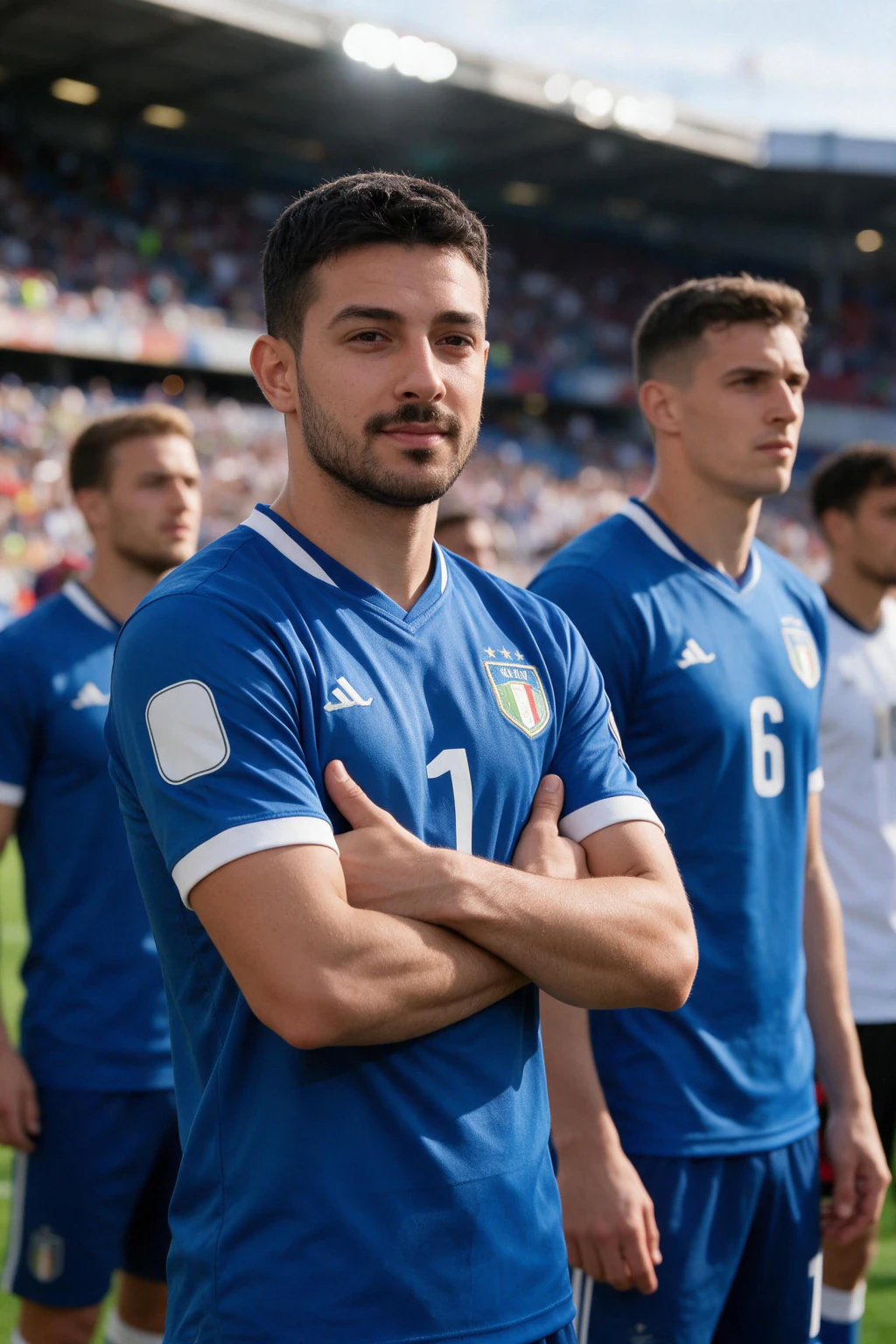
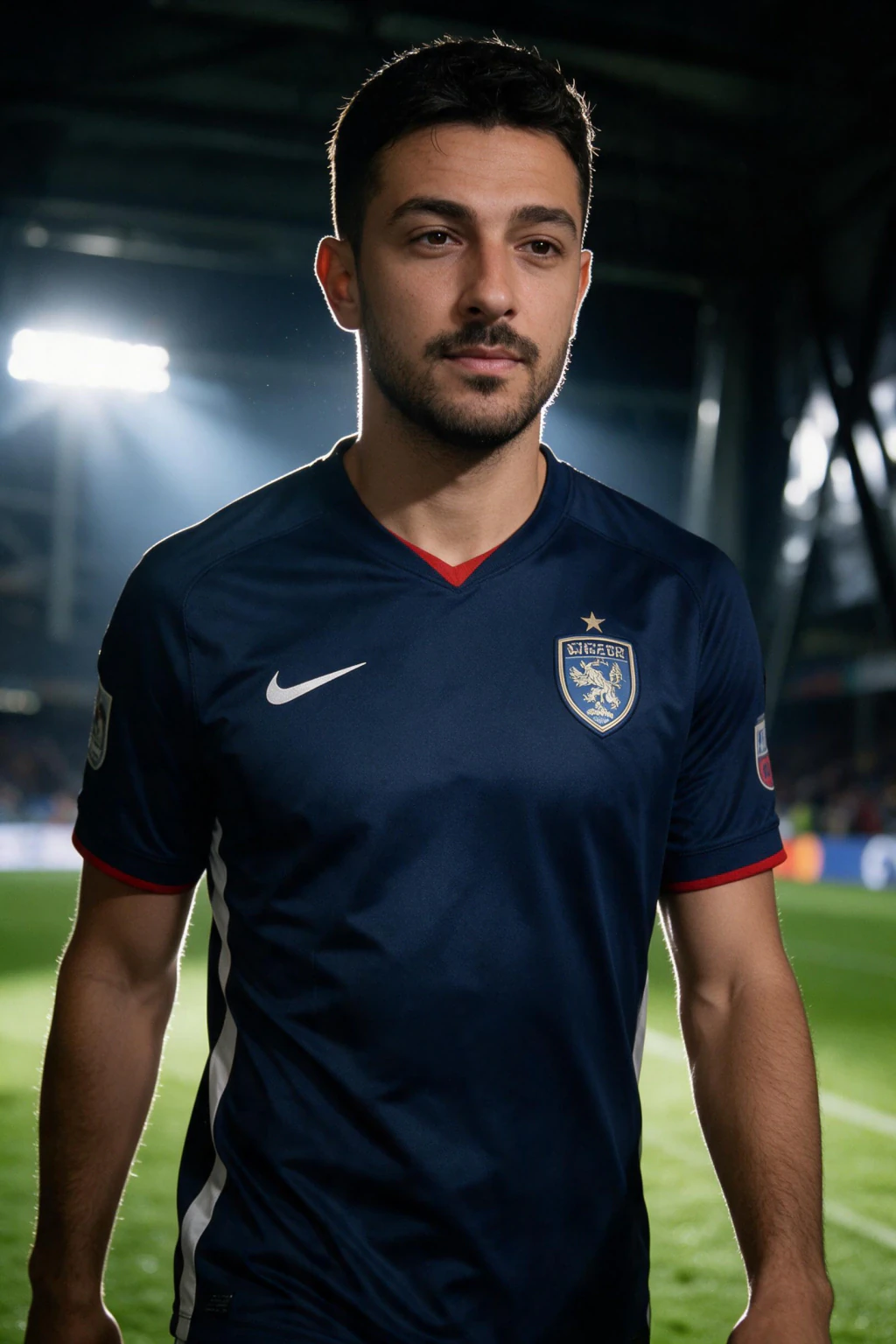
One selfie is enough for a whole set. Since the shirt and the crowd are chosen before each render, you can run the same face through several looks and keep only the ones that suit your feed. The tiles below are real outputs from this generator rather than mockups, so what you see is what your own render is aiming at.
Pick the look by what you plan to caption. A tight crowd frame reads as a broadcast cutaway and suits a match-day post. A wider stand shot shows the scale of the ground and works better as a profile picture, where your face still has to be recognisable at thumbnail size on somebody else's phone.
If you are supporting a country rather than a club, the same set of looks applies to you. The colour direction changes, the framing does not, and the night versions hold up better in a feed than the daylight ones because the floodlight separates you from the crowd behind. Start with the look you would actually post, not the one that sounds most impressive.
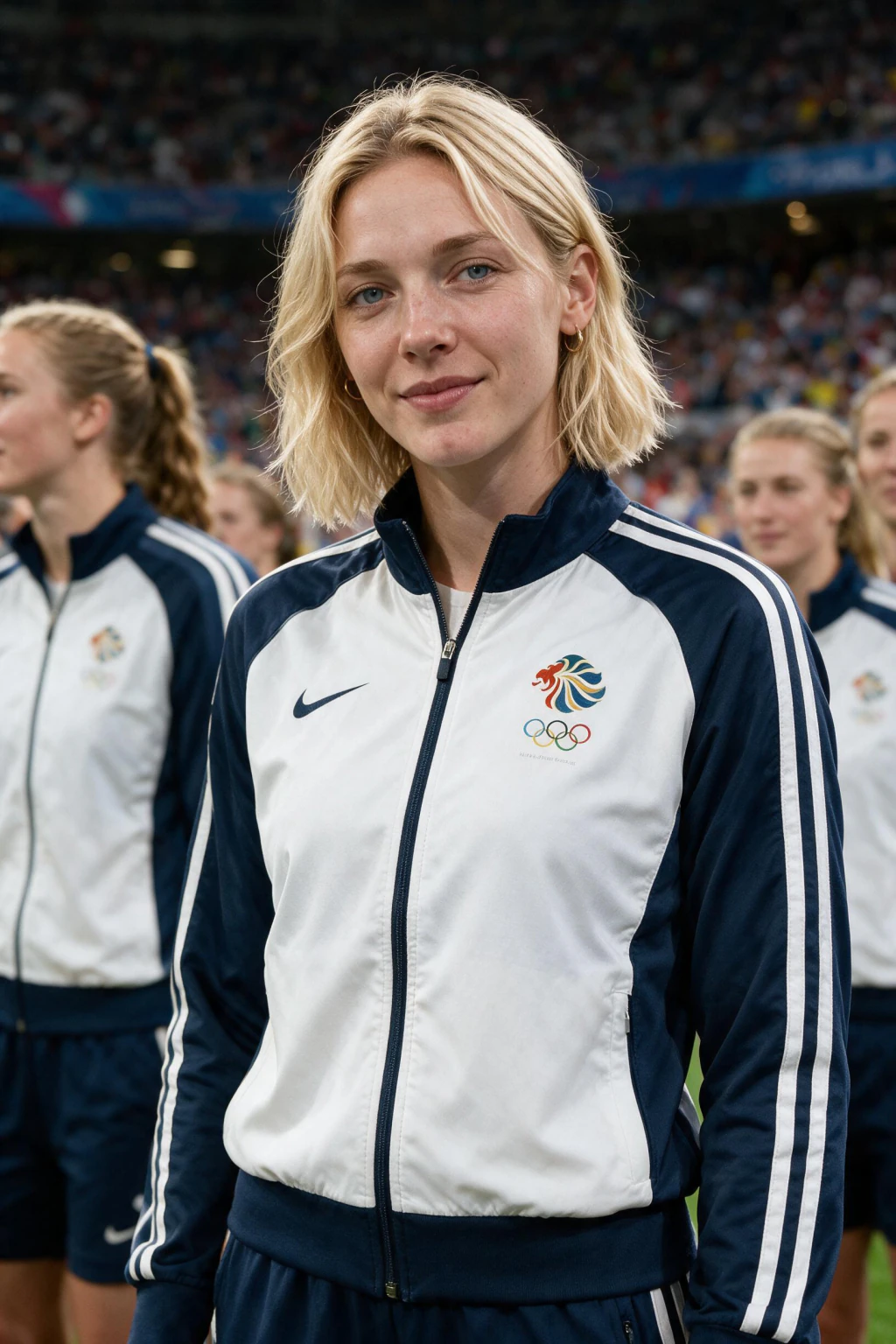

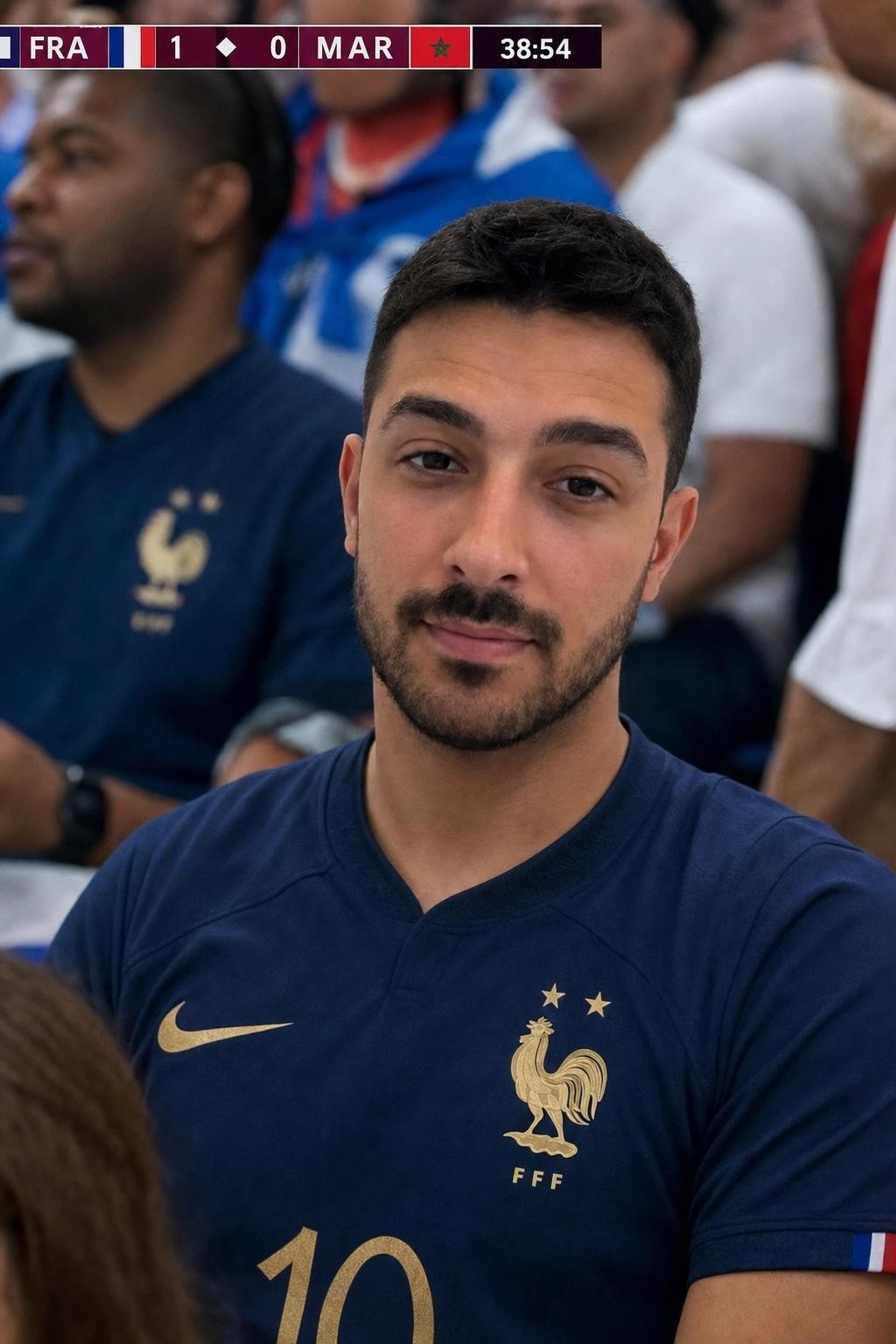


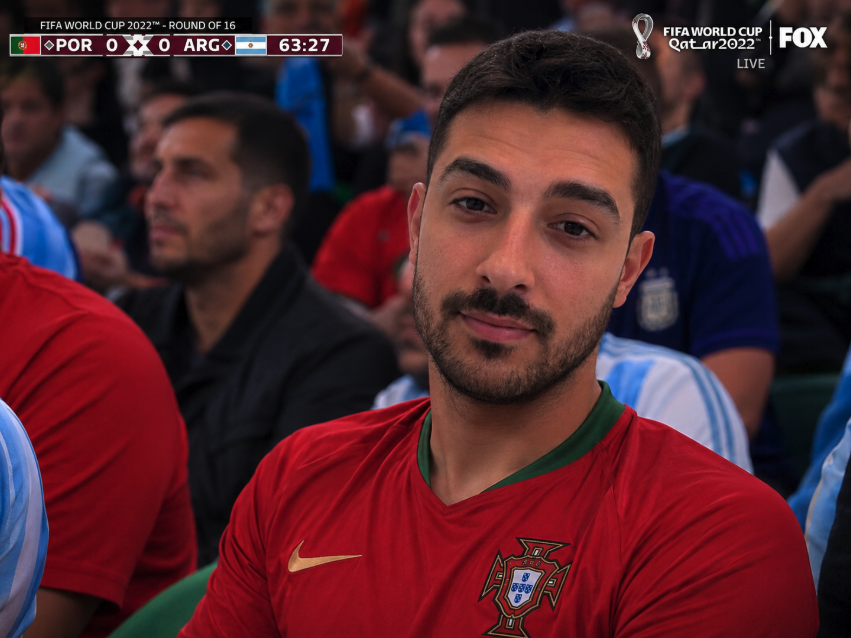
Pick the look you would actually post, then render that one first.
How to make a football fan cam in five steps
The whole run takes a few minutes on a phone. Two of these five steps are decisions rather than clicks, and those two decide whether the result is something you post or something you sit on. Give them thirty seconds each and the rest of the process takes care of itself.
Step 1, choose the selfie before you open anything. Scroll your camera roll for one sharp, front-facing, head-and-shoulders shot in even daylight. Not a group photo, not a three-quarter angle, not a night-out flash photo. The generator rebuilds your face from this one image, so the detail it can see is the detail it can keep.
Step 2, pick your team. The shirt you choose sets the colour of everything else in the frame, including the scarves behind you and the tone of the light bouncing off the crowd. Portugal, Argentina, Brazil, France and England are one tap on the generator, and you can type any other country instead.
Step 3, render the still and wait about a minute. The AI builds a new stadium, dresses you, fills the seats and grades the whole thing to look like a broadcast feed rather than a phone photo. Nothing here is your selfie with a background swapped in behind it.
Step 4, judge the still at full size. Zoom to the eyes first, then the jawline, then the hairline. If those three read as you, the clip will read as you as well, because the clip is generated from this exact image. If they do not, swap the selfie and go again.
Step 5, generate the clip. Head motion, crowd movement, a slow camera drift and stadium audio get built on top of the frame you approved. Download the vertical file and post it. Match day is the moment, and a clip posted the morning of a fixture rides the same attention spike as the game.

What makes the face come out looking like you
Almost every disappointing fan cam traces back to the input photo rather than to the generator. Soft window light at roughly 45 degrees to your face gives the model clean shadow information along the nose and jaw, which is what it needs to rebuild the same head under stadium floodlights.
Shoot on the rear camera if you can, propped against something, rather than at arm's length on the front camera. The front lens is wide, and wide lenses at close range stretch the nose and shrink the ears. That distortion gets baked into the render as though it were your actual face.
Switch beauty mode and skin smoothing off. Those filters delete pores, fine lines and stubble, and the generator then has to invent skin texture from nothing. Invented texture is exactly what makes a viewer feel that something is off without being able to say why.
Keep your face unobstructed. Sunglasses remove the single most recognisable feature you have, a cap brim across the eyes does the same thing and adds a hard shadow, and a hand near your chin confuses the jaw line. One face, one light source, nothing across it. If your best selfie breaks one of these rules, spend two minutes taking a new one instead of hoping the render sorts it out.

Picking your team and the crowd that comes with it
The team is not a colour swap applied at the end. It is an input to the render, so the shirt fabric creases the way that shirt creases, the crowd around you leans towards the same palette, and the light coming off the stand carries a hint of it onto your face.
That is why changing your mind means a fresh render rather than a recolour. It costs you another minute, and it is the reason two different teams from the same selfie come out looking like two separate photographs instead of the same photograph twice with a different hue slider pulled across it.
National sides read strongest through a tournament, when the shirt alone tells the viewer what the post is about. Club colours work better as an everyday profile picture, because they are not tied to a fixture window that closes. If you want the tournament version specifically, the AI World Cup photo generator runs the same photo-then-video flow with tournament framing.
Why a generated scene beats a clip editor or a filter
A filter sits on top of your photo. It can tint your face with a flag, add a scarf sticker or paste a stand behind your shoulders, but the light on you was decided by whatever room you were standing in when you took the selfie. Viewers spot that mismatch immediately, even when they cannot name it.
A generated scene decides the light and your face at the same moment. Stadium floodlights come from above and slightly behind in most grounds, so the render puts a rim on your shoulders and drops a shadow under your brow. Those two details do more for believability than any amount of resolution.
A clip editor has a different problem: you are never the subject. The format spread because people wanted to be the fan the camera found, and cutting somebody else's footage to a beat cannot deliver that. The background on how this format started is covered in the AI fan cam trend explained, which is worth reading before your first render.
How to post a football fancam so it travels
Keep the clip short. Somewhere between 8 and 20 seconds loops cleanly and gives the viewer a second pass at your face, which is usually when the reaction lands and the comment gets typed. Longer clips give away how little is happening in the frame, and a fan cam is a moment rather than a scene.
Post it vertical and leave it vertical. The generator already outputs at 9:16, so cropping a wide file down to fit is a step you never have to take, and the top and bottom of your frame stay clear of the captions and the platform interface that sit over every short video.
Caption it in your own voice rather than describing what the viewer can already see. The picture says you are in the stand, so your line should say something about the fixture, the result you want, or the friend you are tagging. A clip that starts a conversation travels further than a clip that ends one.
Timing beats production. A clip in your country's shirt posted a few hours before kick-off lands in a feed full of people already searching the fixture, and the same clip posted three days later lands in nothing. Label it as AI-made in the caption and let it be a fan post rather than a claim that you were there.
What it costs and what you walk away with
The tool runs on credits rather than a subscription, and the stadium photo and the short clip are billed separately. That split is exactly why the check-the-still step is worth taking seriously: you never pay to animate a face you were not happy with. Current credit packs are listed on the pricing page.
You keep what you generate. The still and the clip download at full quality with no watermark stamped across the corner and no gate on the download button, so the file sitting in your camera roll is the file you post. Nothing expires and nothing needs re-buying to stay yours.
One selfie can feed several renders, so the sensible approach is one still in your first-choice shirt, a look at it, then the clip. If it works, run a second team from the same selfie. If it does not, the fix is almost always a better input photo rather than a different setting.
Frequently Asked Questions
- What is a football fancam maker online?
- It is a browser tool that turns one selfie into a broadcast-style stadium photo of you in a team shirt, then generates a short clip with crowd audio from that finished photo. The still is rendered first and the video is built out of it, which is why the face stays consistent across the clip.
- Why does the photo get made before the video?
- Because the video needs something fixed to follow. With a finished still as the source, your face, your shirt and the light direction are already settled before any motion is generated. Tools that animate straight from a selfie have no anchor for the middle of the clip, which is where the face usually starts drifting.
- How do you make a fancam video of yourself in a stadium?
- Upload one clear front-facing selfie, pick your country or club, render the stadium still, check the eyes and jawline at full size, then generate the clip from that still. Each step takes roughly a minute. The input selfie matters more than any other choice you make.
- Do I need to install anything to make a football fan cam?
- No. It runs in the browser on a phone or a laptop, so there is no app to download, no footage to import and no editing timeline to learn. You upload one photo, pick a team, tap twice and download two files. If you are opening it from a link inside another app, switch to your normal browser first, since in-app browsers often block uploads.
- Which football teams can I appear with?
- Any of the 48 national teams in the 2026 tournament, plus club colours if you type them. Portugal, Argentina, Brazil, France and England are one tap. The team you pick sets your shirt and the colour of the crowd behind you.
- Is the football fan cam a filter or a generated photo?
- It is a generated photo. The AI builds a new stadium scene, a crowd and a shirt around your real face in a single pass, so the floodlight on your cheek belongs to the same image as the stand behind you. A filter cannot do that, because the light on your face was fixed when you took the selfie.
- How much does a football fan cam cost?
- It runs on credits with no subscription, and the stadium photo and the short video are charged separately, so you decide after seeing the still whether the clip is worth making. Current credit pack details live on the pricing page. Whatever you generate stays yours at full quality with no watermark and no download gate.
- How long should a football fancam video be?
- Keep it between 8 and 20 seconds so it loops and the viewer gets a second look at your face. The output is already vertical at 9:16, so no cropping is needed. Post it on match day in your team's shirt for the strongest reach.