How long do AI photos take in 2026?
AI photos take about 2 minutes each on MakeAiPhotos, measured from pressing generate to a finished file you can download. Most reviews still quote 30 minutes, because that was the honest number when every generator had to train a personal model on your face before it could render anything.
Updated August 2026. Tool timings and prices in the comparison below were re-checked this month.
That training step is gone. The generator reads the one selfie you uploaded and edits it directly into the scene your look describes, so there is no silent window where nothing exists yet. You press generate and the render is already running.
Photos arrive one at a time rather than as a batch dumped at the end. That is worth more than it sounds: you see a finished photo of your own face before you decide whether to spend credits on the next look.
Each finished photo costs 10 credits, and $9.99 buys 100 credits, so a pack is about 10 photos. Output runs up to 4K, there is no watermark, and there is no download gate waiting at the end. Everything renders vertical by default, which is the shape feed, Reels and TikTok actually want. The grid below is what finished photos look like across six different packs.
One phone selfie to 5 AI photos of the same person
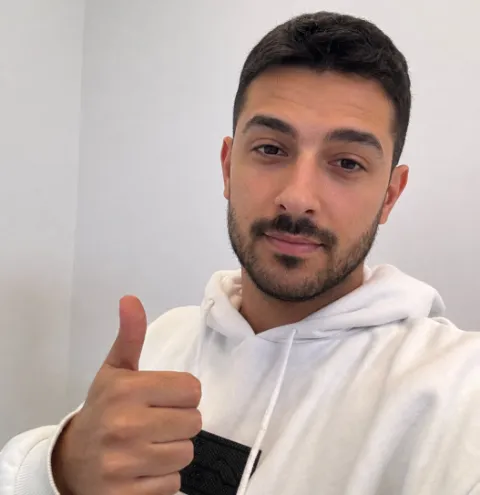
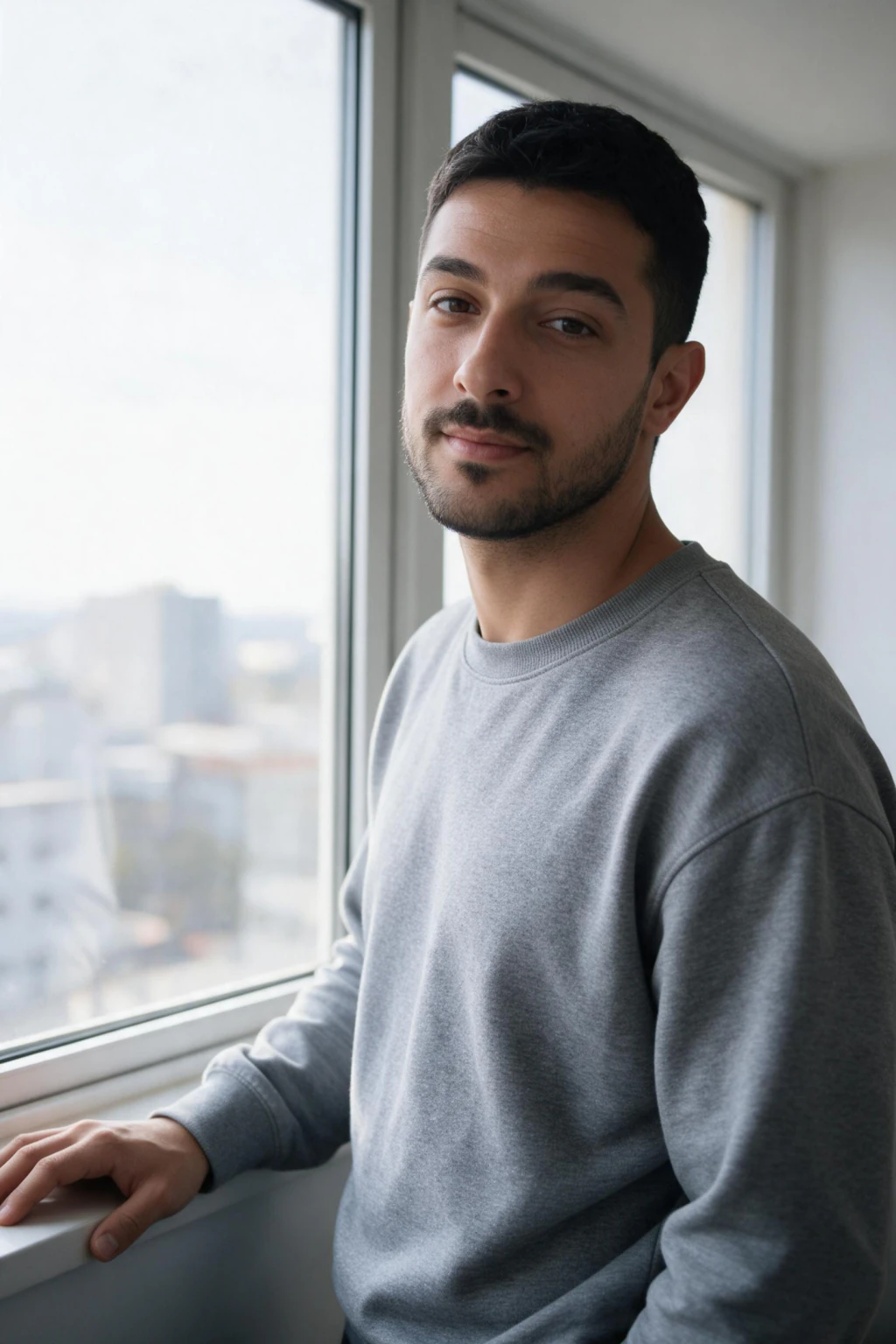
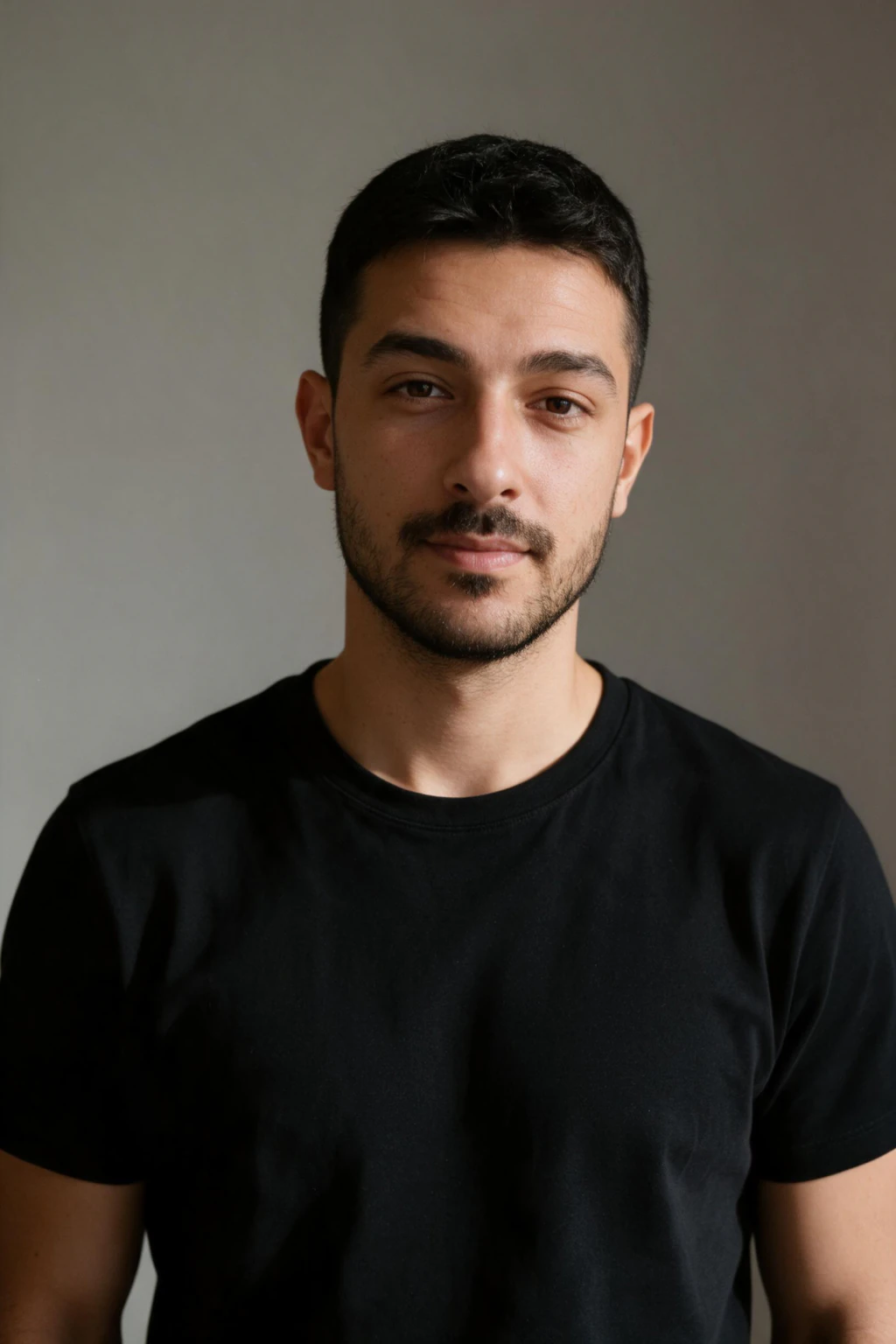
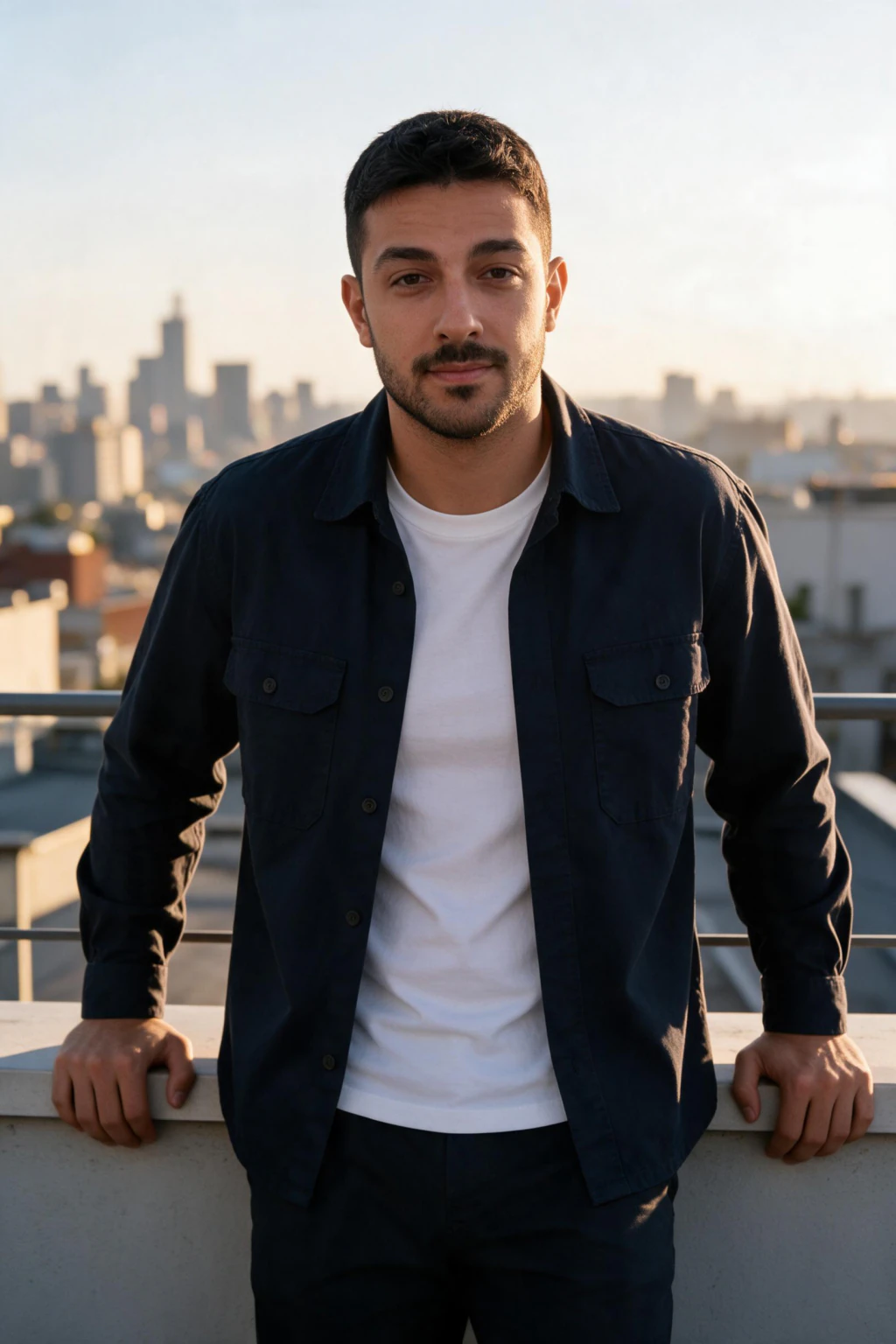

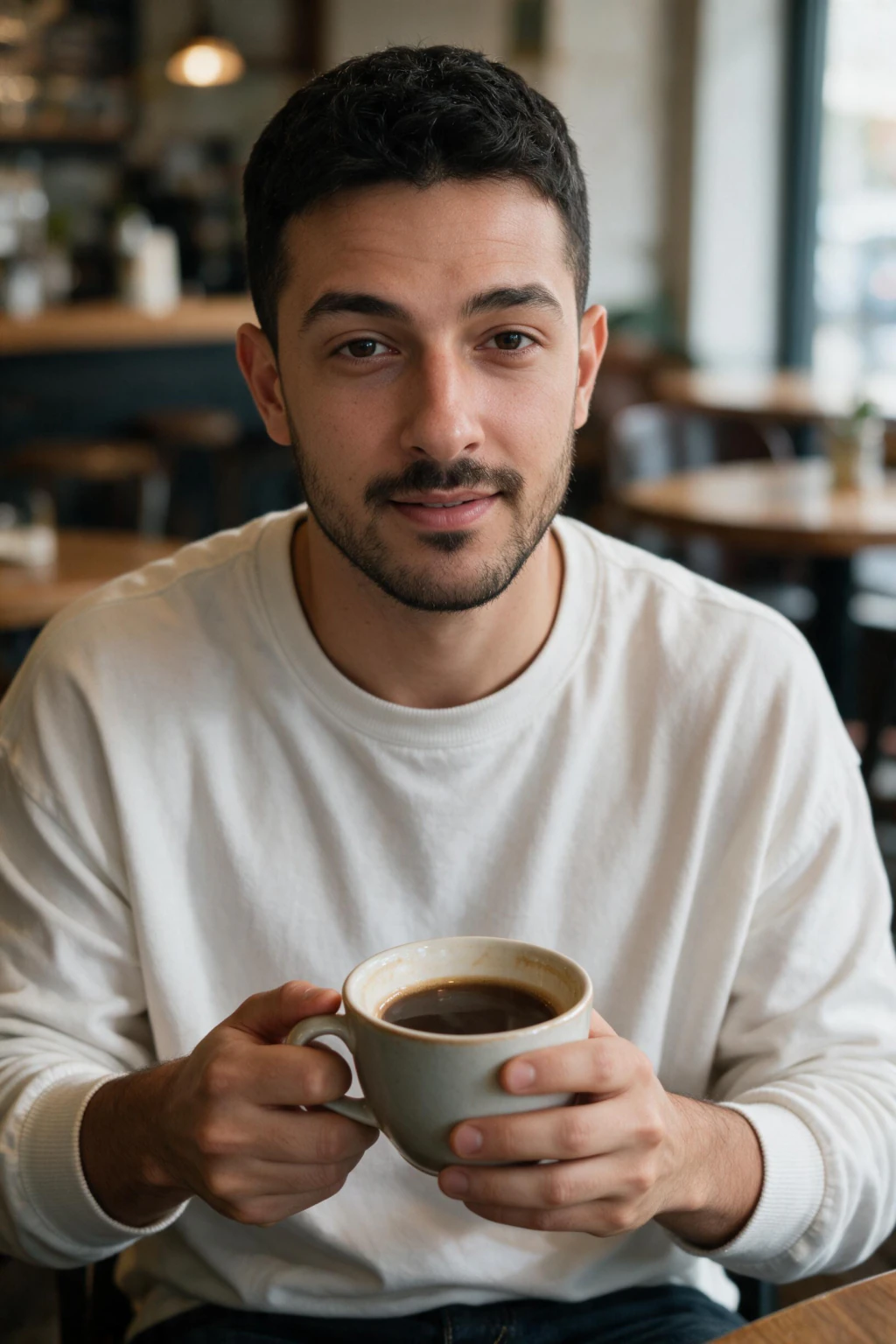

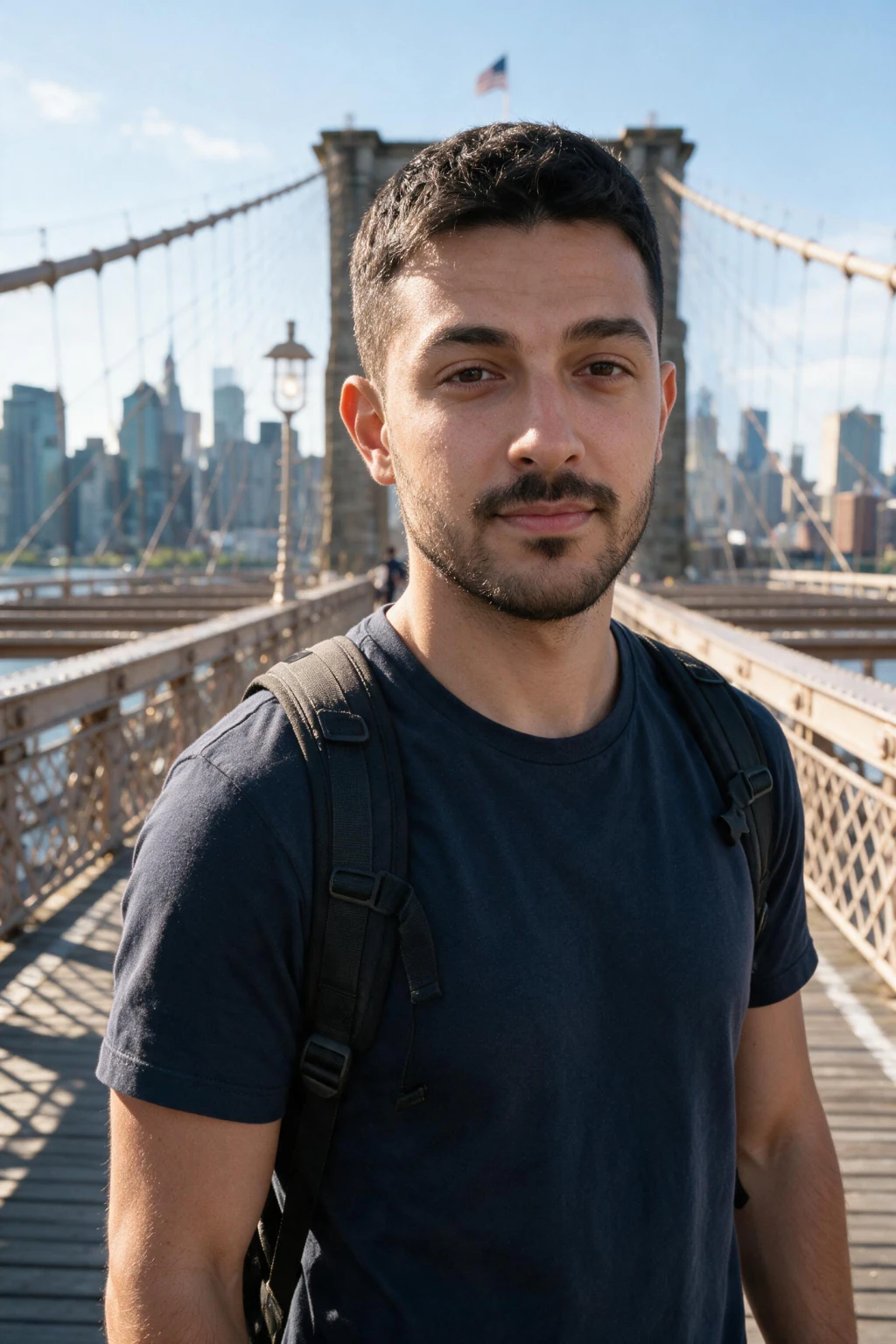
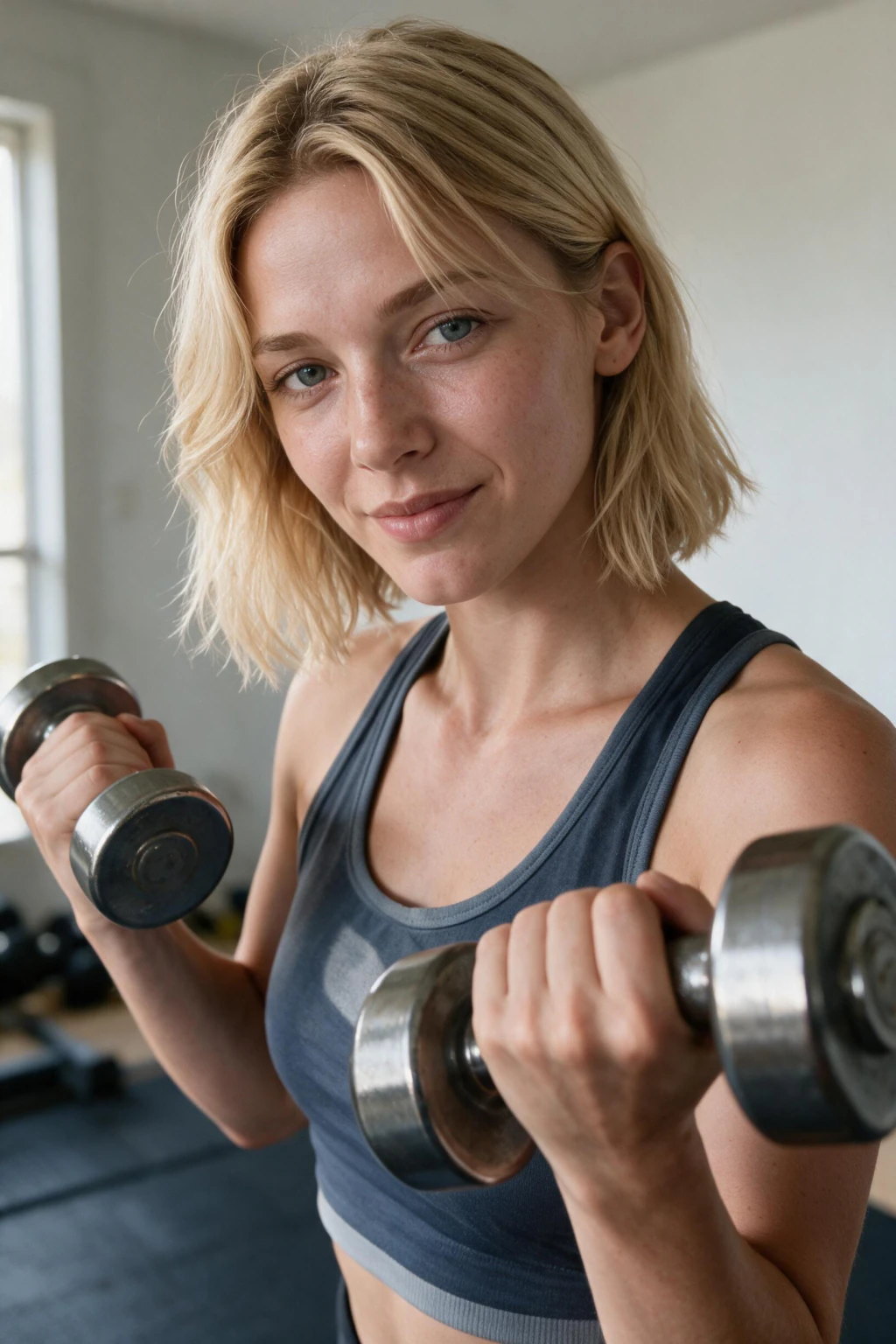
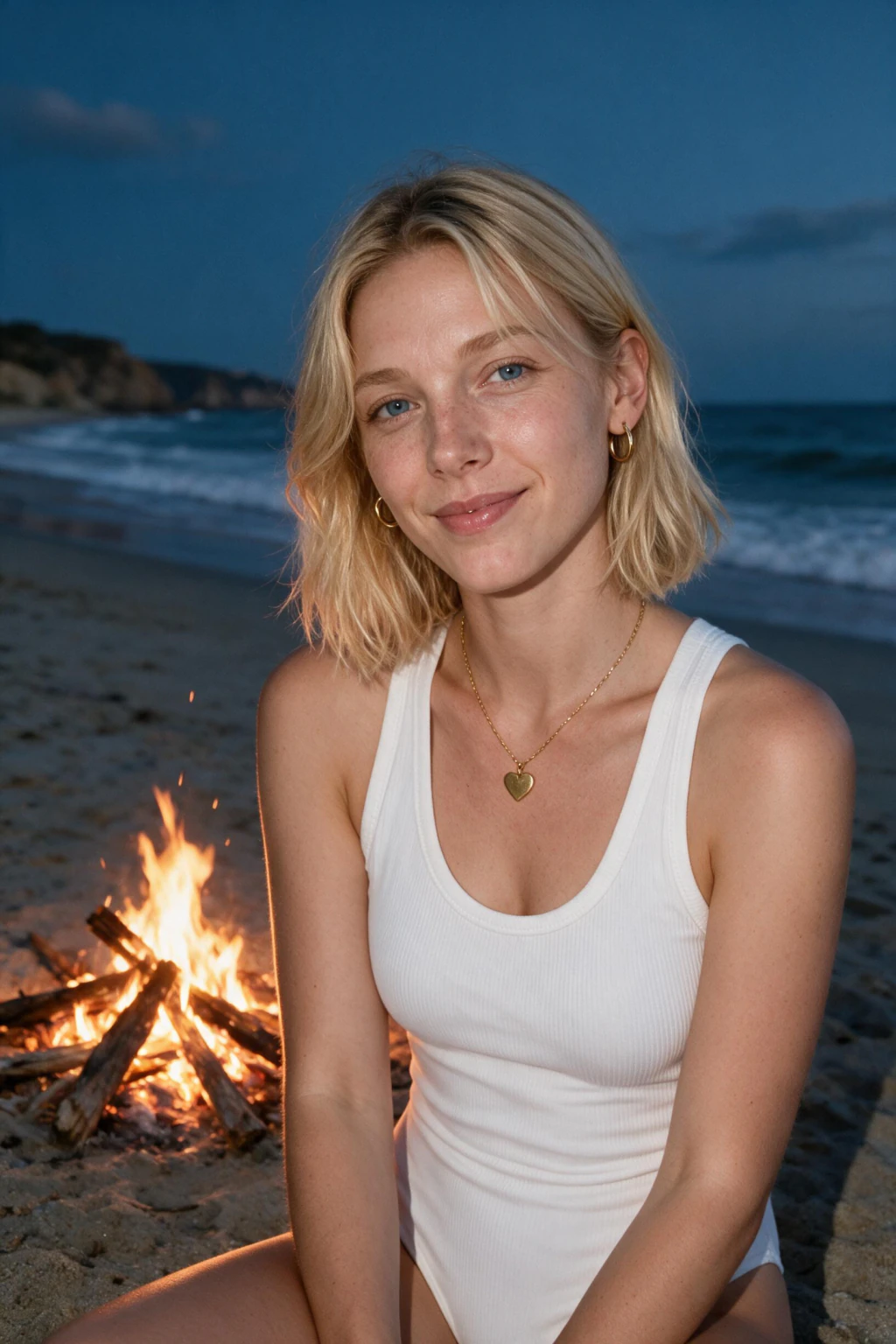


Upload one selfie now and your first finished photo lands about 2 minutes later.
Why the old 30-minute number is still quoted everywhere
Almost every AI photo tool markets a single turnaround figure. Thirty minutes. Two hours. Twenty-four hours. Most of that number was never rendering at all. It was the personal-model training step that used to run before any image could exist.
Here is what that felt like in practice. You uploaded, you watched a progress state, and for the first eight or ten minutes nothing appeared, because there was nothing to show. Support inboxes filled with people reporting a stall that had not happened.
Removing the training step removes the anxiety. One number now covers the whole run: about 2 minutes from pressing generate to a finished photo on screen. If two minutes pass with nothing, refreshing the page is the whole troubleshooting procedure.
It also explains why the count of photos you upload does not change the clock. One clear selfie is the whole input, so there is no batch of fifteen images to ingest and screen first. Tools that ask for a dozen uploads spend part of their quoted window doing exactly that.
The table below compares 7 tool types. Timings and prices come from product pages, re-verified August 2026, plus the ranges users report.
| Tool type | Training wait | First photo | Ten photos | What they quote | Price |
|---|---|---|---|---|---|
| MakeAiPhotos, selfie-based | None | About 2 minutes | About 20 minutes | About 2 minutes per photo | $9.99 one time, about 10 photos |
| Big-name selfie-trained tools | Not published separately | After the model finishes | 20 to 40 minutes reported | 30 minutes to 2 hours | $35 to $75 |
| Corporate headshot tools | Not published separately | After the model finishes | 20 to 30 minutes reported | 15 minutes | $49 to $59 |
| Style-catalog tools, 4K upscale pipeline | Not published separately | After upscaling completes | 30 to 60 minutes | 30 to 60 minutes | $35 to $79 |
| Subscription selfie-trained apps | Not published separately | After the model finishes | 60 to 90 minutes | 60 to 90 minutes | Not published, subscription |
| Team batch tools, async batch | Queued behind other users | Email delivery only | 2 to 4 hours | 2 to 4 hours | $29 for 30 photos |
| Queue-based personal profile apps | Queued on shared hardware | Email delivery only | Up to 24 hours | Up to 24 hours | Varies by app |
Why there is no training wait any more
Training a personal model on your face used to be the only truly slow part of making AI photos. It fitted a small model on top of a much larger base model so the system knew what your face did under light it had never seen, and it took the best part of half an hour.
The current generation does that read at render time instead. It still needs pore texture, the shape of your jaw from the front, how your eyes sit in their sockets, and where your skin catches highlights, and it still takes all of it from the single selfie you uploaded. That is why the shot you pick matters far more than the number of shots.
Two minutes is short by the standards of this category, and part of the reason is dedicated capacity. Tools quoting 2 to 4 hours are not running slower mathematics. They are putting your run in a line behind other people on shared hardware and mailing you the result when the queue clears.
The practical instruction is simple. You can watch the two minutes if you want, or close the tab and come back. The run continues server-side whether or not the page is open, and refreshing does not lose progress.
There is one exception worth knowing. Sport packs ask you to pick the team or jersey before generating, so make that call during the upload step. Switching teams afterwards means generating again, which costs another 10 credits.
What decides whether a photo takes one minute or three
About 2 minutes after you press generate, the finished photo appears. That is the moment the run stops being an act of faith, and it arrives before you have paid for anything else, because credits come off one photo at a time.
Photos render one at a time rather than in a single drop. Nothing stops you from downloading the first one you like and stopping there, which is the cheapest possible outcome at 10 credits.
Scene complexity moves the number a little. A tight studio portrait on a plain backdrop renders at the fast end. Cinematic looks with fire, neon, crowds or reflective interiors take longer because there is more scene to build around you. The difference is tens of seconds, not hours.
Resolution moves it too. Pushing output up to 4K adds an upscaling step, and that step is real work. It buys files you can print or crop hard into, which matters for a headshot going on a conference banner and matters not at all for a profile picture that displays at a couple of hundred pixels.
When 2 minutes turns into 20
The per-photo number is honest and the session number is the one that surprises people. Ten photos at about 2 minutes each is about 20 minutes of wall clock, because photos render one at a time rather than in a single batch. That is the whole session, not the wait for the first result, and it is a deliberate trade: you see photo one before you commit the other 90 credits.
Three things stretch a single photo past the 2-minute mark. A cinematic scene with fire, neon, crowds or reflective interiors has more to build around you than a plain studio backdrop. A 4K export adds an upscaling pass. And a moderation retry, which happens when a prompt trips the safety filter and the run restarts on a safer version of the same scene, costs you the first attempt in time but not in credits.
One thing does not stretch it: your face. There is no per-user model to train, so the tenth photo takes the same 2 minutes as the first. On a trained-model tool the first photo carries the whole training wait and the rest are fast. Here the cost is flat, which is why a single photo is a cheap thing to test with.
If several minutes pass with nothing on screen, the photo is almost never stuck. Refresh the page. The usual cause is the browser losing the live update while the render finished server-side, and the result is already waiting on your account.
What you actually get for $9.99
$9.99 buys 100 credits, each finished photo costs 10, so a pack is about 10 photos. They are finished files, not previews. There is no watermark to remove, no low-resolution proof stage, and no download gate asking for another step before you can save what you picked.
Resolution runs up to 4K, which covers everything from a LinkedIn avatar to a printed conference badge. Framing is vertical by default, because that is the shape a phone screen, a feed post, a Reel and a TikTok all want. Cropping down to a square for a profile photo is easy. Cropping up from a landscape frame is not.
The variety is the part people underestimate. One uploaded selfie feeds every style on the site, so a LinkedIn frame, a beach at dusk, a gym session and a travel full-body can all come out of your 100 credits. That is visible in the six tiles higher up this page, all of them from different packs.
Judge each photo as it lands rather than sorting a pile at the end. The three signals are visible skin texture instead of a smoothed surface, matched catchlights in both eyes, and light on the face that agrees with the light in the background. Because you see each result before paying for the next, a weak first photo costs you 10 credits, not the pack.

Your first session, timed against a wall clock
Here is one complete session from a cold start, with nothing uploaded and nothing decided. Open the AI photo generator with a single selfie ready and the first finished photo is minutes away.
Step 1, upload one selfie, under a minute. One photo, not ten, not fifteen. Shoot it in soft window light at about 45 degrees, on the rear camera, with beauty mode and skin smoothing switched off. No sunglasses, no hat brim across the eyes, face unobstructed. A single phone image sends in seconds on wifi and a minute or two on weak mobile data.
Step 2, pick your first look, about a minute. Every pack runs off the same upload, so you can move between them freely, and each finished photo costs 10 of your 100 credits. On sport packs, lock in the team or jersey at this point. Changing it afterwards means generating again.
Step 3, give it about 2 minutes. There is no training step in front of the render, so the photo is being built from the moment you press generate. Close the tab if you want, because the run continues server-side and refreshing does not reset it.
Step 4, check the first photo. This is the checkpoint that tells you whether the likeness landed, and it happens before you have spent more than 10 credits. If the first photo looks like you, the rest will too, because they all render from the same selfie.
Step 5, generate the rest of your looks. Each one costs another 2 minutes and another 10 credits, so a $9.99 pack covers about 10 finished photos. Download what you keep at up to 4K with no watermark and no gate.
Is my AI photo stuck?
This is the most common support question in the category. On a tool that still trains a model first, the answer is almost always that the training step is running and images are not supposed to exist yet. On MakeAiPhotos there is no such step, so the wait you are judging is about 2 minutes.
Use the clock instead of guessing. Under 2 minutes, waiting is normal. If several minutes pass with nothing on screen, something real needs attention, and the first thing to try is a page refresh.
Refreshing is worth trying because the most common real problem is not the generator at all. It is the browser losing its live connection while the frames complete on the server. Your photos finished and the page never heard about it. A refresh pulls the current state and the grid usually populates instantly.
The second real problem is a weak input selfie, and that one shows up as bad output rather than no output. If the first photo looks like a stranger, stop generating more from the same upload. Every additional photo inherits the same flawed read of your face, at 10 credits a time. Uploading a clearer selfie fixes far more than another ten photos ever will.
What actually slows a batch down
Four things move the clock in practice, and only one of them is fully inside your control. Knowing which is which saves you from blaming the generator for a delay that started with your wifi.
The one you own outright is the input. Everything downstream of your selfie inherits whatever that photo did or did not show, and a bad read of your face is the only failure on this list that costs you credits rather than minutes. Ten careful seconds of setup at the window beats any amount of regenerating later.
The one you can plan around is timing. Nobody publishes a live queue depth, but the pattern across the category is consistent: peak hours push every tool toward the top of its stated range. Starting the run an hour before you actually need the photos removes that variable completely.

Queue load at peak hours
Mondays, lunch hours and post-payday weeks push every tool in the category toward the top of its stated range.
You cannot speed this up, but you can start the run before you need the photos rather than minutes before a deadline.
Your upload connection
One selfie sends in seconds on wifi. On a weak mobile signal the same photo can take a minute or two.
This is the one part of the clock you control directly. Upload on wifi and the render starts sooner.
4K upscaling
Pushing output to the top resolution adds a real rendering step on every photo.
Worth the extra minutes for print and for hard crops. Invisible at the size a profile photo is actually displayed.
A weak input selfie
A filtered, dim or arm's-length shot never showed the generator your real face properly.
This costs you credits on photos you cannot use, which is the most expensive mistake here. Ten careful seconds on the input avoids it.
Every photo after the first runs off the same upload
The upload is a one-time cost, not a recurring one. Your selfie stays linked to your account, so the next photo you generate starts rendering immediately. No re-uploading, no silent window, no second selfie.
In practice that changes how you use the tool. Generate a professional look today. Decide next week that you want a travel frame, and you are rendering from the first click. Add a gym photo the week after and the same thing happens again. The only cost on those later sessions is 10 credits and about 2 minutes.
It also changes the smart move on your first visit. Generate one photo, look at it properly, then spend the rest of your credits on the looks that worked. Nothing forces you to commit all 100 credits before you have seen a single result.
Retention policy is worth checking before you commit to any tool in this category, this one included. Some products delete your uploads after a set window, and on tools that still train a model, a deleted model means the training wait comes back the next time you want photos.
Speed against quality: what the extra hours actually buy
The slowest tools in the comparison are not producing dramatically better photographs. Async batch tools at 2 to 4 hours and queue-based profile apps at up to 24 hours are running comparable work on shared infrastructure with a longer line in front of it. The extra hours are queue, not craft.
Where extra time actually buys something, it is resolution and consistency. A 4K pipeline adds an upscaling pass that produces files with more room to crop and enough detail to print at size. If your headshot is going on a printed banner or a book jacket, that pass earns its minutes.
For the uses that cover most people, the gap closes to nothing. A profile photo on an AI LinkedIn headshot displays at a couple of hundred pixels. A dating app crops hard to a phone-sized card. A podcast bio sits at thumbnail size. None of those surfaces can show the fidelity difference you waited four extra hours for.
Deadline is the other half of the decision. If something goes out tonight, a 24-hour queue is not a quality tradeoff, it is a miss. About 2 minutes per photo means you can start at 7pm and have a finished profile photo uploaded before 7:15.
The wait per usable photo, and where slower tools win
An async batch tool's 2 to 4 hour wait returns 40 photos in one drop; MakeAiPhotos returns 1 photo about every 2 minutes, judged one at a time, so a bad run costs 10 credits instead of the whole batch.
The concession is real. Batch tools deliver more frames per run, 40 to 100 against our roughly 10, and the style-catalog tier offers a wider catalog than we do. If raw volume or style breadth matters more to you than the wait, a batch tool is the better buy.
Where 2 minutes wins is time-to-first-usable-photo and price. $9.99 one time against $29 to $79, with no subscription attached, and you see a finished photo of your own face before you commit the rest of the credits. Full category numbers sit in what AI photo generators cost in 2026.
Against the studio alternative the gap is wider still. A photographer session runs $200 to $500 and delivers edited files in 1 to 2 weeks, which is a different order of both money and time. If the one-time model is what you are after, see AI headshots without a subscription.
How 2 minutes compares to booking a photographer
A studio session is not slow because of the shoot. The shoot is an hour. The wait is everything around it: finding a photographer, matching calendars, travelling there, then waiting one to two weeks for edited files to come back. The whole thing is measured in weeks and most of that time you are waiting on someone else's schedule.
The AI version compresses that to about 2 minutes you can watch on a phone. If a photo does not work you do not rebook anything, you generate another one for 10 credits.
The tradeoff is honest and worth stating. A photographer directs you, adjusts your posture, and gets an expression out of you that no model can invent from a still. What the generator gives back is range, because one upload produces a professional frame, a travel frame and a gym frame for $9.99, which no single studio session covers.
Frequently Asked Questions
- How long does it take to generate AI photos?
- About 2 minutes per finished photo on MakeAiPhotos, from pressing generate to a file you can download. There is no model training step in front of it. Photos render one at a time, so you see each result before you spend credits on the next.
- How long does an AI image generator take to create an image?
- About 2 minutes per image on a generator that works directly from your selfie, measured from pressing generate to a downloadable file. Tools that train a model on your photos first add 15 to 30 minutes before the first image appears, which is where the old 30-minute figure in most reviews comes from. MakeAiPhotos has no training step, so the clock starts at generation.
- Why did AI photos used to take 30 minutes?
- Because older generators trained a personal model on your face before they could render anything, and that step produced no images by design. Current generation reads your uploaded selfie at render time instead, so a finished photo lands in about 2 minutes.
- How long does each AI photo take?
- About 2 minutes at standard resolution. Complex scenes with fire, neon or crowds take a little longer, and pushing output up to 4K adds an upscaling step. Photos appear one at a time, so you can download each one as it lands.
- How many selfies do I need to upload?
- One. Not eight, not ten, not fifteen. A single clear selfie in soft window light at about 45 degrees, shot on the rear camera with beauty mode and skin smoothing switched off. The quality of that one shot decides your likeness. The count of shots does not.
- Which AI photo generator is fastest?
- MakeAiPhotos returns a finished photo in about 2 minutes because there is no training step. Corporate and big-name selfie-trained tools land in the 20 to 40 minute range in reported use. Style-catalog tools run 30 to 60 minutes with 4K upscaling, subscription selfie apps 60 to 90, async batch tools 2 to 4 hours, and queue-based profile apps up to 24 hours.
- Why do batch AI headshot tools take 2 to 4 hours?
- Queue time on shared infrastructure, not slower model work. Batch tools process runs asynchronously and deliver by email, so your run waits behind other people before it starts. The hours are the line, not the mathematics.
- Is my AI photo stuck?
- Almost certainly not if it has been under 2 minutes, because that is how long a photo takes. If several minutes pass with nothing on screen, refresh the page. The usual cause is a browser losing the live update while the photo finished server-side.
- Can I close the browser while it runs?
- Yes. The render runs server-side, not in your tab. Close it, lock your phone, take a meeting, come back later. Refreshing does not restart the clock or lose progress.
- Do I have to upload again for a second pack?
- No. Your selfie is saved after the first run, so every later pack renders straight from it. That means a photo from the first click, with no second upload. Each finished photo costs 10 credits and takes about 2 minutes.
- Do I have to pay again at the end to download the photos?
- No. There is no download gate and no watermark stage. The photo you liked is the finished file, up to 4K, ready to save. Photos render vertical by default, which is the shape feed, Reels and TikTok want. Credits are spent when you generate, at 10 per photo, and pack sizes are listed on the pricing page.
- How long does the fan cam video take?
- The still photo renders first, and the short broadcast-style clip is generated from that still afterwards. So there is one extra step on the end: the still, then the clip built from it. You see the photo before the video exists, which is the checkpoint to judge likeness on. A video costs the same 10 credits as a photo.
- Can I make AI photos faster than 2 minutes?
- Only by giving up likeness. Express modes on some tools generate from a text description in seconds and never look at your face. The output is a generic attractive person who resembles you rather than a photo of you. If the face has to be yours, about 2 minutes is the price.
- Can ChatGPT or other AI tools create professional headshots for me?
- Yes, ChatGPT renders an image in about a minute, but it rebuilds your face from a description of it, so likeness drifts between generations and a second headshot rarely matches the first. A selfie-based generator edits your actual photo, which is why the face holds across looks. About 2 minutes per photo, 10 credits each.
- Can Gemini create my professional headshot?
- Gemini follows the same shape: fast single images, no identity consistency across a set, and no likeness guarantee. It is fine for a one-off experiment and weak for a profile set that has to look like the same person in every frame. A one-selfie generator holds your face across the roughly 10 photos in a $9.99 pack.