AI LinkedIn Headshots From One Selfie
MakeAiPhotos makes AI LinkedIn headshots from one selfie in about 2 minutes a photo, in executive studio, modern office and outdoor light looks, sized to LinkedIn's 400x400 minimum and exported at 4K. There is no model to train and no queue to sit in. LinkedIn crops your square to a circle, and your face needs to fill about 60 percent of that frame, which is what every look here is composed for.
Most profile picture advice is about looking good. This page is about the things recruiters actually notice on LinkedIn, and how to hit them from one phone selfie. For the exact pixel spec, see LinkedIn profile picture size. Attire and background by field are in the table below, and the before and after slider shows what a normal selfie turns into.
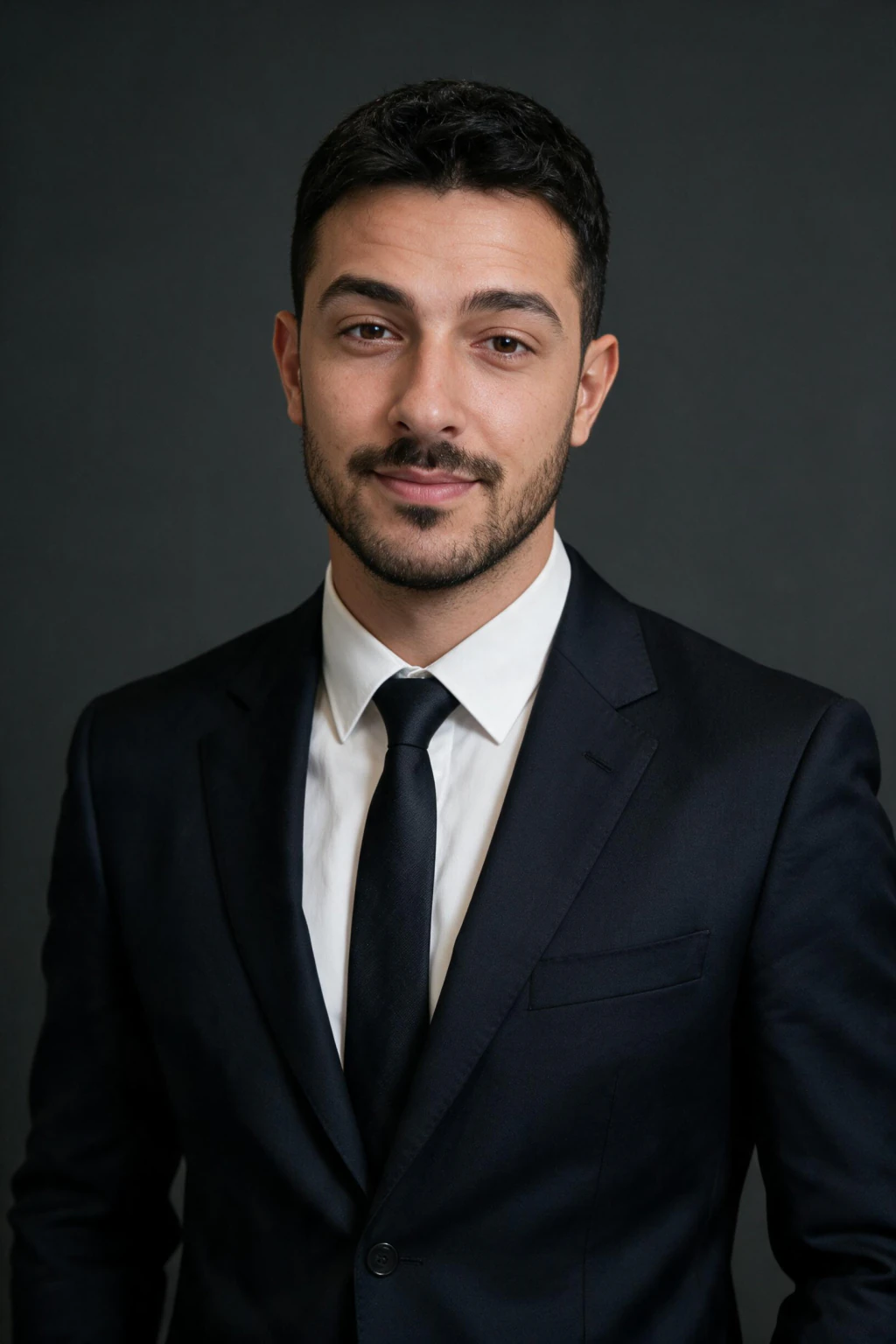
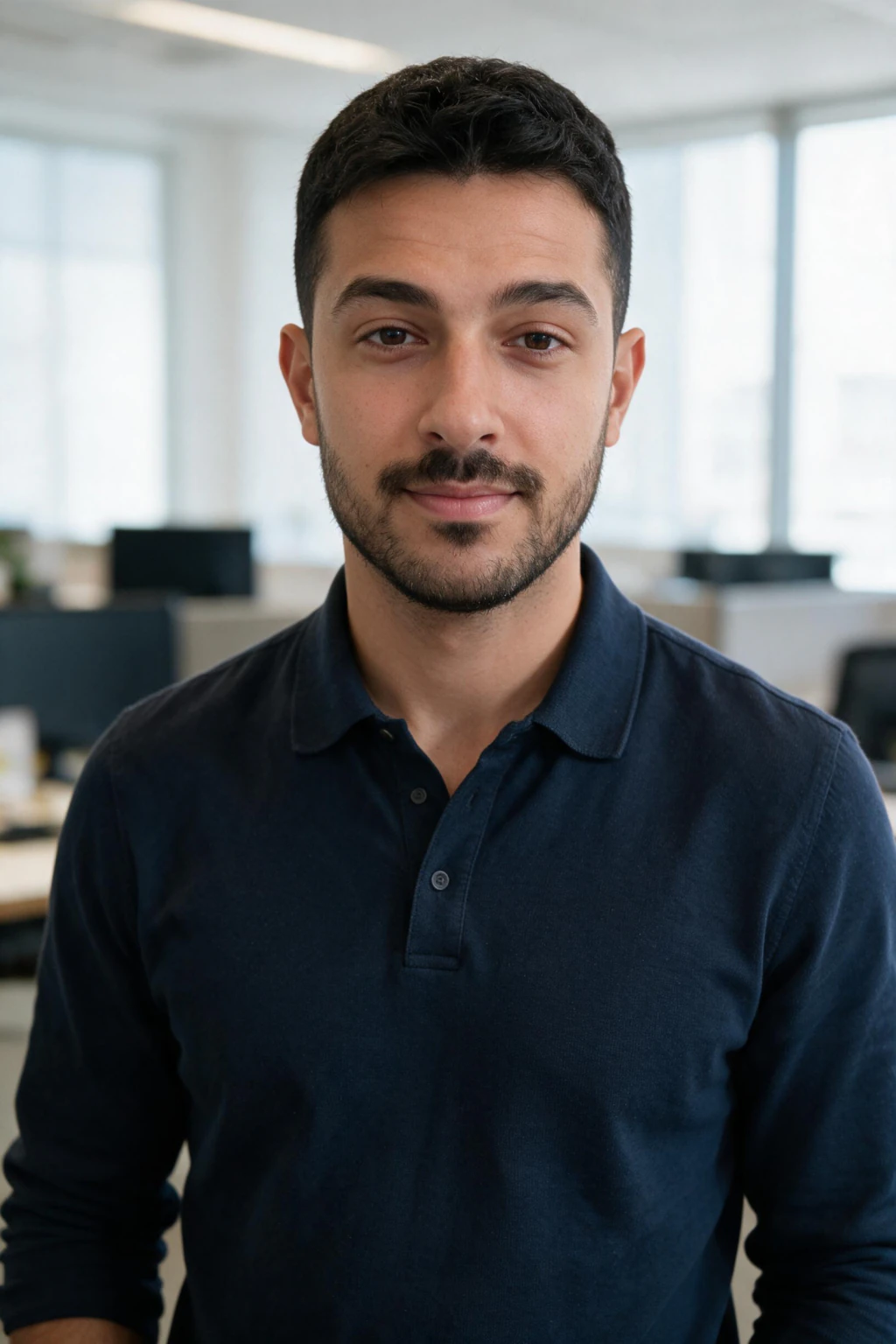
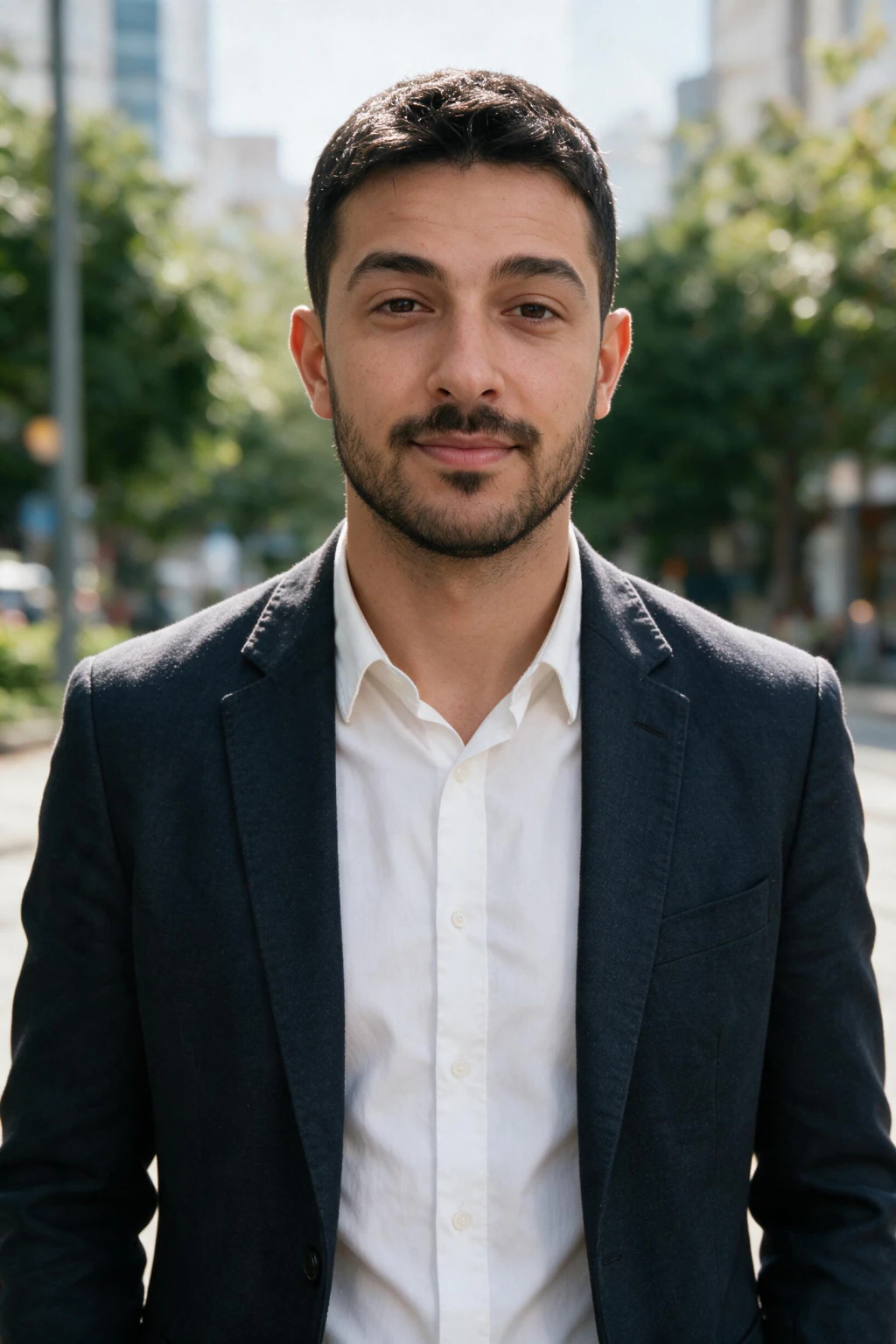
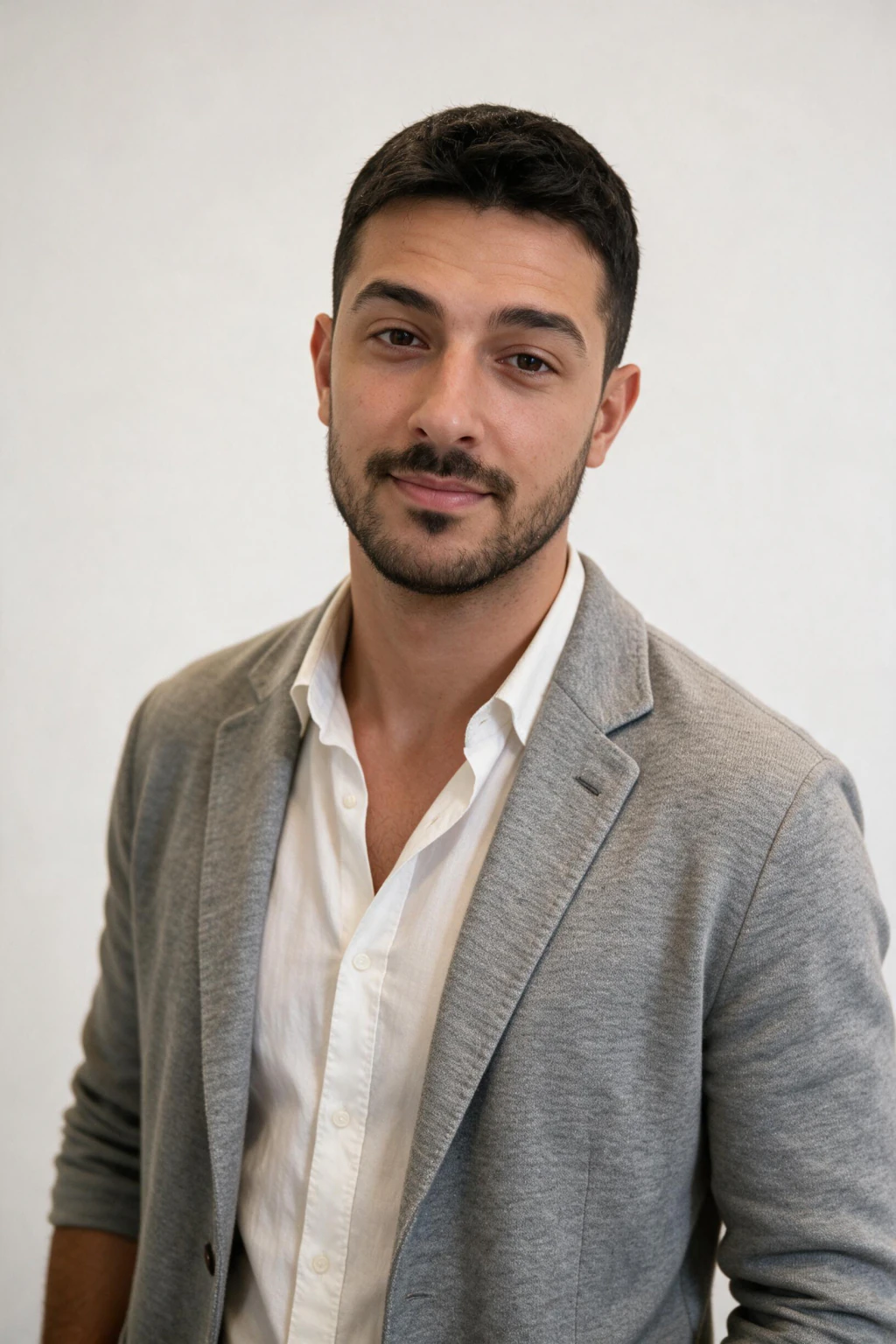
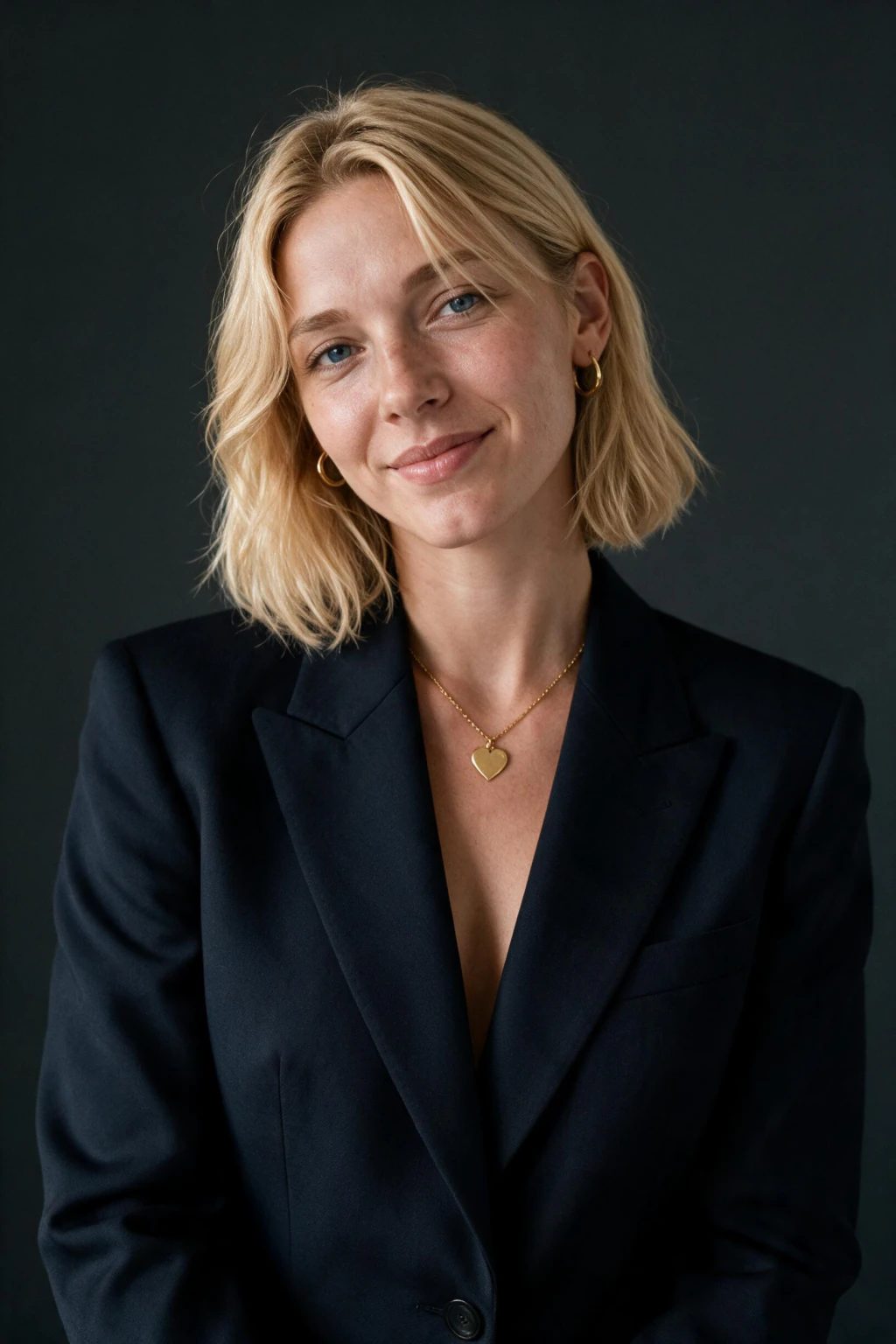

- One clear selfie in, a LinkedIn headshot out in about 2 minutes
- Sized for the 400x400 circle crop, exported at 4K
- No subscription and a 14-day money-back guarantee
What a good LinkedIn headshot actually does
It survives the circle crop
LinkedIn crops your square to a circle and renders it at 400x400. Corners get cut. Anything you care about, including a hand, a logo, or a second person, needs to be inside the circle or it will not exist.
It reads at 48 pixels
In comment threads and search cards your photo is smaller than a thumbnail. Face filling roughly 60 percent of the frame is what survives that. A three-quarter body shot turns into a smudge.
The background does no work
Plain, or softly blurred, or a wall. A background with detail competes with your face at small sizes and loses the viewer. This is the single most common fixable mistake.
Will anyone know it is AI?
This is the objection that stops most people, so it is worth answering directly rather than reassuringly.
At 400x400, inside a circle, on a phone, there is very little to detect. What gives AI photos away at that size is not the technology, it is the choices: skin with no pores, a background that belongs to a different photo than the face, and eyes lit from a direction nothing else in the frame is lit from.
All three come from picking the wrong frame out of the batch, not from the tool. Generate a set, then throw away everything where the light on your face disagrees with the light behind it. What is left is indistinguishable at profile-picture size.
The thing people do notice is a photo that no longer looks like you. If you have changed your hair, your glasses, or your beard since the input selfie, the headshot will read as slightly wrong to anyone who knows you, and that reads as fake even when it is not.
LinkedIn's own photo policy asks only that your photo reflects your likeness. A headshot generated from one selfie of your actual face is your likeness, edited, not a lookalike produced by training a model on a photo set. The single-selfie flow sits on the right side of that line by construction.
What recruiters actually notice
Three findings worth designing the photo around.
LinkedIn reports profiles with a photo get up to 21x more profile views and 36x more recruiter messages than profiles without one (source: LinkedIn for Talent).
Willis and Todorov (Princeton, 2006) found people form competence and trust judgements from a face in 100 milliseconds. Your photo finishes its job before your headline loads.
Recruiter eye-tracking (TheLadders, 2018) put a profile scan at roughly 7.4 seconds, with the photo and headline taking the first fixations.
In a Ringover survey of recruiters, 76.5% preferred AI-enhanced headshots over the original photos. A FotosDePerfil study found only 38% of viewers could spot an AI headshot at all, and 82% said no disclosure is needed (sources: Ringover; FotosDePerfil).
By profession
Attire and background are the two variables worth changing by field. Expression matters less than people think, with two exceptions noted below.
Nursing and clinical staff
Wear: Scrubs or a white coat over a collar, in the colour your unit actually wears
Background: Clean pale blue or white, never a corridor
Expression: Warm and open. Patients read this photo before an appointment
Doctors and consultants
Wear: Collar and jacket, or a white coat if your directory expects one
Background: Neutral mid-tone, no clinical clutter
Expression: Calm and unhurried. Competence, not friendliness
Law
Wear: Charcoal or navy suit, solid cool colours, jacket buttoned
Background: Plain grey or a partner office with books
Expression: Closed-mouth and steady. Wide smiles read as junior
Teaching and education
Wear: Collared shirt or a simple blazer at parent-evening level, no school branding
Background: Plain and light, not a classroom and not the hallway
Expression: Genuine and lighter than corporate. Families are the audience
Real estate
Wear: Blazer over an open collar, pitched to the market you list in
Background: Simple. The same photo goes on a yard sign at a distance
Expression: Approachable. Sellers are choosing who to trust with a house
Tech and engineering
Wear: Crisp shirt or a smart knit, blazer optional, no tie
Background: Neutral wall or soft studio grey
Expression: Relaxed. Overdressing reads as a stock photo here
Sales, marketing and recruiting
Wear: Smart casual blazer, colour is fine, no slogans
Background: Soft office blur or a branded neutral
Expression: Open and energetic. You are the first impression of the product
Founders and executives
Wear: Tailored suit or a quality knit, minimal accessories
Background: Dark studio or an executive office blur
Expression: Still and direct. Nothing casual reads at board level
Before you upload
- One selfie, rear camera, soft indirect light, beauty filters off
- Pick attire and background from the table above for your field
- Shrink your chosen result to 100 pixels and confirm it still reads as you
Who this is for
- Job seekers who need a current photo before applications go out this week
- People who have been promoted and whose photo is from two roles ago
- Anyone whose only usable photo is cropped out of a wedding
What AI LinkedIn headshots cost here
$9.99 one time buys 100 credits, which is about 10 finished headshots at 10 credits each, or 5 photos plus 5 short videos. No subscription and nothing to cancel. A studio session runs $200 to $500 and takes one to two weeks. Secure checkout, card or PayPal, with a 14-day money-back guarantee (terms apply).
Frequently asked questions
Which AI headshot look works best on LinkedIn?
Executive studio suits leadership, sales and finance, modern office suits most corporate roles, outdoor natural light suits creative and people-facing work, and business casual suits startups and tech. Generate two or three, then keep the one that matches how your field dresses.
Are AI LinkedIn headshots worth it?
For a LinkedIn photo, yes, and the gap is not close. A studio session runs $200 to $500, takes a booking and a commute, and returns a handful of edited frames a week later. One selfie returns about 10 finished headshots at $9.99, each in about 2 minutes. Where a photographer still wins is an art-directed executive portrait or a press kit, where someone is directing your posture and the lighting is built for you.
Professional headshots vs AI headshots: what is the real difference?
A photographer controls the light before the shutter opens. An AI generator reconstructs light after the fact from the selfie you gave it, which means your input photo is doing the job the studio lighting would have done. That is why a sharp, evenly lit, unfiltered selfie produces a result close to studio quality and a dim arm's-length shot does not. The cost and the wait are the other two differences: $9.99 and 2 minutes against $200 to $500 and about a week.
What size should a LinkedIn profile picture be?
Upload a square image. LinkedIn displays it at 400x400 pixels cropped to a circle, so keep your head and shoulders centered. The full spec, banner and blurry-upload fixes are in LinkedIn profile picture size. MakeAiPhotos exports at 4K, so you can re-crop the same file for a resume PDF, a Slack avatar, or a conference bio without it going soft.
Do I need to wear professional attire in my selfie?
No. Upload a normal clear selfie and pick a look whose attire matches your field from the table above. The look supplies the wardrobe and background; your selfie only needs to supply your face in soft, even light with filters off.
Can recruiters tell if a LinkedIn headshot is AI-generated?
At profile-picture size, generally not. What they do notice is a photo that does not match the person who shows up to the interview. A headshot generated from your own selfie keeps your face, so there is nothing to catch.
How many selfies do I need for a LinkedIn headshot?
One. Take it on the rear camera in soft indirect light with beauty filters switched off. A second mediocre selfie adds nothing, and one clear shot is worth more than five taken at arm's length.
How long do AI LinkedIn headshots take?
About 2 minutes per photo. There is no model to train, so nothing runs in the background for half an hour. You upload one selfie, pick a look, and the finished headshot appears while you are still on the page.
How much do AI LinkedIn headshots cost?
$9.99 one time, which buys 100 credits. Every look costs 10 credits per image, so that is about 10 finished headshots, or 5 photos plus 5 short videos. There is no subscription, and a 14-day money-back guarantee (terms apply) covers you. The same headshot from a photographer is $200 to $500 and one to two weeks.
Can I use an AI headshot on LinkedIn without saying so?
Yes. LinkedIn's rules ask that your photo reflects your likeness, not how it was made, and a headshot edited from one selfie of your real face is your likeness. In a 2024 survey of 1,087 US recruiters, 76.5% chose the AI headshot, but 66% said an undisclosed one would put them off, so keep it natural and make sure it still looks like you today.
How often should I update my LinkedIn headshot?
Every two to three years, or immediately after any visible change to hair, glasses, or facial hair. An out-of-date photo costs you more credibility than a plain one does.