What do professional headshot examples by profession actually show?
The room and the clothes of the job, with your face large and clearly lit. A generic grey-backdrop studio shot tells a patient, a parent or a hiring panel nothing. A photo taken where you work answers the question they are actually asking: does this person look like someone who does this job?
Every example below follows the same three rules. The background is the real workplace, softly blurred.
The clothing is what the job wears, in plain fabric, and nothing in frame carries a real logo, crest, badge or name tag.
One phone selfie to 5 AI photos of the same person

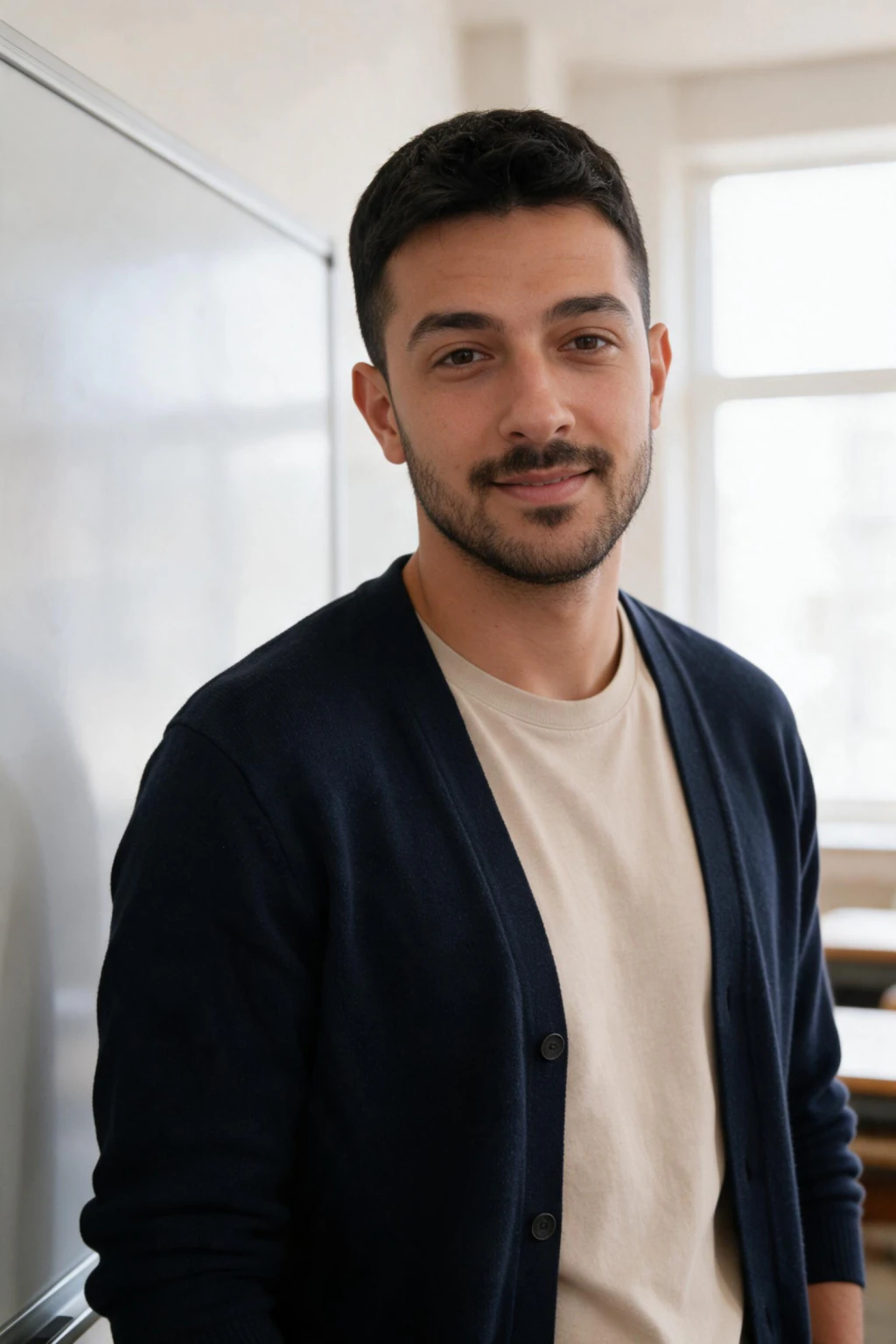
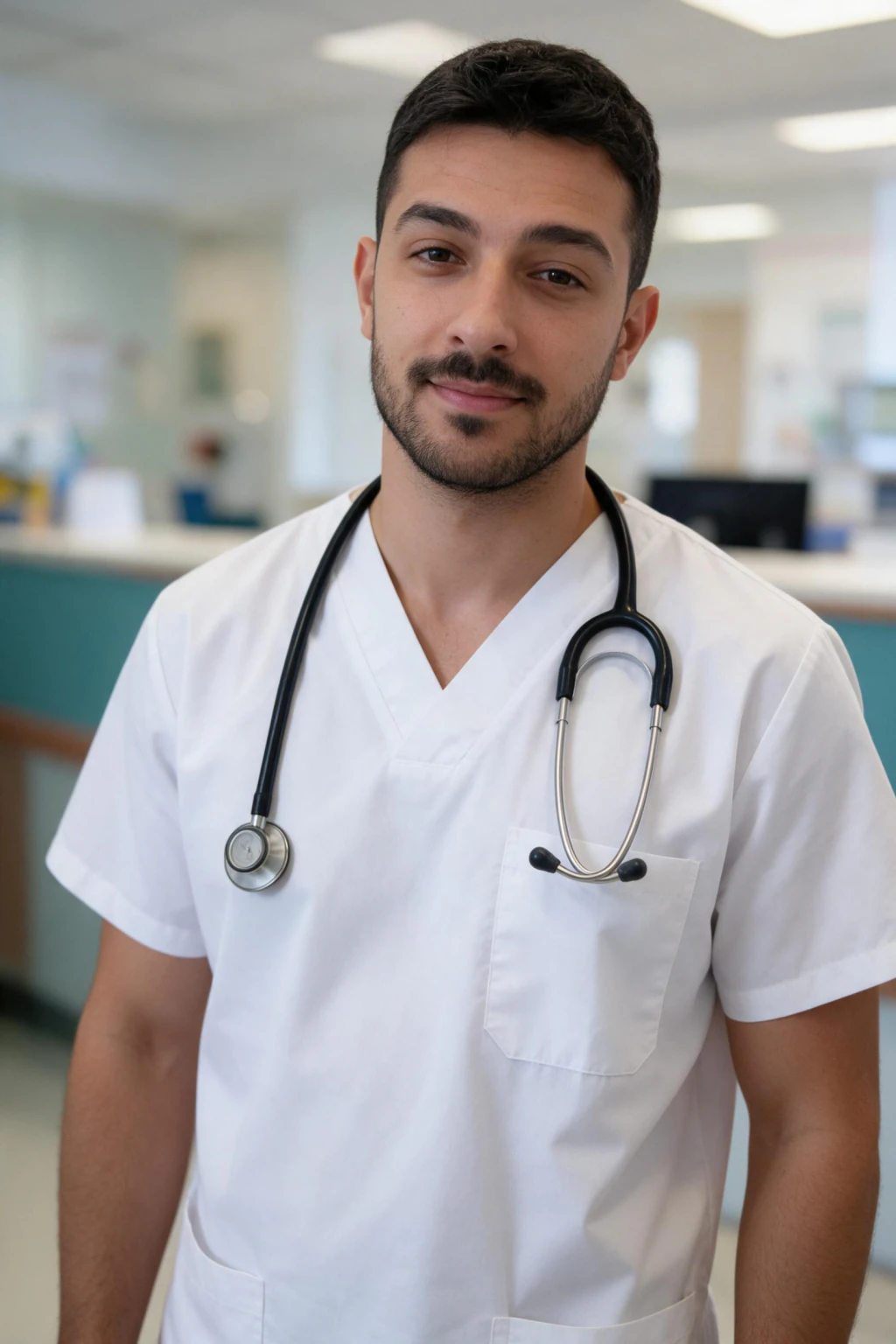
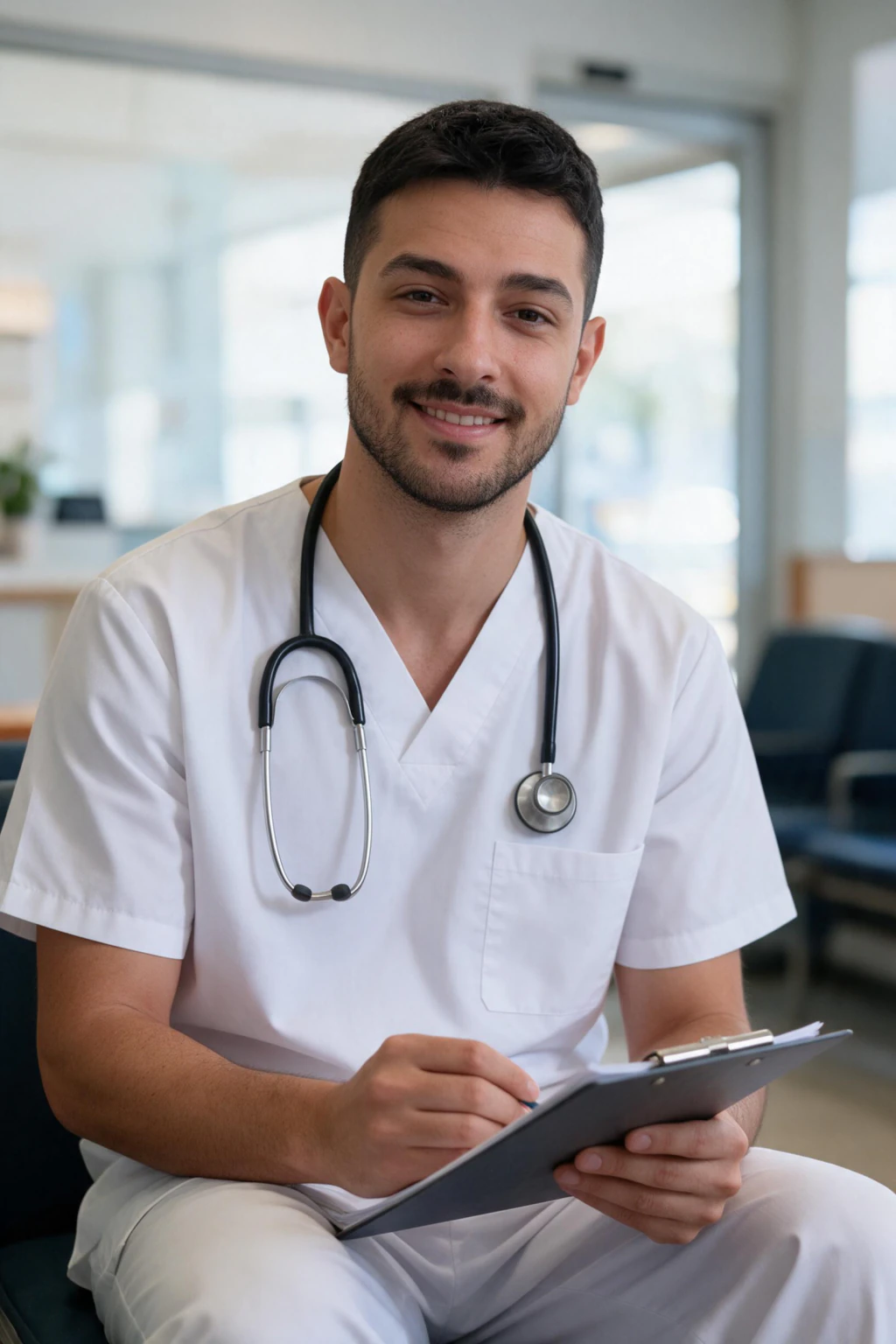
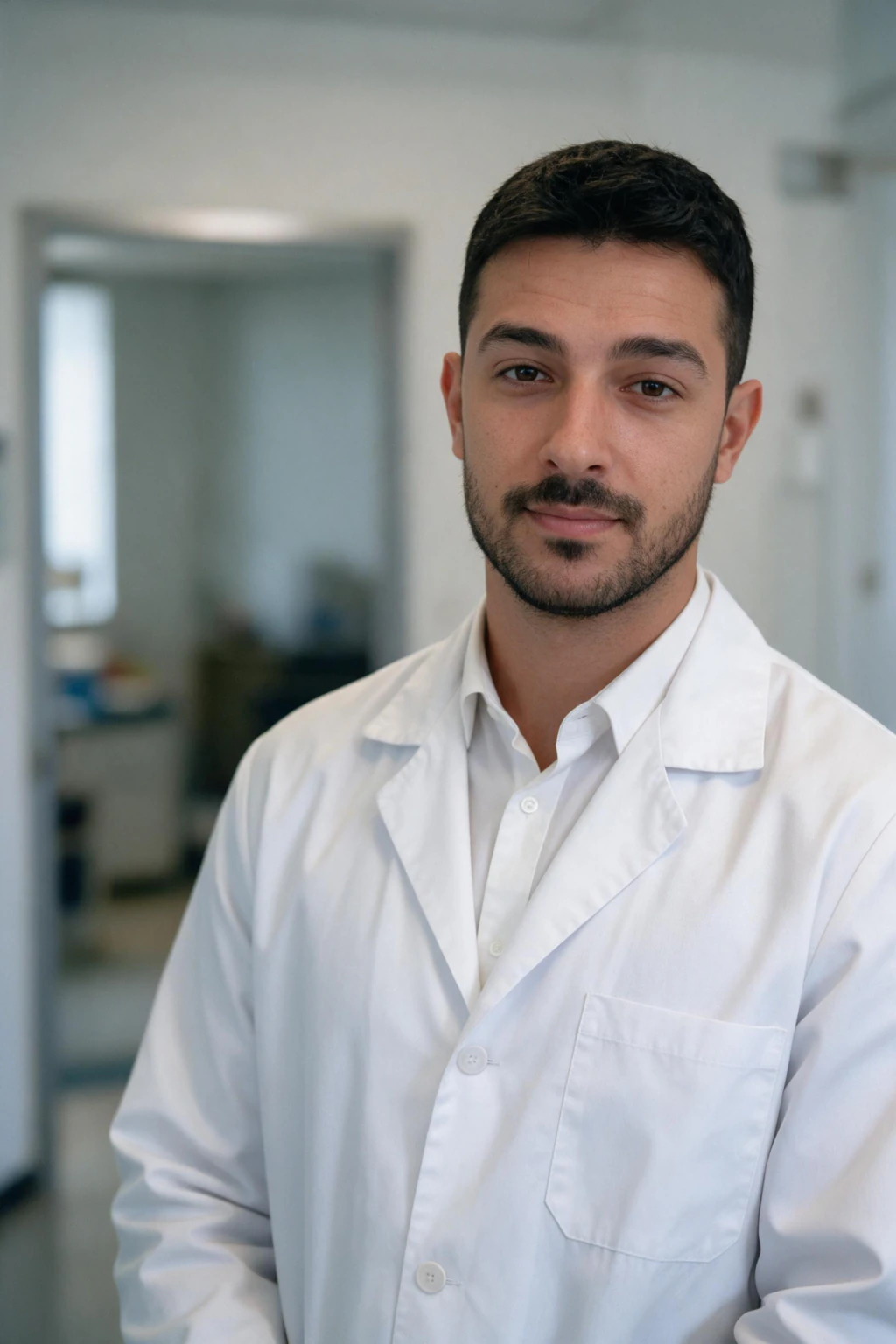
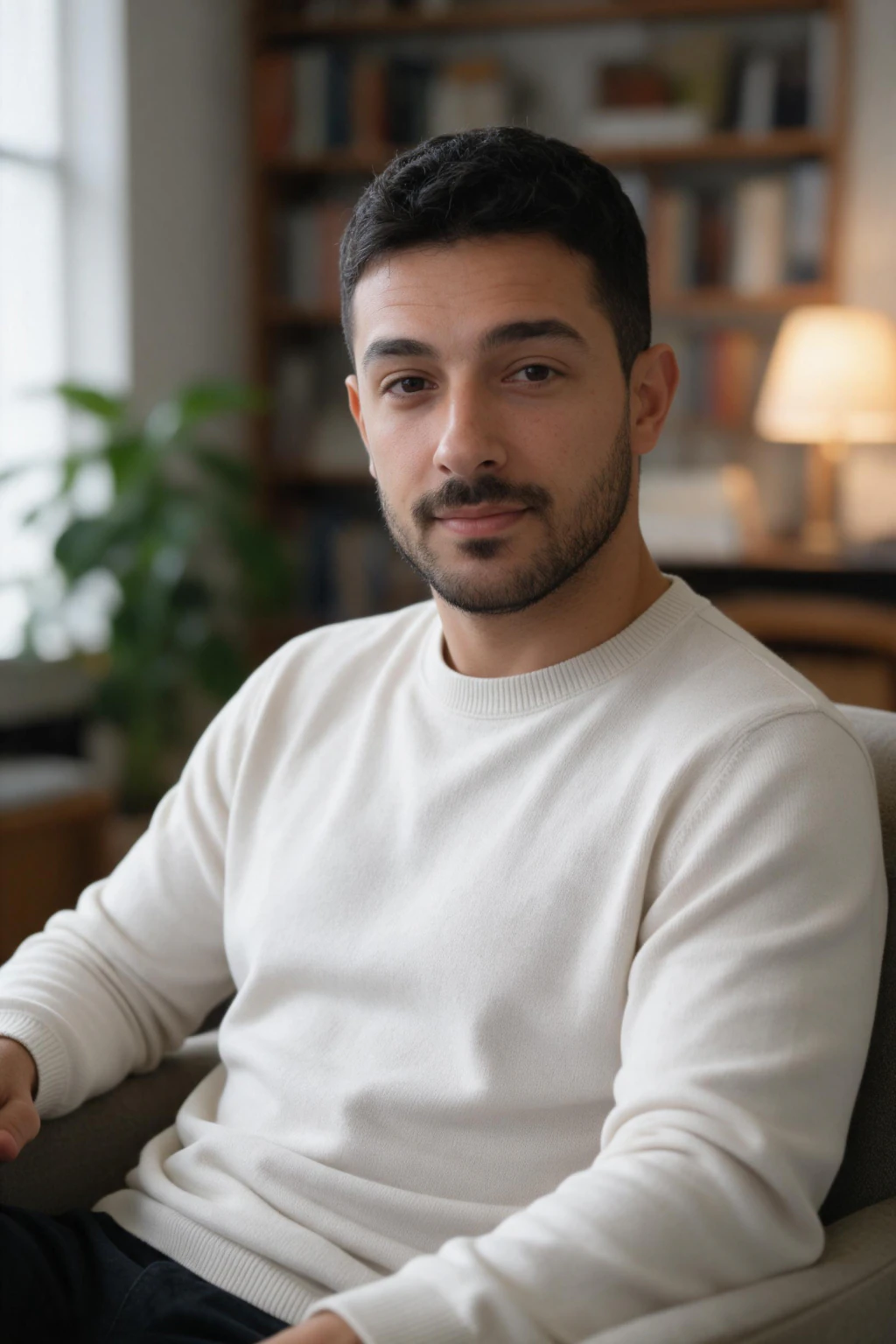
1. Teacher
Beside a clean whiteboard with blurred desks and a bright window. A smart cardigan or blazer over a simple top. Warm, approachable smile with real eye contact: parents choose this photo for the staff page more than principals do.
Leave out: school crests, lanyards, anything with the school name.
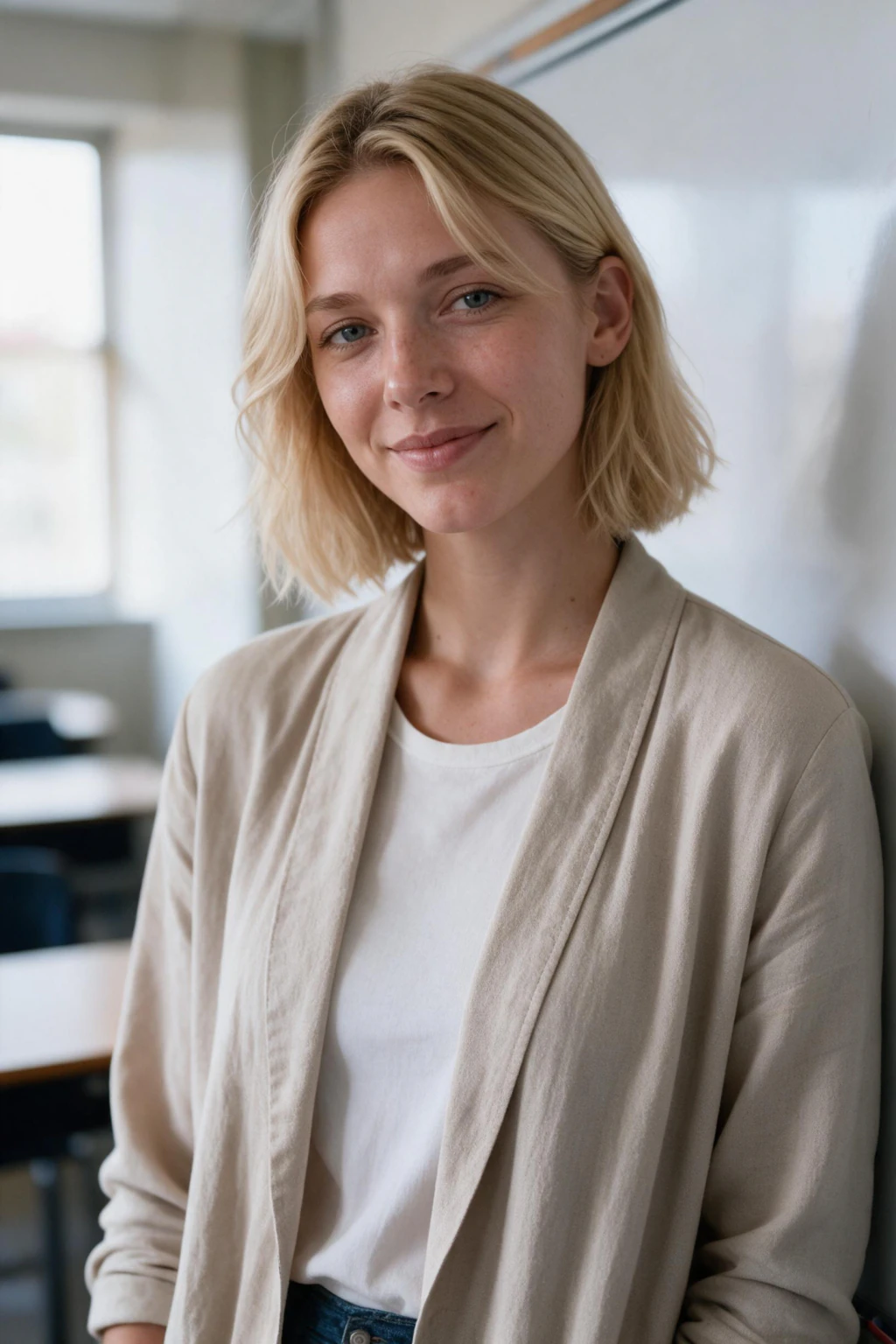
2. Nurse (ward and clinic)
Plain solid-colour scrubs, a stethoscope on the shoulders, a bright ward or clinic reception blurred behind. Calm, reassuring expression, even clinical light. The clinic version adds a clipboard and a knees-up frame; the ward version stays waist-up.
Leave out: hospital crest, ID badge, name tag. Any of those on a generated photo is a problem on a public profile.
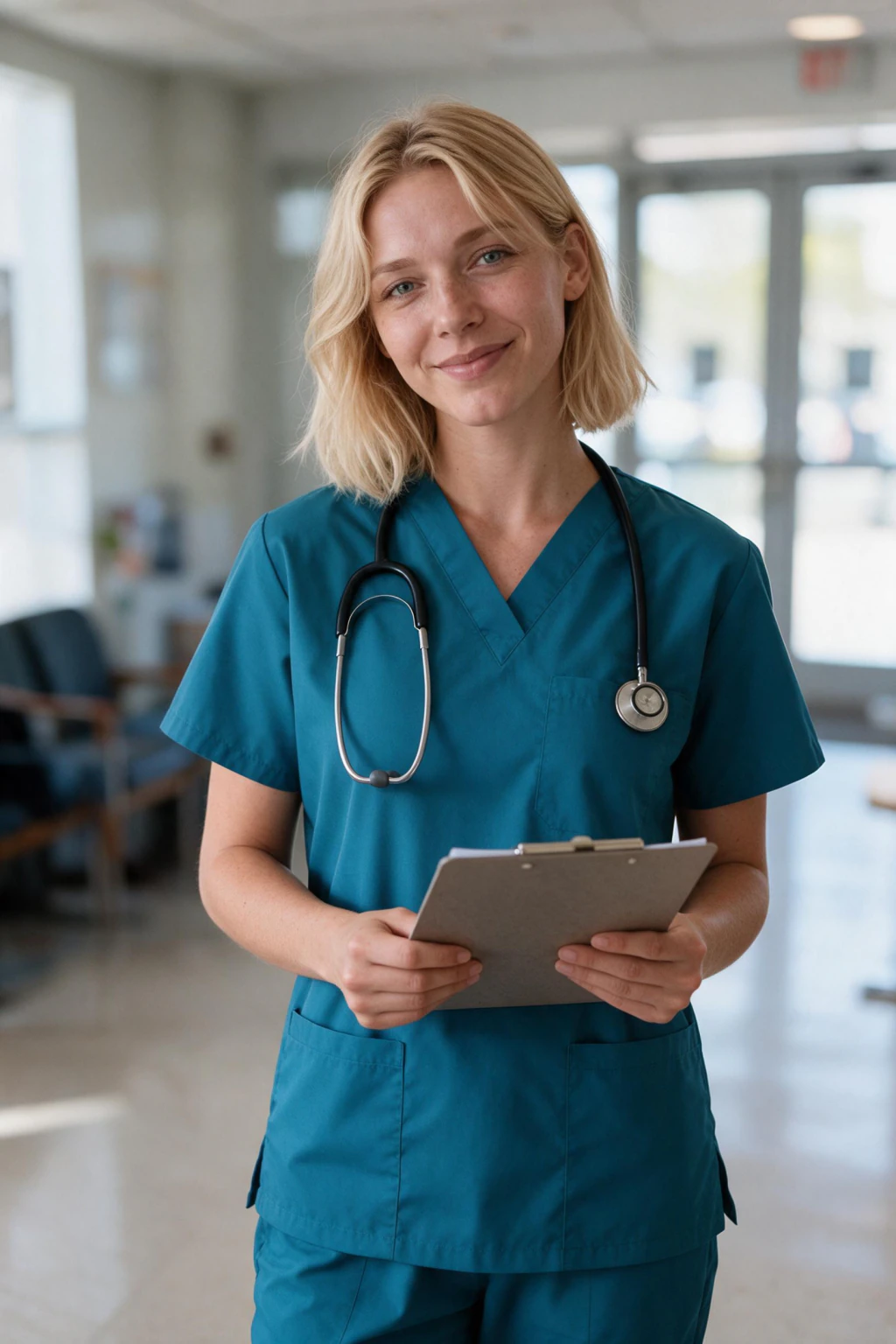
3. Doctor
A plain white coat over a collared shirt in a modern clinic corridor. Composed, trustworthy, arms relaxed. Soft daylight rather than a flash: patients read hard light as cold.
Leave out: embroidered names, department crests, lanyards.
4. Therapist and telehealth therapist
The office version: a soft armchair, a bookshelf, a plant and warm lamp light, a plain knit, an attentive expression. The telehealth version: a tidy desk, an unbranded laptop, a calm home-office wall. Both are built to look safe to talk to, which is the entire job of a directory photo.
Leave out: certificates on the wall with readable text, and anything that reads as clinical.
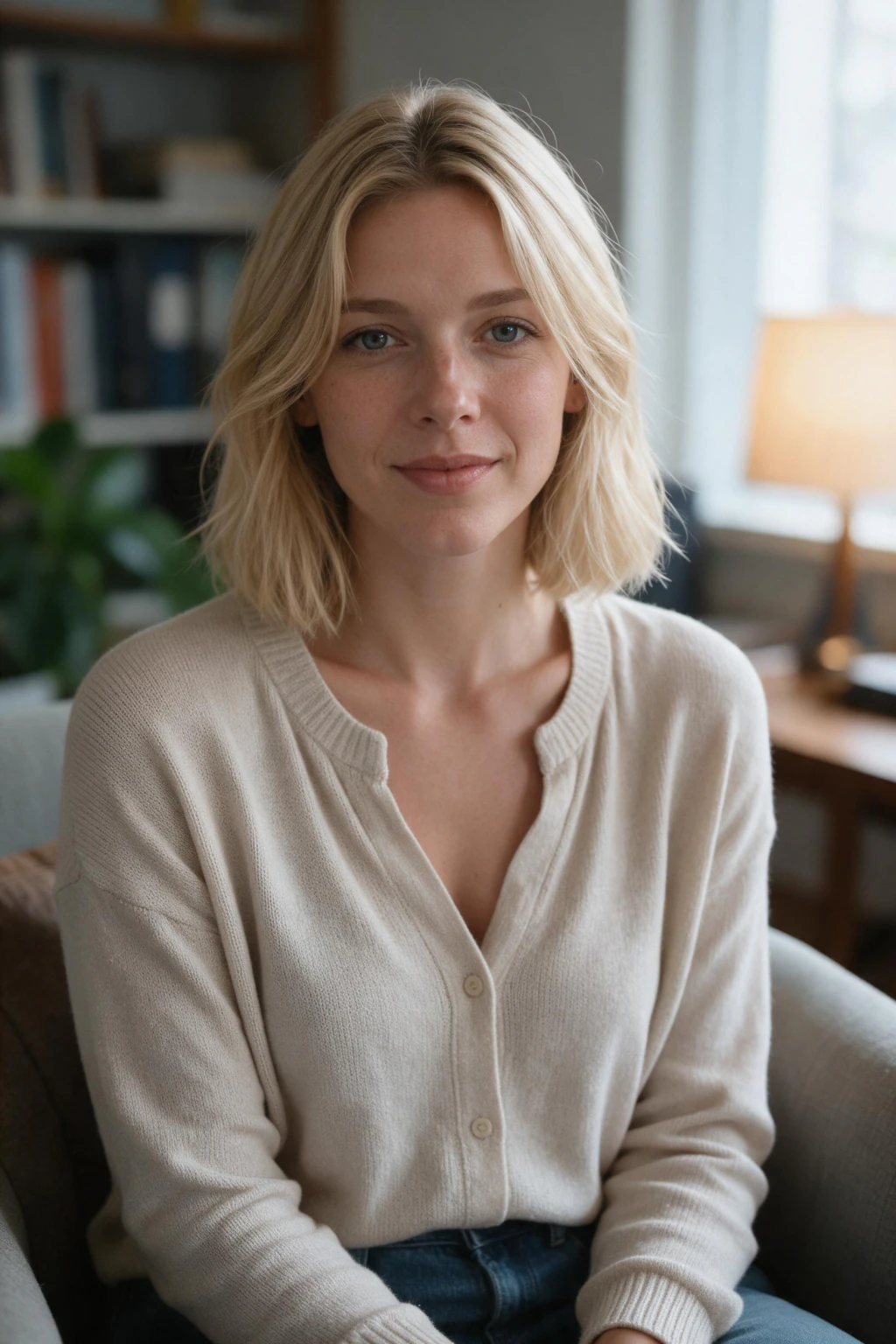
5. Startup founder
A bright open-plan office with a glass wall blurred behind, a well-fitted plain knit or open-collar shirt, hands relaxed. Confident, not corporate. This is the about-page and investor-deck photo.
Leave out: the company logo on the wall or the shirt. It dates the photo the day the branding changes.
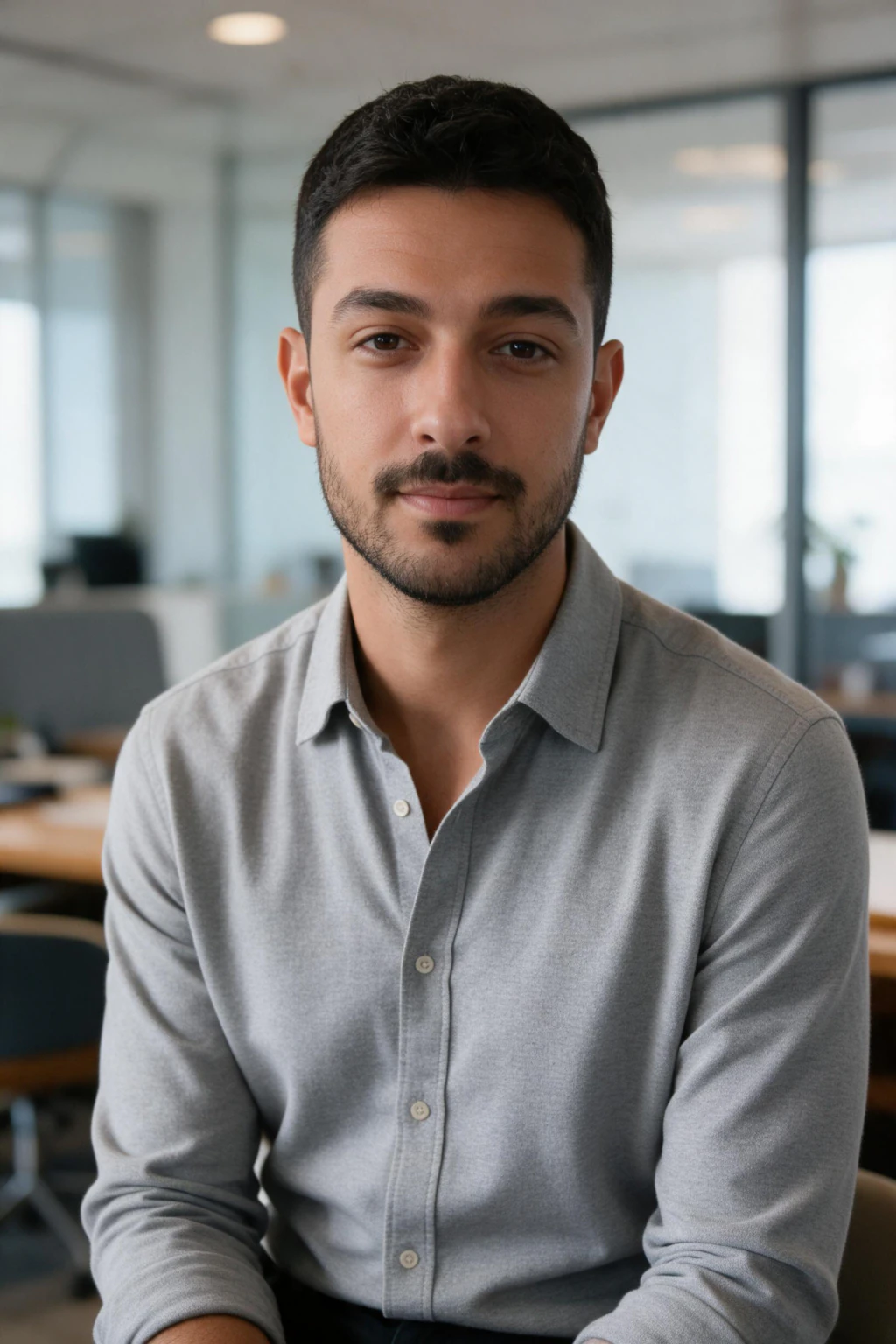
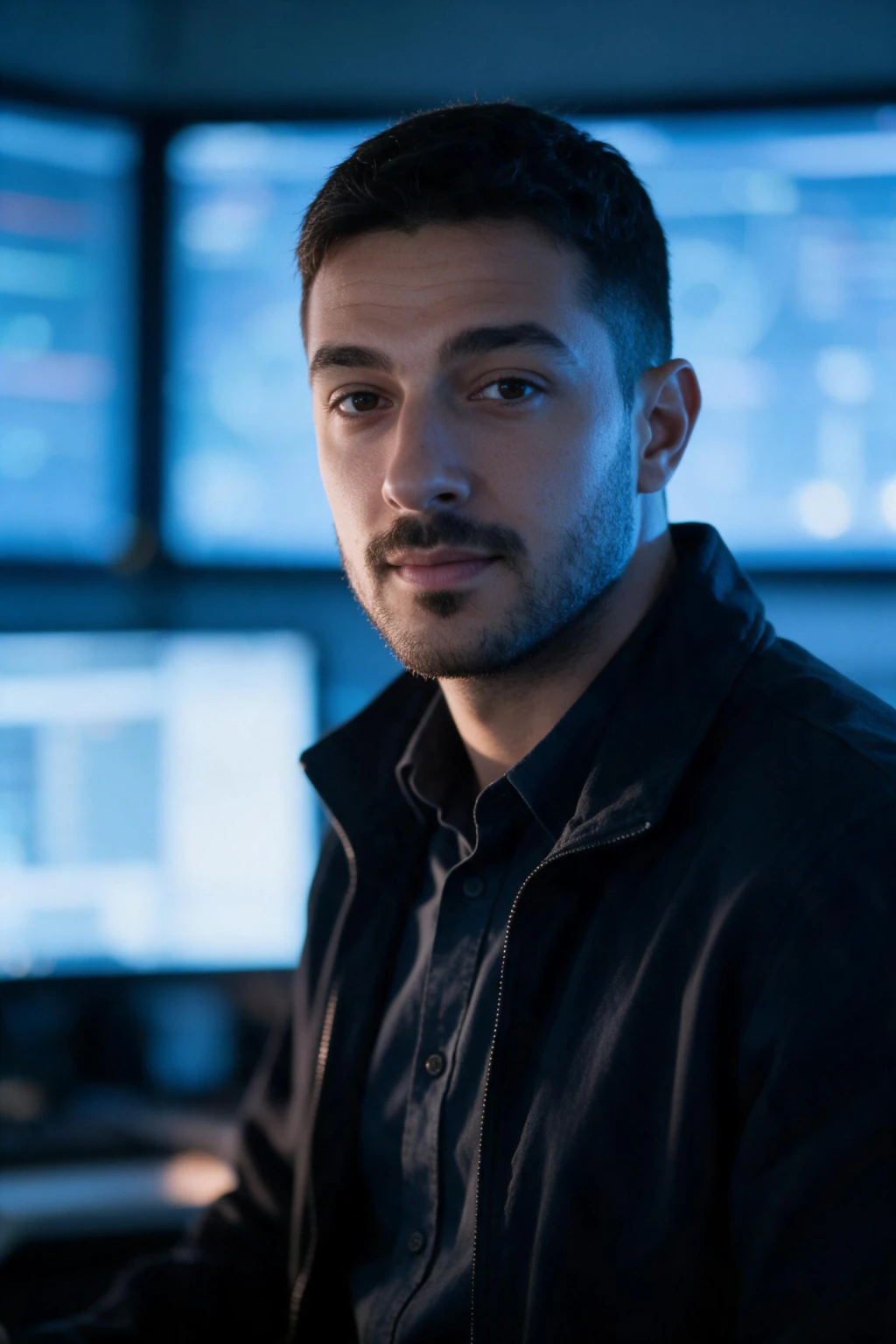
6 and 7. Software developer and cybersecurity
Developer: a clean desk, two monitors with blurred code, a plain dark tee or hoodie, warm lamp light mixed with cool screen light. Cybersecurity: a security operations centre with blurred blue dashboards, a plain dark zip-up, a sharper expression and a moody blue key light.
Leave out: readable code, sticker-covered laptops, maker marks on hardware.
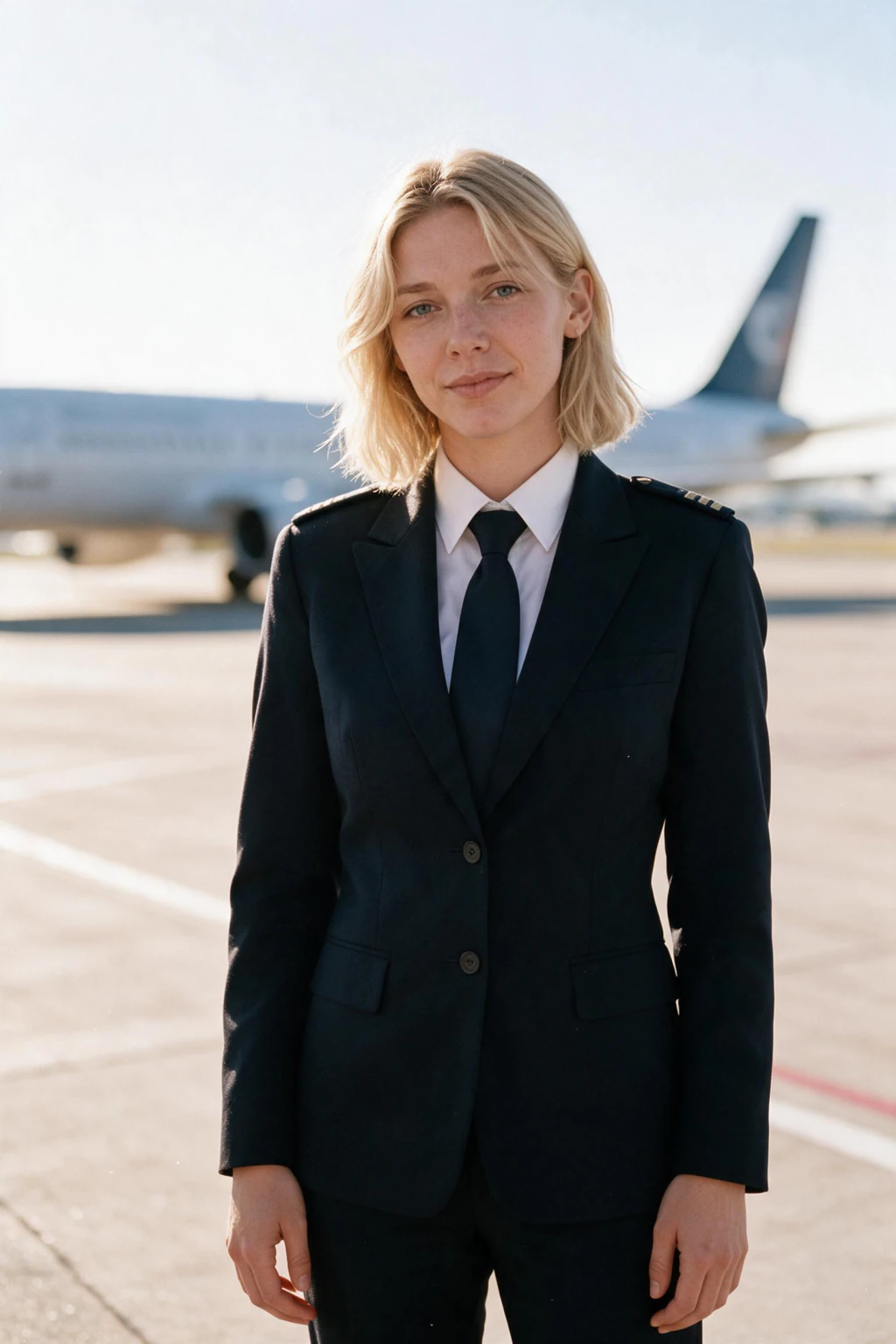
8 and 9. Chef and pilot
Chef: a stainless steel professional kitchen, plain white jacket and apron, arms folded, warm overhead light with a little steam. Pilot: on the apron beside a blurred aircraft, a plain dark uniform jacket with unbranded shoulder bars, bright morning light, knees-up so the uniform and stance show.
Leave out: restaurant names on the jacket, airline wings, crests on the aircraft.
10. Zookeeper and other outdoor roles
A leafy zoo path with a wooden fence and greenery blurred behind, a plain khaki work shirt and cap, a coil of rope over one shoulder, dappled daylight. The same recipe works for park rangers, landscapers and field scientists: the outdoors is the background and the work gear is the outfit.
Leave out: the zoo's patch on the shirt.

How do you get a headshot like these without a photo day?
Upload one clear, front-facing selfie to MakeAiPhotos, open the AI photos by profession pack, and pick your job. The generator keeps your face, hair and skin tone and builds the workplace, the clothing and the light around them. Each photo comes back in about 2 minutes.
$9.99 one time buys 100 credits, about 10 finished photos at 10 credits each, so a nurse can run the ward look and the clinic look and keep the better one. There is no model training step and a 14-day money-back guarantee applies.
Check the result at thumbnail size before you upload it anywhere. Staff pages and directories show headshots at 120 pixels wide, and that is where the face has to read.
Frequently Asked Questions
- What should a professional headshot look like for my profession?
- It should show the workplace of the job softly blurred behind you, the clothing that job wears in plain fabric, and your face large and evenly lit. A teacher beside a whiteboard, a nurse in plain scrubs on a ward, a founder in a bright office. Never a real logo, crest, badge or name tag.
- Should a work headshot include my uniform or scrubs?
- Yes, if the uniform is how clients or patients will meet you, because it makes the photo read as the job in under a second. Keep it plain: no crest, badge, name tag or airline wings. A generated photo carrying a real organisation's mark is a legal problem on a public profile.
- Can I use an AI headshot on a staff directory or hospital profile?
- Usually, since most employers care about likeness rather than method. Check your employer's media policy first, because some require a specific photographer or a signed release. Keep the photo plain, with no crest or badge, and confirm it still looks like you at 120 pixels wide.
- How much does a professional headshot cost per profession?
- A photographer charges $150 to $500 for a single professional headshot session and more for on-location workplace shots. MakeAiPhotos generates 12 profession looks from one selfie for $9.99 one time, about 10 photos at about 2 minutes each, with a 14-day money-back guarantee.
- Which background is best for a professional headshot?
- The real workplace, softly blurred: a classroom, a ward, a clinic corridor, an office, a kitchen. It tells the viewer what you do before they read a word. A grey studio backdrop is safe but says nothing, and a busy sharp background pulls the eye off the face.
- Will an AI profession headshot still look like me in a uniform I have never worn?
- Yes, when your selfie is clear and front-facing. The generator keeps your face, hair and skin tone and changes only the clothing, background and light. If a result drifts, generate again and keep the frames a colleague would recognise instantly.