Ideas

56 Instagram Photo Ideas for 2026: Feed Posts, Reels Covers and Story Frames

56 Instagram photo ideas, split into feed posts and Reels covers, and every one of them renders vertical so the upload crop never cuts into the shot you picked. Beach, travel, luxury, gym, dating, headshots, editorial, nightlife and festival, each with the framing that survives the feed. You upload one selfie and generate your own version of any idea on the list.

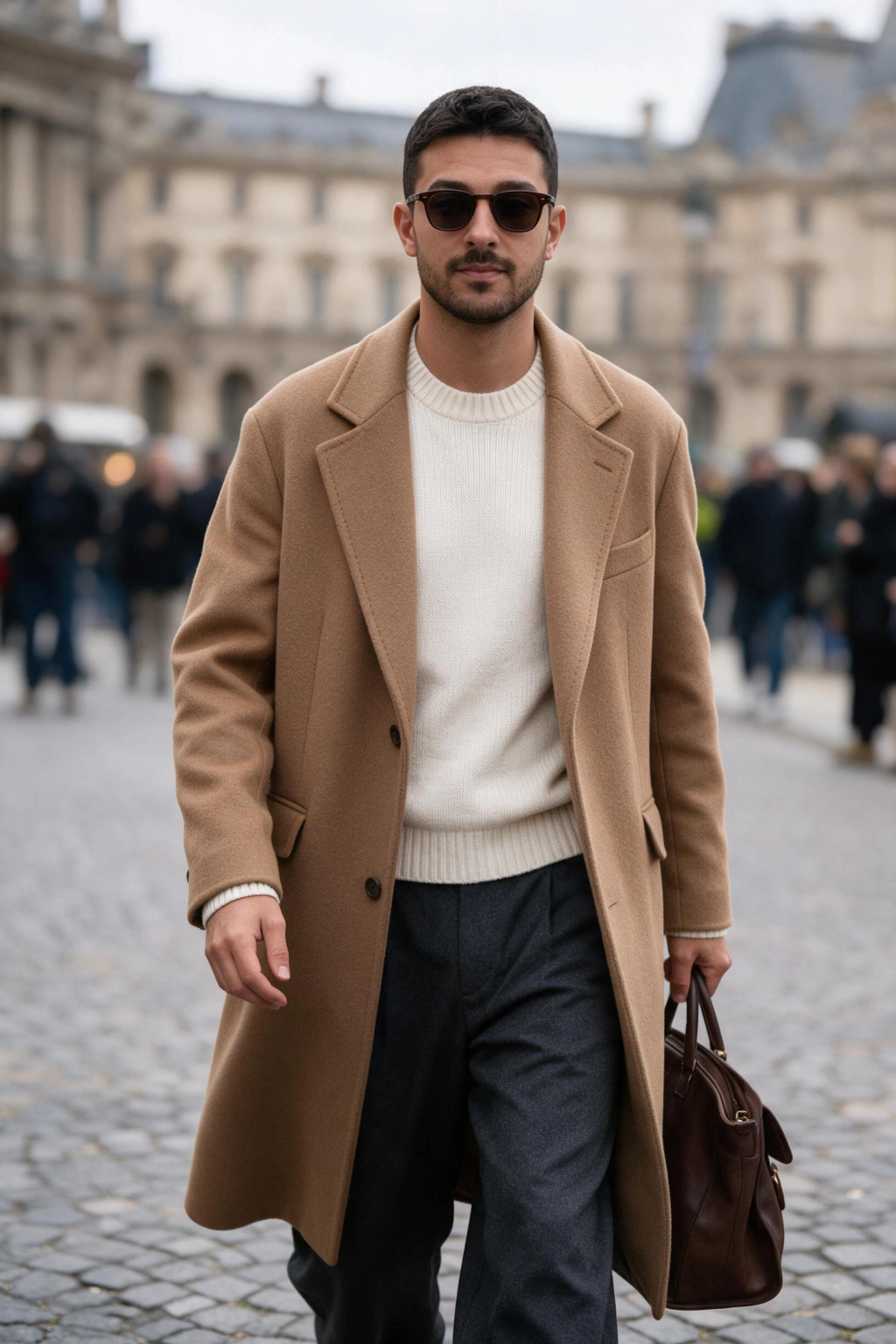
Instagram Photo Ideas: 56 Vertical Shots (2026): male AI result clip
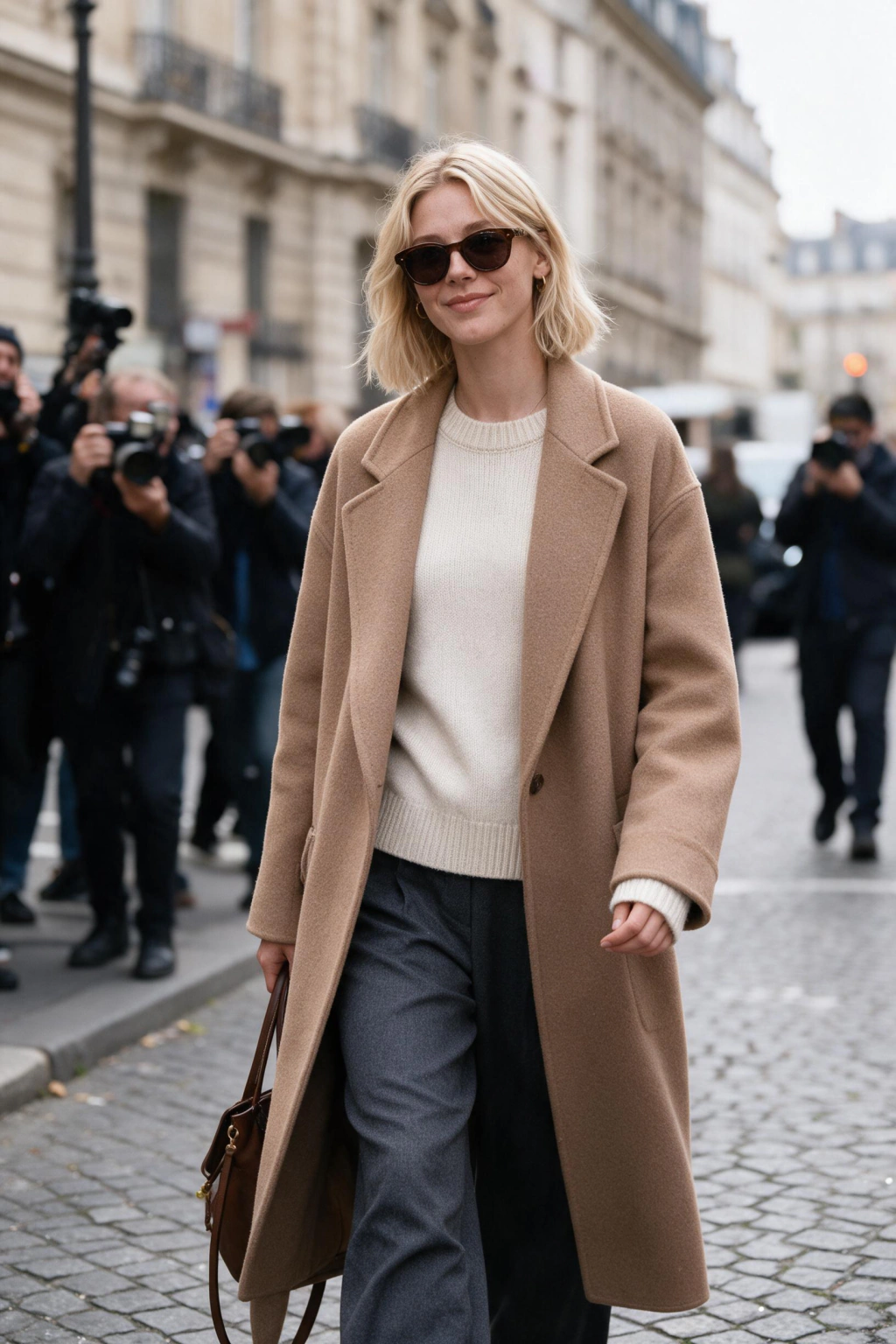
Instagram Photo Ideas: 56 Vertical Shots (2026): female AI result clip

· Last updated

What are the best AI photo ideas for Instagram in 2026?

The best AI photo ideas for Instagram in 2026 split into two jobs: six ideas that carry a feed post and six that work as a Reels cover or a story frame. Every idea below renders vertical from one uploaded selfie, so the shape you generate is the shape Instagram keeps. Pick the job first, then pick the theme.

The full list runs to 56 prompts across nine themes: beach and summer, travel and adventure, luxury lifestyle, gym and fitness, dating profile, LinkedIn crossover headshots, editorial modeling, nightlife, and festival. None of them ask you for a photographer, a location, or a friend to hold the camera. They ask you for one selfie and a decision about what your photo is for.

Here is the part most idea lists skip. An idea is not a prompt until you know how it gets cropped. A gorgeous rooftop frame that arrives horizontal loses its sky when the app squares it up, and the sky was the idea. The list below is built the other way around, starting from the vertical frame and filling it.

If you want to see the exact prompts behind each theme rather than the summaries here, browse the full AI photo ideas hub and open the pack that matches your feed. Every prompt on those pages is the same one used in the examples on this page, so the example you like is the output you get.

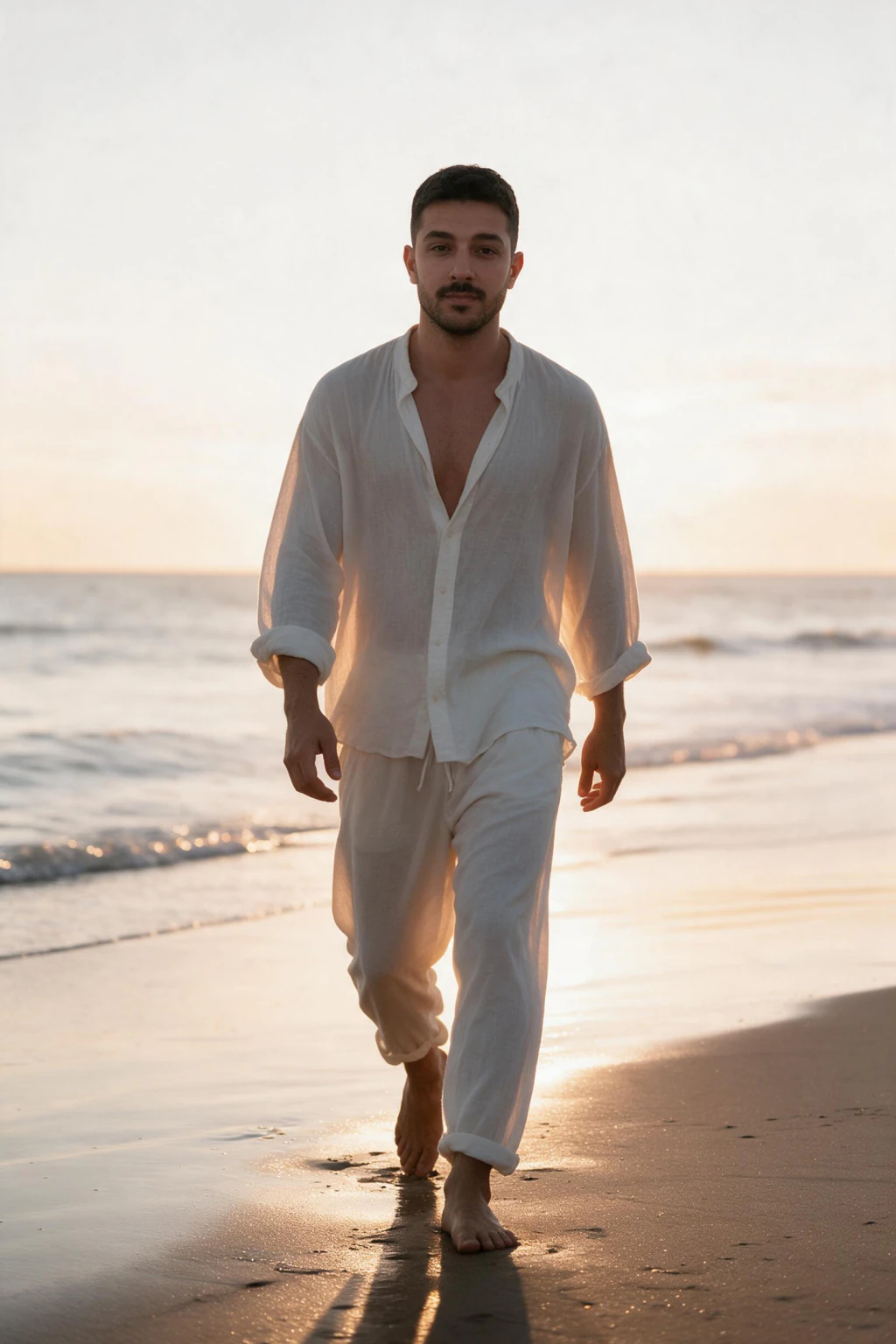
1Vertical AI feed photo idea: standing on a sunset shoreline with warm backlight along the water line
Golden hour The safest feed post on the list. Warm light does the work.
2Vertical AI feed photo idea: standing at a mountain trail viewpoint with the valley falling away behind
Trail viewpoint Height reads instantly in a vertical frame. Horizontal kills it.
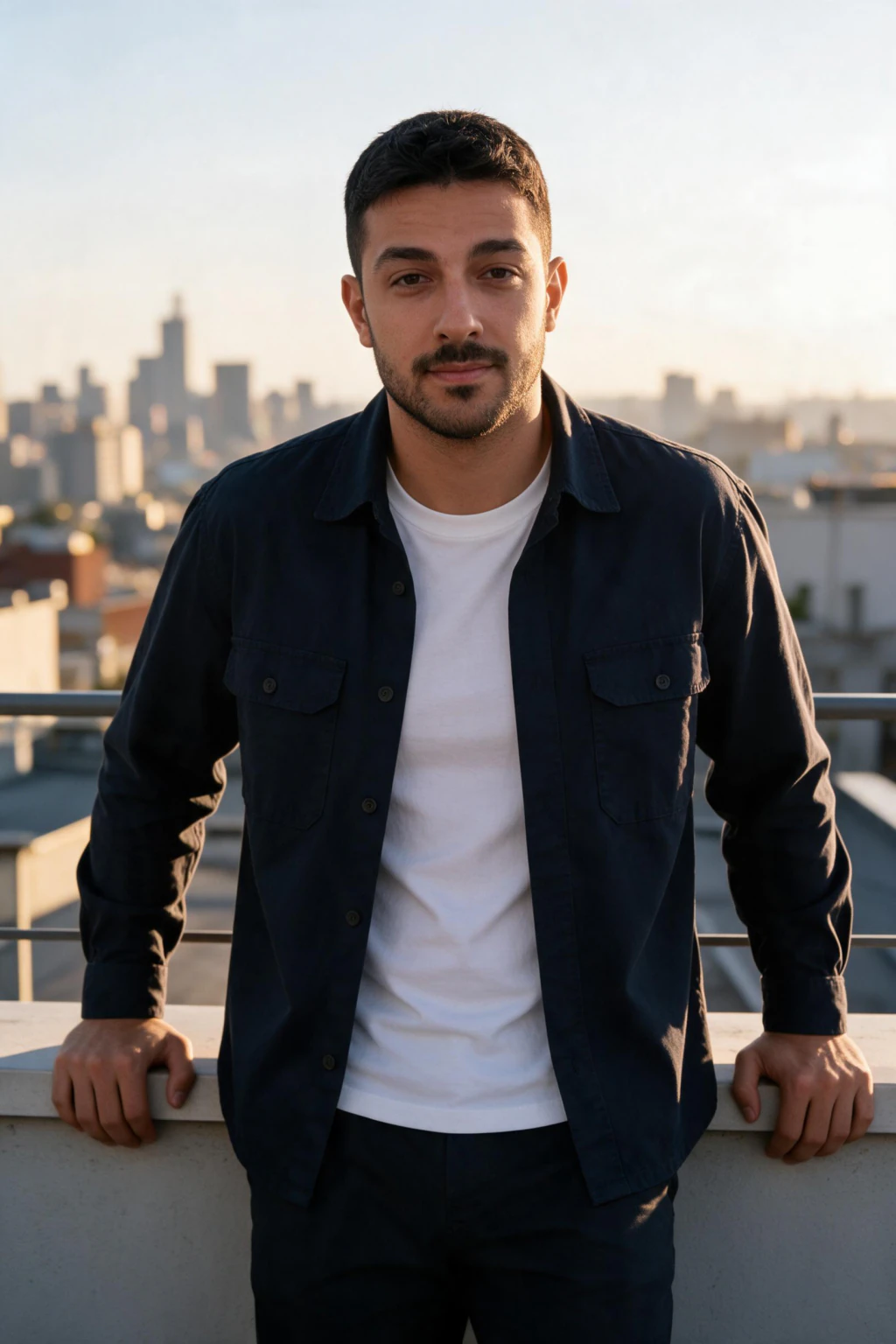
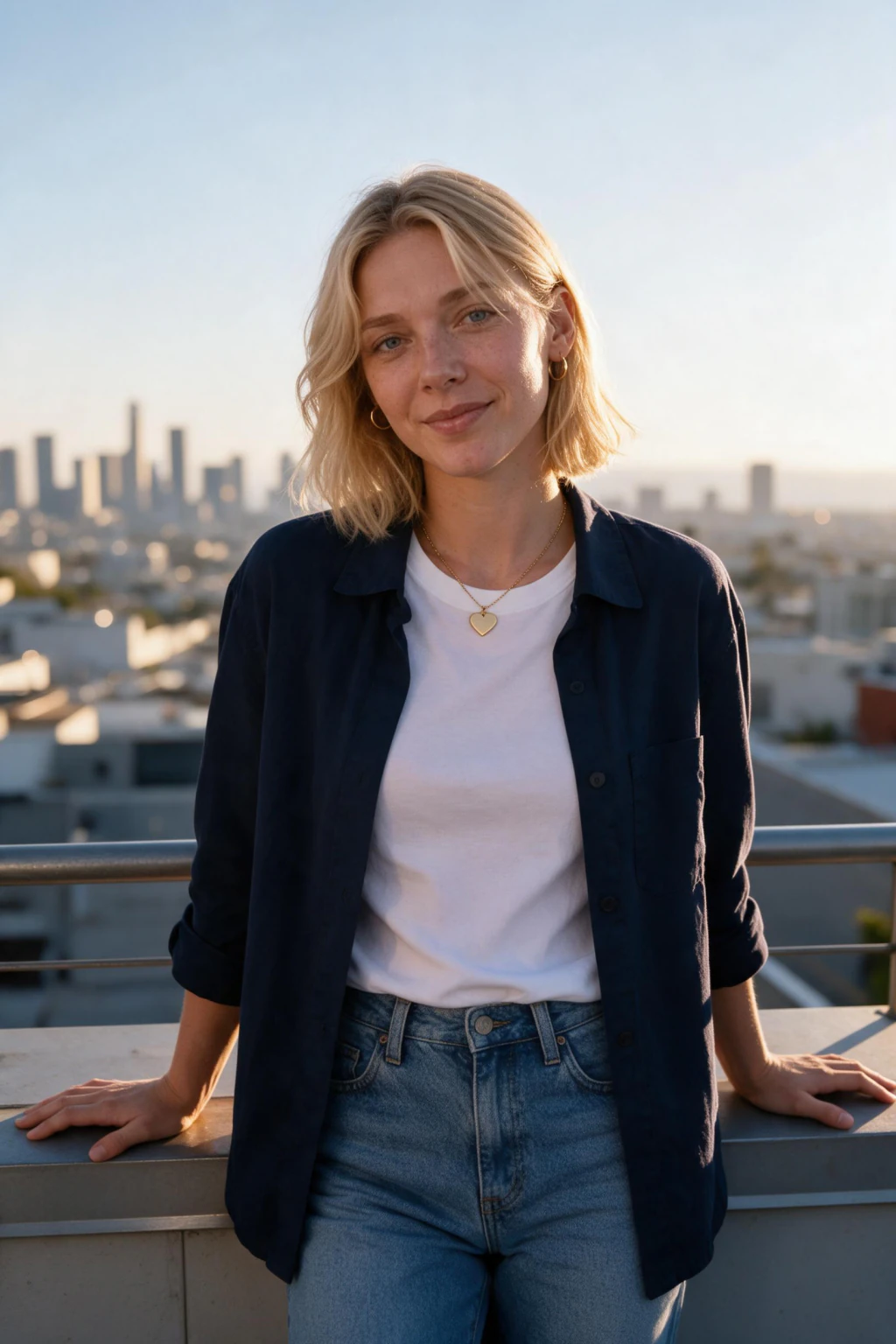
3Vertical AI feed photo idea: evening rooftop lounge with city lights and a warm sunset behind the shoulder
Rooftop sunset Use it as a carousel opener, not as a standalone post.
4Vertical AI feed photo idea: gym floor rest moment holding a dumbbell with equipment soft behind
Gym rest frame The between-sets moment posts better than the flex.
5Vertical AI feed photo idea: editorial portrait with a single side light shaping one cheekbone
Editorial portrait The one that anchors a grid full of lifestyle shots.
6Vertical AI feed photo idea: candid street walk in daylight, mid-step, city buildings soft in the background
Street candid Mid-step and looking away. Reads as a photo, not a pose.

Pick two of these six, upload one selfie, and post them this week.

Everything renders vertical, and that is the whole trick

Every photo you generate comes back vertical by default, which is exactly what the feed, Reels and TikTok all want. That single fact removes the most common way an AI photo idea dies. A horizontal generation gets centre-cropped by the app the moment you upload it, and the crop takes whichever part of the composition you actually picked the idea for.

Rule 1, decide the frame before the subject. A photo idea is a composition, not a location. The trail viewpoint idea is the drop behind you, the rooftop idea is the sky, the festival idea is the crowd above your shoulders. Every one of those lives in the vertical thirds that a centre crop removes first. Generate vertical and the idea survives the upload untouched.

Rule 2, keep the top and bottom thirds boring. Instagram lays your handle over the top of a story and a caption plus a play button over the bottom of a Reel. Anything you care about in those bands gets covered, not cropped, which is worse. Leave sky, wall, water or empty floor there and let your face own the middle third.

Rule 3, stop rescuing your horizontal shots by zooming in. Cropping a wide frame into a tall one throws away pixels and pushes softness into your skin, which is the exact texture that makes your photo read as real. A frame rendered vertical at up to 4K holds detail at full width. A cropped one is a smaller photo pretending to be a big one.

Rule 4, post the same idea in two shapes only when the shapes do different work for you. Your tight vertical portrait belongs on the cover of a Reel. The wider version of the same scene belongs inside a carousel where your viewer can swipe. Do not drop your cover framing into slot four of a carousel and expect it to hold anyone.

The practical payoff is boring and large. You pick an idea, you generate it, and you post it without opening an editor. No crop preview, no rescue zoom, no wondering whether the interesting half of the frame will survive. That is the difference between a list of ideas and a set of photos you actually publish.

Beach, summer and travel AI photo ideas (13 prompts)

Beach ideas carry summer feeds because warm low light flatters skin without any editing. The five that hold up: golden hour at the shoreline with the sun behind you, walking out of shallow water, a bonfire at dusk, standing on coastal rocks with spray behind, and a late boardwalk walk with the light going orange. All five come out of the AI summer photo pack.

Shoot the beach ideas with the sun low and behind your shoulder rather than in front of you. Backlight puts a bright edge along your hair and separates you from the water, which is what makes a beach photo read as a photograph rather than a snapshot. Midday sun does the opposite and flattens everything into one bright plane.

Travel gives you eight ideas and the widest range on the list: mountain trail viewpoint, forest path in green light, a bridge walk in flat daylight, an old town plaza, a wheat field at the end of the day, a jungle setting, a busy street candid, and a balcony over a city skyline. Each one puts recognisable depth behind your face, which is what a travel photo is for.

The reason one upload covers all thirteen is that the face is read once and then rendered into each scene. You are not pasting a head onto a stock backdrop, which is why the light on your face matches the light in the location. Pick three, not thirteen, and space them out across a month so the feed does not read as one batch.

Three AI photos generated from one selfie of the same person: casual portrait, outdoor travel shot, and styled editorial frame
One uploaded selfie covers every theme on this page. The face is read once, then rendered into each scene.

Six AI photo ideas built for Reels covers and story frames

A Reels cover is a different photo from a feed post and most people never make the switch. The cover is seen small, in motion, with a caption over the bottom and a play triangle in the middle. Your face needs to be larger, the background needs to be simpler, and the contrast needs to survive being viewed at thumbnail size.

The six below are the ones that keep working as covers for you: neon night, festival crowd, city walk, water exit, car door frame and dressed up. Each one puts a strong colour or a strong shape behind your clearly lit face, which is all your viewer resolves in the half second they spend deciding whether to stop.

Story frames follow the same logic with one extra constraint. A story is full height, so the top and bottom bands hold your handle, the sticker, and the reply box. Generate the idea vertical and you get those bands for the interface without giving up any part of the actual scene, which is precisely the point of not cropping.

Do not reuse your cover as a feed post. A cover crops close and leaves the background thin, so it looks starved sitting in your grid next to wider shots. Generate the tight version for your cover and the roomier version for your grid, from the same upload, in the same session, and you never have to choose between them.

1Vertical Reels cover idea: nightlife portrait lit by coloured neon with a dark simple background behind
Neon night Colour behind a lit face. Reads at thumbnail size.
2Vertical Reels cover idea: hands raised in a sunny festival crowd with the stage haze behind the shoulders
Festival crowd Raised arms fill the tall frame better than any pose.
3Vertical Reels cover idea: full length walking shot on a city bridge in flat daylight with cables behind
City walk Full body plus strong lines. Good story opener.
4Vertical Reels cover idea: emerging from the ocean with water running off skin and open sea behind
Water exit Motion in a still frame. Save it for summer sets.
5Vertical Reels cover idea: standing at an open car door in smart casual clothes on a quiet street
Car door frame The door frames your face. Keep the caption band clear.
6Vertical Reels cover idea: dressed up in a blazer at golden hour with soft warm light across the face
Dressed up The cover for anything you want taken seriously.

Generate a cover and a feed version of the same idea in one session.

Luxury, nightlife and festival AI photo ideas (11 prompts)

Luxury ideas work on Instagram when they look plausible rather than staged. The seven worth your credits: a rooftop terrace over a marina, a penthouse lounge at sunset, a yacht deck in late light, a helipad, an open supercar door, a shopping street with bags, and a private cabin window seat. Keep your outfit simple and let the location do the talking for you.

Nightlife and festival ideas run on colour instead of daylight. The four that hold up: a club lit by coloured light with a dark background, a cocktail bar with warm practical lights behind, a main stage crowd with haze, and a dancing crowd shot from inside it. Both themes live in the AI nightlife photo pack and the festival pack, and both look best when your face stays the brightest thing in the frame.

One caution before you spend on this group. Luxury and nightlife photos age fastest, because your outfit, the lighting trend and the venue style all date together. Generate a small number, post them across a season, and rebuild rather than recycling last year's set. Your travel and editorial frames will outlast them in the grid by a wide margin.

Gym, editorial and profile-photo AI ideas (26 prompts)

Gym ideas fail when they look like mirror selfies, so the seven here avoid the mirror completely: standing rest with a dumbbell, mid-lift, a warm-up stretch, the post-workout moment, seated recovery, an outdoor calisthenics set, and a walk-out shot in athletic clothes. Equipment sits soft in the background and your body has room in the frame.

Editorial ideas are the ones that make your grid look deliberate. Five carry it: a dramatic black-and-white close-up, a side-lit cheekbone shadow, a flat colour backdrop, a grainy film look, and a high-contrast cinematic portrait. One editorial frame every eight or nine posts is enough for you. Past that, your account starts reading like a portfolio rather than a person.

Dating and profile ideas overlap heavily with Instagram, which is why six of them sit on this list: a coffee shop window seat, an outdoor walk, a dinner table candid, a photo with a dog, a hike with a real view, and one sport or gym frame. The same six cover your profile picture, your story reply frame and your feed post without a second upload.

The eight LinkedIn crossover ideas are the professional end of your single upload: an executive desk portrait, a neutral studio blazer shot, a founder editorial frame, a consultant warm-tone portrait, a boardroom look, a corporate desk shot, a chiaroscuro director portrait, and a casual professional outdoor frame. They render vertical too, so they crop cleanly into the square your profile picture needs.

What the AI photo ideas that keep working have in common

Across every theme on this page, the ideas that keep earning attention for you share four traits. None of them are about your location, and none of them require a better camera than the one in your pocket. They are about light, framing, specificity and restraint, in that order, and you can apply all four to an idea before you spend a credit on it.

Use the four cards below as your filter. Run your idea through them first, because an idea that fails two of these produces a photo you delete before it ever reaches your grid, and you will have burned a generation to learn something you could have caught in ten seconds.

Light with a direction

Sun low and behind the shoulder, a window at 45 degrees, or one coloured source in a dark room. Never flat overhead light.

Direction gives your face shape. Flat light removes the shadows that tell a viewer what your bone structure actually looks like.

A vertical frame with breathing room

Your face in the middle third, something real in the background, and nothing you care about in the top or bottom bands.

The interface takes those bands. Planning them empty means the platform never covers the part of the photo you wanted seen.

One specific thing happening

Mid-step, mid-laugh, holding something, walking out of water, resting between sets. Not standing and looking at the lens.

Specific beats posed. A photo with an action in it gives a viewer something to reply to instead of something to scroll past.

Skin that still looks like skin

Visible pores, a little shine, matched catchlights in both eyes, and hair that has stray strands rather than a solid edge.

Texture is the single strongest realism signal. Smoothing is the first thing viewers read as fake, on AI photos and real ones alike.

How to generate any idea on this list from one selfie

The workflow is the same for all 56 ideas, and it starts with one photo. You upload a single selfie, the AI reads your face from it, and every prompt after that renders your face rather than a lookalike. Here is the whole sequence with the times you should actually expect.

Step 1, shoot the input selfie properly. Soft window light at about 45 degrees, rear camera, beauty mode and skin smoothing off, no sunglasses and no hat brim across your eyes. This one photo sets the ceiling for all 56 ideas, so give it five minutes rather than pulling something from last year's camera roll.

Step 2, upload once and pick your packs. Upload the selfie on the generate page and choose the packs that match the ideas you want from this list. One trained face covers summer, traveler, luxury, gym, nightlife, festival, modeling and dating, so there is no second upload when you change theme.

Step 3, press generate. The photo comes back in about 2 minutes, with no model training to wait through. You do not have to sit there. Come back to a finished photo rather than refreshing after ten seconds and deciding it is broken.

Step 4, cull before you admire. Open the batch and reject anything with smoothed skin, mismatched catchlights, or light on the face that disagrees with the background. Keep roughly one frame in three. A small ruthless set posts better than a large forgiving one, every time.

Step 5, publish vertical and leave it alone. The files come back at up to 4K with no watermark and no download gate, already in the shape Instagram wants. Post straight from the download, without a crop pass, and the composition you picked is the composition that appears.

Mistakes that waste a generation

When your batch disappoints you, the cause is almost always a decision you made before anything was generated. These five account for most of it, and every one of them costs you nothing to avoid once you have watched it happen to your own photos. Read them before your next upload rather than after it.

Mistake 1, generating horizontal because a scene looks wide. Landscapes and rooftops tempt you into the wide frame, then the app centre-crops the upload and takes the view with it. If the width is the point, generate vertical and let the height carry the depth instead, with the drop or the skyline stacked behind you.

Mistake 2, feeding it an old selfie. A soft, filtered or badly lit input gives you soft, filtered, badly lit output across every one of the 56 ideas, because the model can only render the face you gave it. Five minutes at a window beats any amount of prompt tweaking you do afterwards.

Mistake 3, posting six frames from the same batch in the same week. Same haircut, same shirt, same light, six days running. Your grid reads as one afternoon rather than a life, which is the exact impression you generated the photos to avoid. Space them out and rotate your theme between posts.

Mistake 4, keeping the frames where you look best instead of the frames that look real. The smoothest photo in your batch is usually the least convincing one your audience will see, because smoothing is what people read as fake. Sort your set for texture and honest light first, then choose your favourite from whatever survives that filter.

Mistake 5, ignoring what covers the frame. A caption sits over the bottom of a Reel, your handle sits over the top of a story, and a play button sits in the middle. Check where those land before you commit an idea to a cover, not after the post is live.

Frequently Asked Questions

What are the best AI photo ideas for Instagram in 2026?
The strongest ideas for your feed are golden hour at the shoreline, a mountain trail viewpoint, a rooftop at sunset, a gym rest frame, an editorial side-lit portrait and a street candid. For your Reels covers, use neon night, festival crowd, city walk, water exit, car door and dressed up. All twelve render vertical from the one selfie you upload.
Why do AI photos for Instagram need to be vertical?
Because the feed, Reels and stories are all tall, and a horizontal upload gets centre-cropped by the app. The crop removes the top and bottom of the frame, which is usually where the idea lives: the sky, the drop behind you, the crowd above your shoulders. Generating vertical means the composition you chose is the one that gets published.
How many selfies do I need to upload?
One. You upload a single clear selfie and the model renders that face into every prompt you pick. Shoot it in soft window light at about 45 degrees on the rear camera, with beauty mode and skin smoothing switched off and nothing covering your eyes.
How long does it take to generate a set of Instagram photos?
Each photo comes back in about 2 minutes, with no model training to wait through. You can start one pack, close the tab, and come back to a finished set. Adding a second pack does not require a second upload.
Are AI photos allowed on Instagram?
Yes, as long as you are not impersonating someone or using the photos to deceive. Photos generated from your own selfie are pictures of you, which is squarely inside the rules. Some creators add an AI-assisted note in the caption for transparency, and Instagram does not require it on personal accounts.
What resolution do the photos come out at?
Up to 4K, with no watermark and no download gate on your files. That resolution matters more than it sounds, because your full-size vertical file survives Instagram's compression far better than a small frame you cropped up out of a wider shot before uploading it.
Which AI photo idea works best for a personal brand?
The editorial side-lit portrait and the desk or studio professional frame do the most work. Pair one of them with three or four lifestyle frames, travel, gym or dinner, so the grid signals what you do without turning into a corporate gallery. One editorial frame every eight or nine posts is enough.
How much does it cost to generate the ideas on this list?
You pay with a one-time credit pack rather than a subscription, and the current pack sizes are listed on the pricing page. Your single upload covers every photo pack, so moving from summer ideas to gym ideas costs you credits rather than a second training run.

Related pages