What are good Halloween AI photo prompts in 2026?
Good Halloween AI photo prompts in 2026 share four properties: they name the costume in physical detail (not a copyrighted character name), they specify the lighting (candlelight, moonlight, pumpkin glow), they specify the camera framing (close portrait, three-quarter, full body), and they specify the mood (elegant, playful, eerie but not graphic). A prompt missing any of those four reads as generic AI output. The 32 prompts below all hit the four properties and are written to paste into a selfie-based generator like MakeAiPhotos.
If you are using MakeAiPhotos specifically, each prompt also maps to a pack from the existing library. Luxury maps cleanly to elegant gothic ballroom. Modeling maps to high-fashion vampire. Cinematic Drama maps to candle-lit horror portrait. The mapping is in the why-it-works note on each card below.
Halloween AI photo prompts also work in text-to-image tools (Midjourney, ChatGPT image, Adobe Firefly) with one caveat: those tools render a generic person matching the description, not your specific face. To get Halloween photos of you, you need a selfie-based generator. Browse the full library of pack styles in our AI photo ideas hub before you generate, then come back to the prompt list.
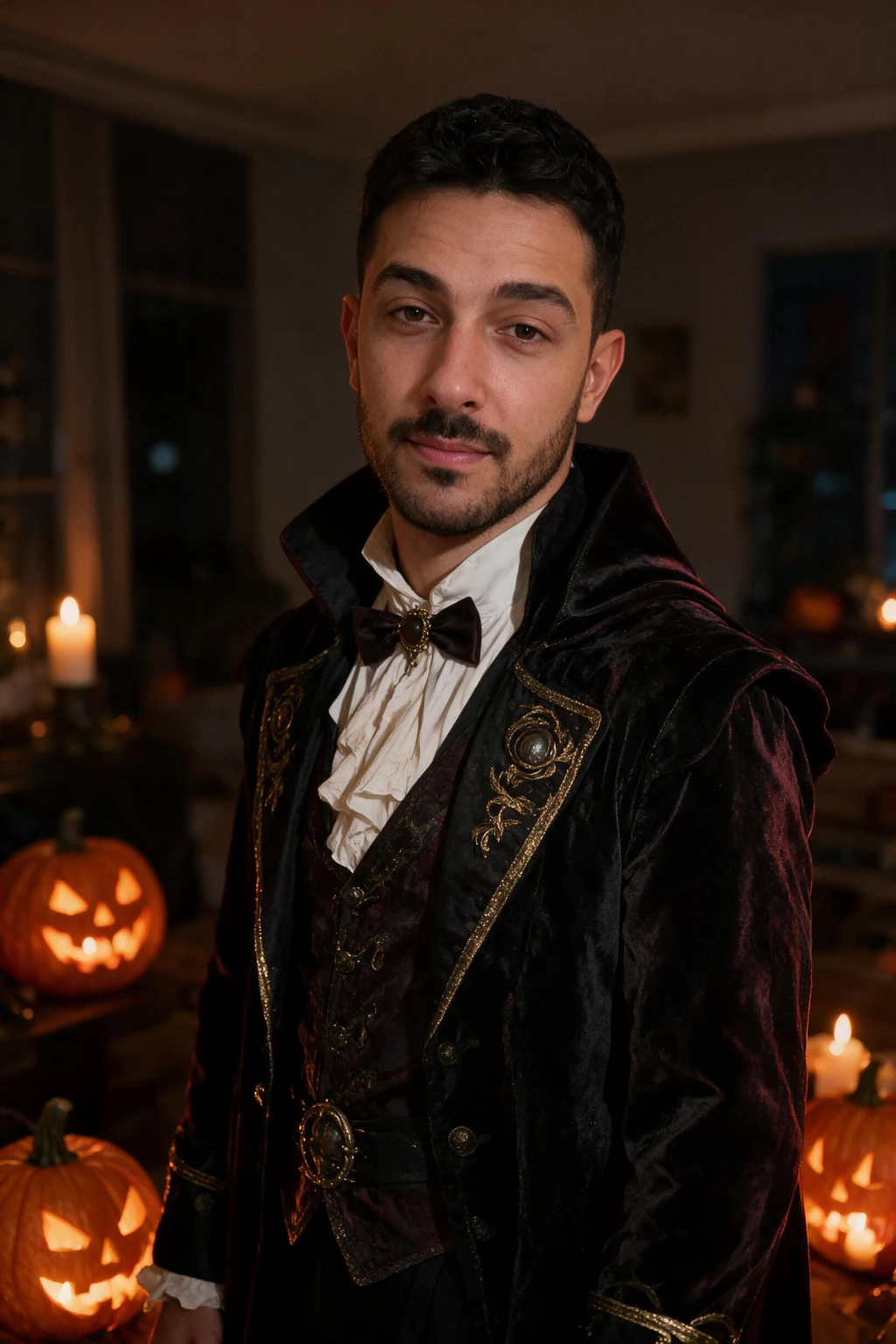
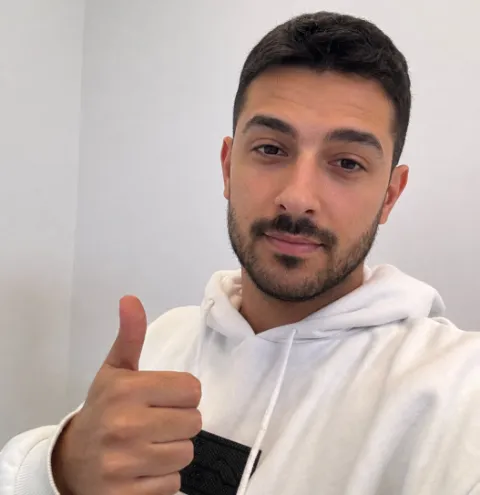
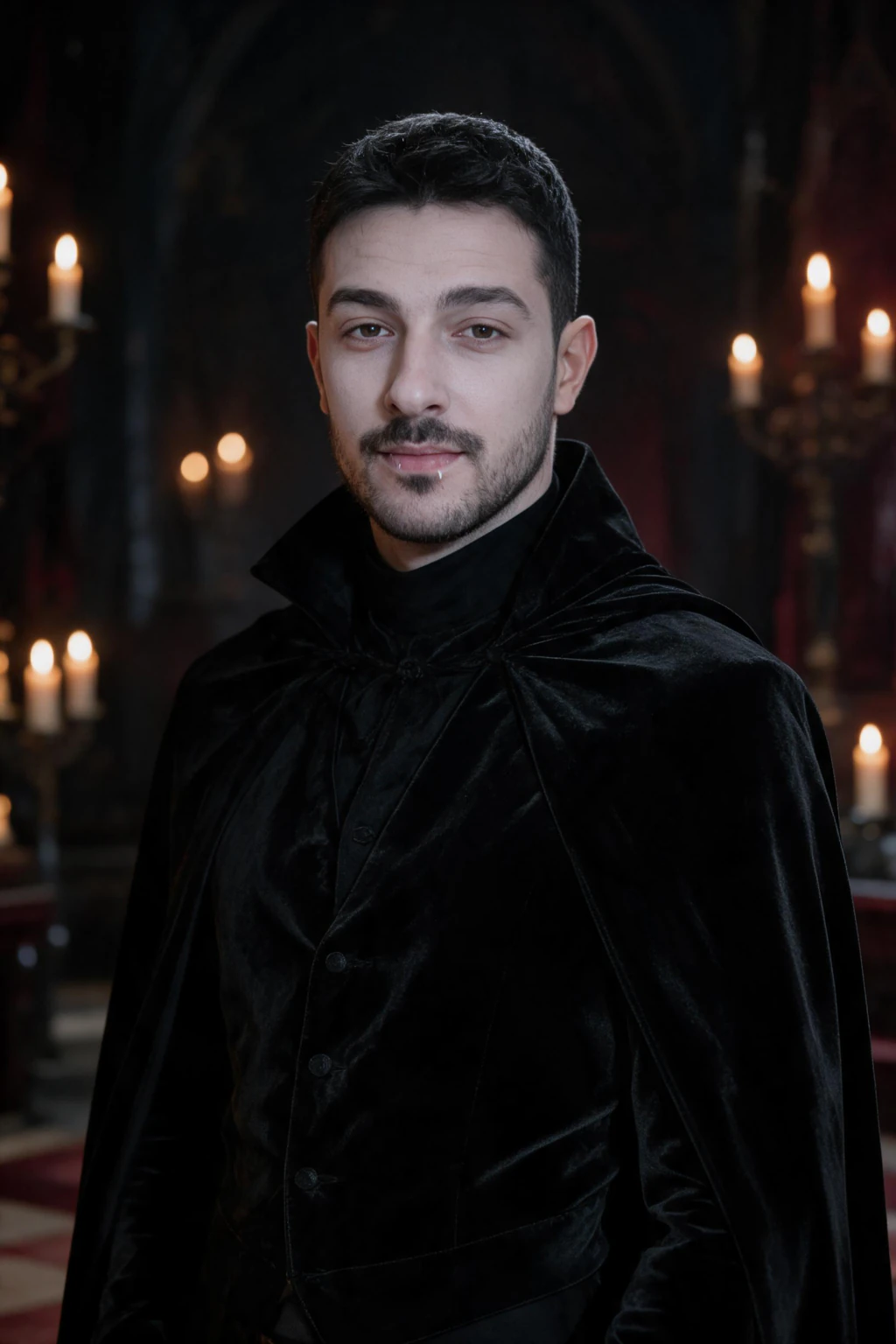
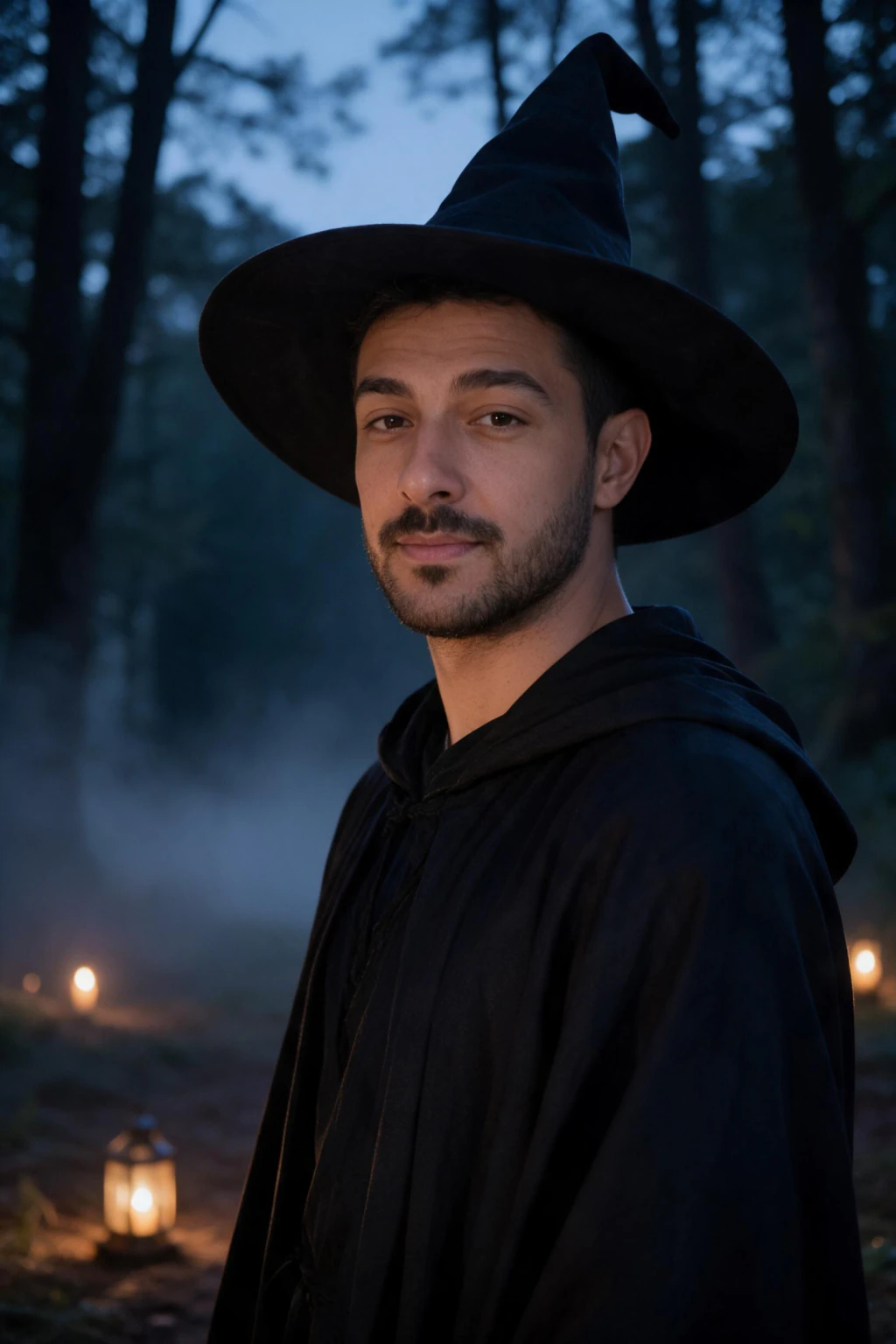
One phone selfie to 5 AI photos of the same person
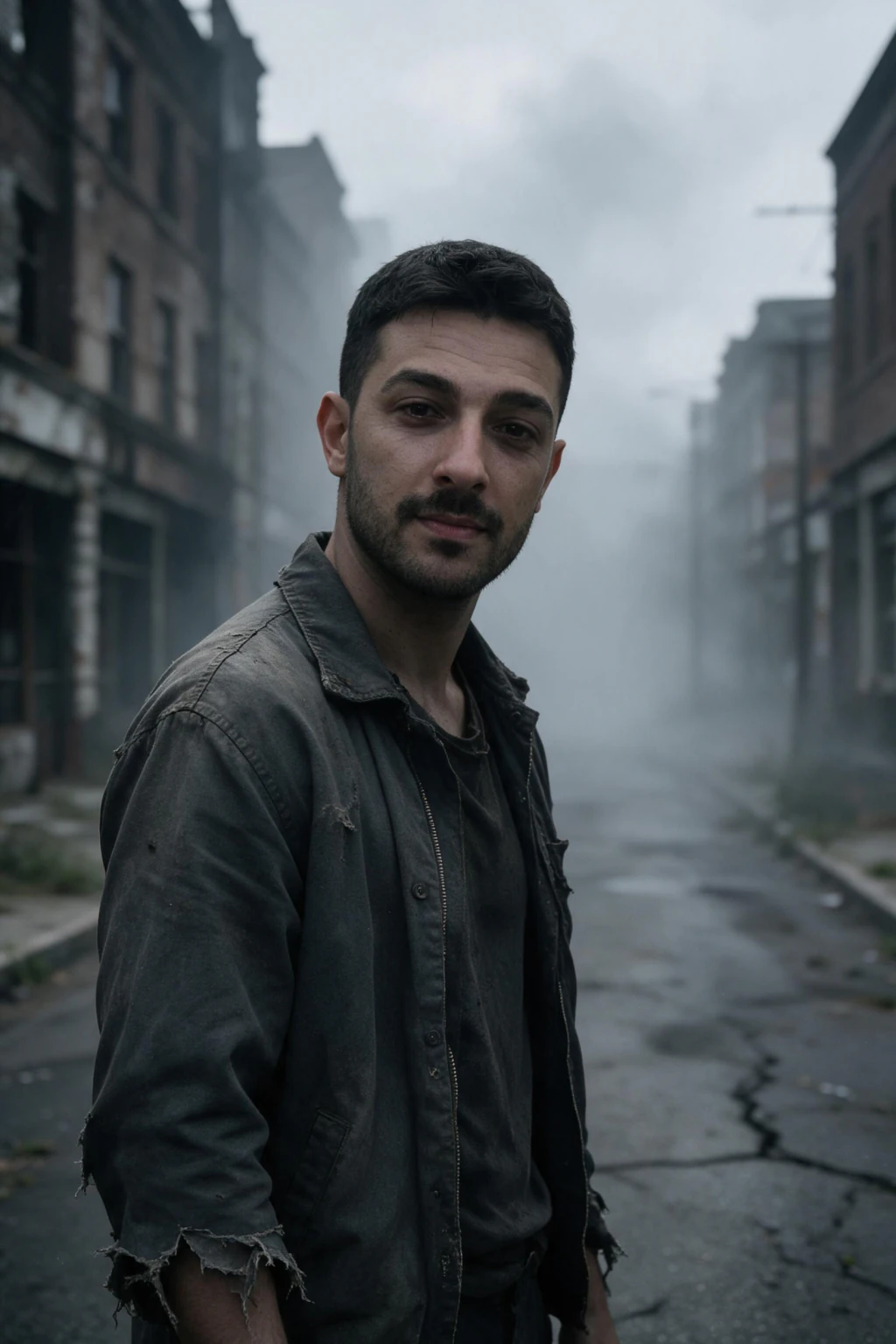
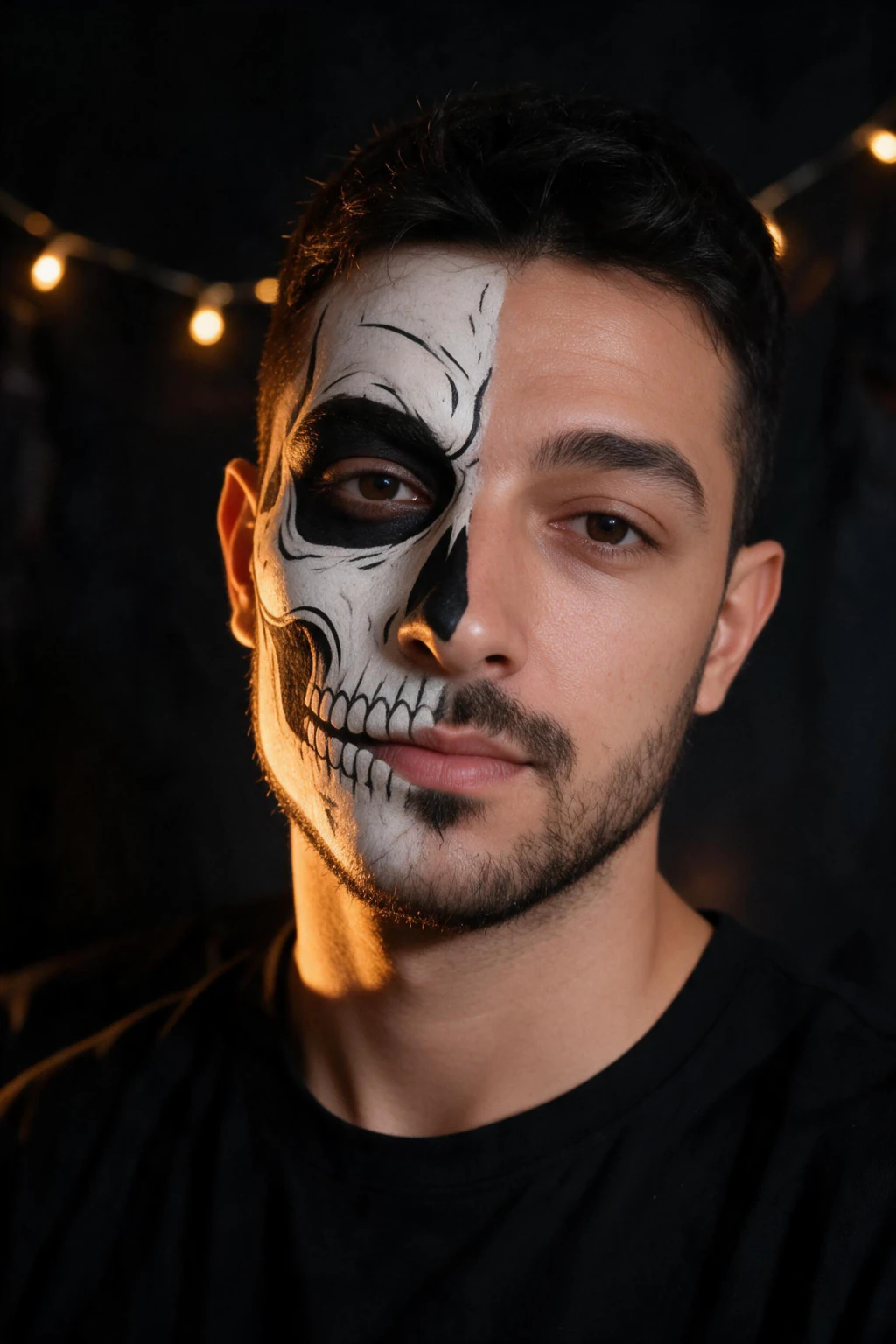
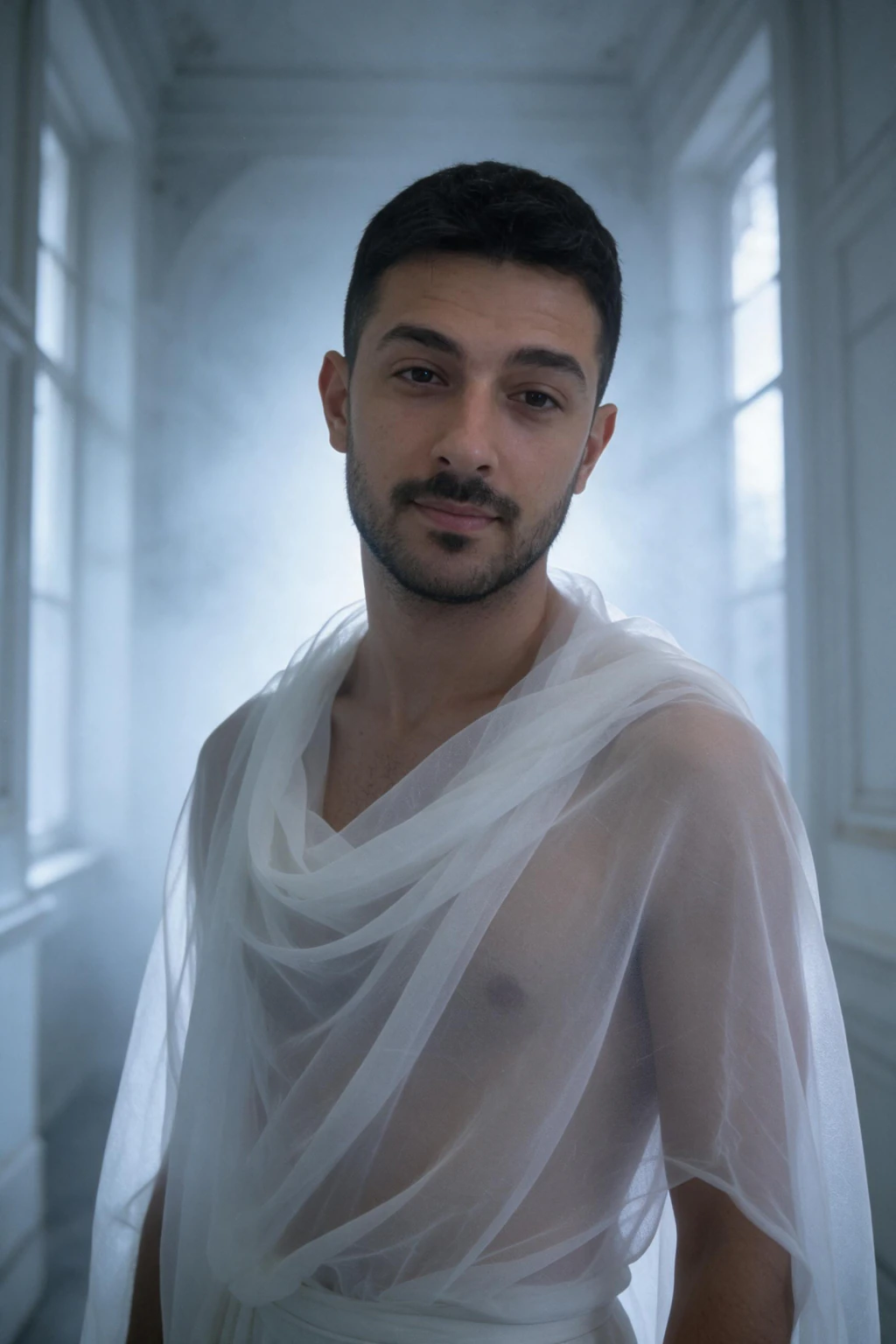
The 20 core Halloween AI photo prompts (copy and paste)
Each prompt below is written as 2 to 3 sentences of physical specification. In ChatGPT or Gemini, paste the prompt block exactly as written with your photo attached and swap any age or hair detail to match you. On MakeAiPhotos, skip the pasting: the why-it-works note names the look or pack that already carries that lighting, so you pick it and upload one selfie.
Family-friendly only. No gore, no copyrighted character names, no graphic horror. Spooky aesthetic that posts cleanly on Instagram and LinkedIn alike.
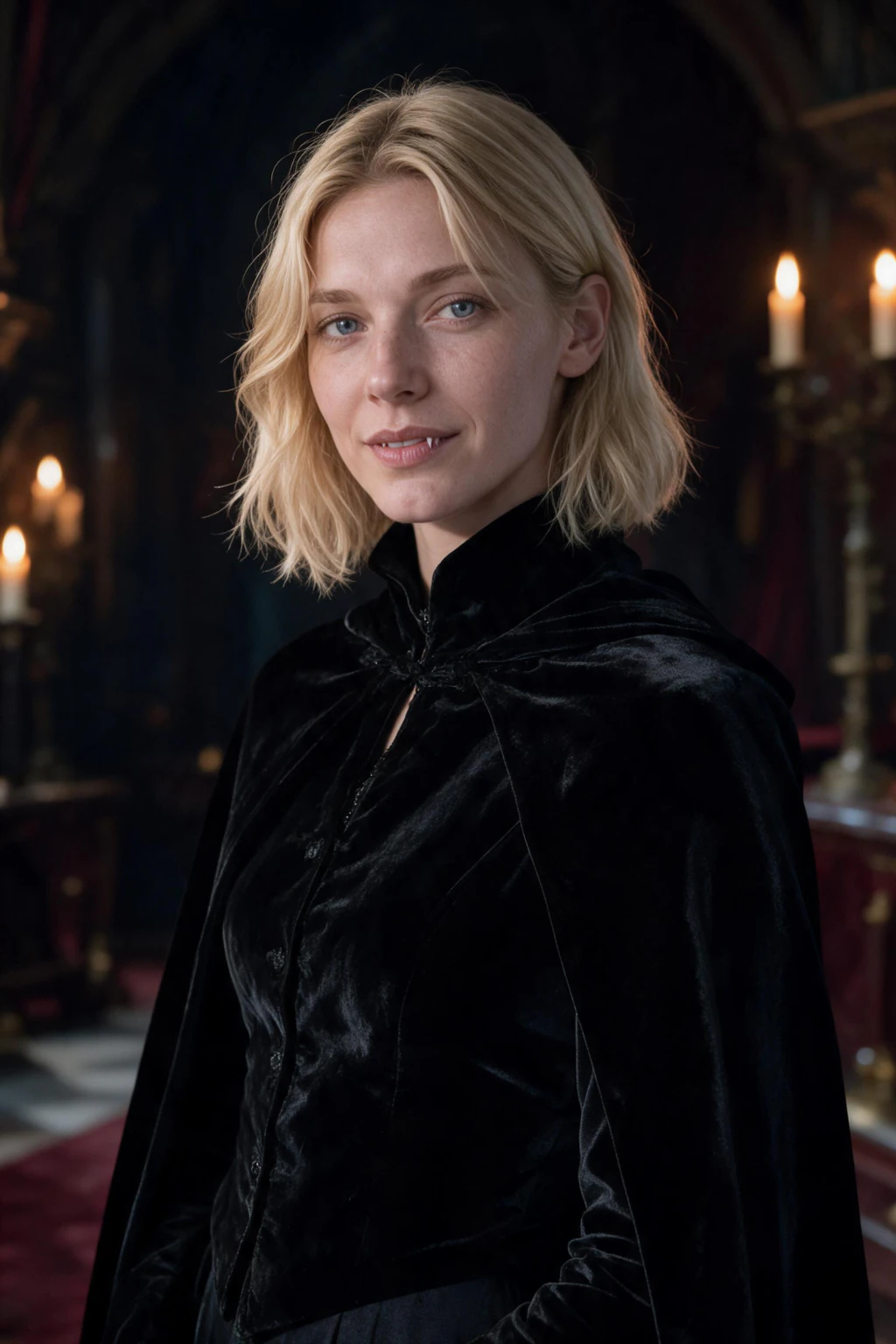
Candle-Lit Horror Portrait (Mild)
Close portrait of a person with a single hand-held candle illuminating the face from below at chin height, the rest of the frame in deep shadow, neutral expression, plain dark background, head and shoulders framing, shot on Leica Q3, 28mm f/1.7, ISO 1600, deep film noir tones.
Maps to MakeAiPhotos Cinematic Drama pack. The single-candle uplight is the classic horror lighting cue. Keep the expression neutral, exaggerated expressions look uncanny in AI portraits.
Sorcerer in a Library
Portrait of a person in a long deep navy robe with subtle silver constellation embroidery, sitting at a dark wooden desk piled with leather-bound books and an old brass telescope, single warm light from an oil lamp on the desk, three-quarter portrait, shot on Sony A7R V, 35mm f/1.4, ISO 800, painterly soft focus.
Maps to MakeAiPhotos Luxury pack. Reads as a wizard or scholar portrait without naming any copyrighted character. The constellation embroidery is the cue that does the heavy lifting.
Superhero Cosplay Portrait (Generic)
Portrait of a person in a tailored matte black cape and matte black structured suit, standing on a rooftop at dusk with city lights starting to appear in the background, dramatic side rim light from camera right, full body framing, slight wind in the cape, shot on Canon R5, 50mm f/1.4, ISO 800.
Maps to MakeAiPhotos Drama pack. Generic phrasing only, do not name any copyrighted character. The rooftop-at-dusk lighting is the universal superhero cue.
Elf Ranger in the Forest
Three-quarter portrait of a person in a hooded forest-green leather tunic with leaf-pattern embroidery, brown leather bracers, holding a wooden bow, standing in a dense autumn forest with golden hour backlight through the canopy, soft fog, shot on Nikon Z8, 85mm f/1.8, ISO 400.
Maps to MakeAiPhotos Traveler pack. Generic fantasy elf phrasing avoids any copyrighted character. The bow and bracers do the costume work without face makeup.
Greek Goddess Halloween
Portrait of a person in a long flowing white Grecian draped gown with gold belt and gold leaf headpiece, standing in front of a soft cream marble wall with subtle classical column shapes, soft directional natural light from camera left, full body framing, shot on Hasselblad X2D, 90mm f/2.5, ISO 200.
Maps to MakeAiPhotos Modeling pack. Elegant alternative to standard Halloween costumes that still photographs beautifully and avoids any horror imagery.
12 more Halloween AI prompts: Y2K, profile picture, couples and poster
These 12 cover the looks that spiked across feeds last October and the formats the first 20 do not: a square profile picture crop, a party-invite poster with space for text, and a paired couples set. Same rules apply. Physical costume description, one lighting line, one camera line, no character names.
Every card names the MakeAiPhotos look or pack whose lighting is closest, so you can paste the prompt into ChatGPT or Gemini, or skip the prompt and start from that look on MakeAiPhotos.
Masked Figure Behind You
Portrait of a person taking a selfie in a pink bedroom lit by a single warm lamp, looking straight at the camera with a calm expression, a tall hooded figure in a plain white featureless mask standing blurred in the doorway far behind them, shallow depth of field, waist-up framing, shot on iPhone front camera, slight grain.
Maps to the Drama pack. Keep the mask on the background figure and your own face clear and lit, which is how this composition reads as you rather than as a costume. Describe the mask physically, never by film or character name.
Halloween Profile Picture Square
Square head-and-shoulders portrait of a person in a black turtleneck, warm orange light coming from a carved pumpkin just below frame, cool blue moonlight rim light from behind the left shoulder, plain dark charcoal background with no clutter, centred composition, shot on Sony A7 IV, 85mm f/1.8, ISO 400.
Maps to the Drama pack. Built for a 1:1 crop: face large, background empty, two light colours so the thumbnail still reads Halloween at 96 pixels.
Party Invite Poster Frame
Full-body portrait of a person in a floor-length black gown with sheer sleeves, standing at the bottom third of the frame on the steps of an old stone house at blue hour, warm lantern light from camera right, wide empty sky filling the top half of the image, wide framing, shot on Sony A7R V, 35mm f/2, ISO 400.
Maps to the Luxury pack. The empty sky is deliberate negative space, so you can drop the party date and address over the top of the photo without covering your face.
Werewolf Under a Full Moon
Three-quarter portrait of a person in a wolf-grey faux fur coat over a torn flannel shirt, windswept hair, standing at the edge of a pine forest under a full moon, cold blue moonlight from behind and a faint warm light from a distant cabin window, low ground fog, shot on Nikon Z8, 50mm f/1.8, ISO 1600.
Maps to the Traveler pack. Wardrobe and moonlight carry the werewolf read with no transformation and no prosthetics, so the face stays yours.
Museum Mummy Editorial
Editorial portrait of a person wrapped in aged cream linen bandages over the shoulders and arms with the face uncovered, gold cuff on one wrist, standing in a dim museum hall beside a stone column, single warm spotlight from above camera left, three-quarter framing, shot on Leica SL3, 50mm f/2, ISO 800.
Maps to the Modeling pack. Specifying that the face is uncovered is what separates a wearable editorial look from a wrapped head the generator will not render cleanly.
Scarecrow at Dusk
Portrait of a person in a patched brown burlap jacket over a checked shirt with straw at the collar and a wide straw hat pushed back off the face, standing in a harvested cornfield at dusk, warm low sun from camera left through dry stalks, three-quarter framing, shot on Fujifilm X-T5, 56mm f/1.2, ISO 400.
Maps to the Traveler pack. Push the hat back in the prompt, because a brim tilted forward puts your whole face in shadow and the result stops looking like you.
Cloaked Figure in the Fog
Portrait of a person in a heavy floor-length charcoal hooded cloak with the hood pushed back so the face is fully lit, standing on a stone path through thick low fog at night, cold blue-white light from a single old street lamp behind them, full-body framing, shot on Canon EOS R6, 35mm f/1.8, ISO 3200.
Maps to the Drama pack. Backlight through fog does the atmospheric work. Ask for the hood back and a lit face or you get a silhouette that could be anyone.
Paired Couples Set: Light and Dark
Portrait of a person in a white silk column dress with soft feathered shoulder detail, standing against a plain warm ivory wall, soft diffused light from camera front, three-quarter framing, shot on Sony A7 IV, 85mm f/1.8, ISO 200. Run the same prompt a second time from the other person's selfie, swapping white silk for deep crimson velvet and the ivory wall for charcoal.
Maps to the Luxury pack. This is the couples workaround: two solo portraits on matching light and wardrobe, posted side by side, instead of one composite where the two faces would fight each other.
1920s Seance Portrait
Portrait of a person in a beaded drop-waist black dress with a jet bead headband, seated at a round table with a lace cloth and three lit candles, warm candlelight from below the face, dark wood-panelled room behind, close three-quarter framing, shot on Hasselblad X2D, 80mm f/2.8, ISO 400, subtle film grain.
Maps to the Luxury pack. Candlelight from below is the only underlight that flatters, because the candles are visible in frame and explain the shadow direction.
What Halloween AI styles are trending in 2026?
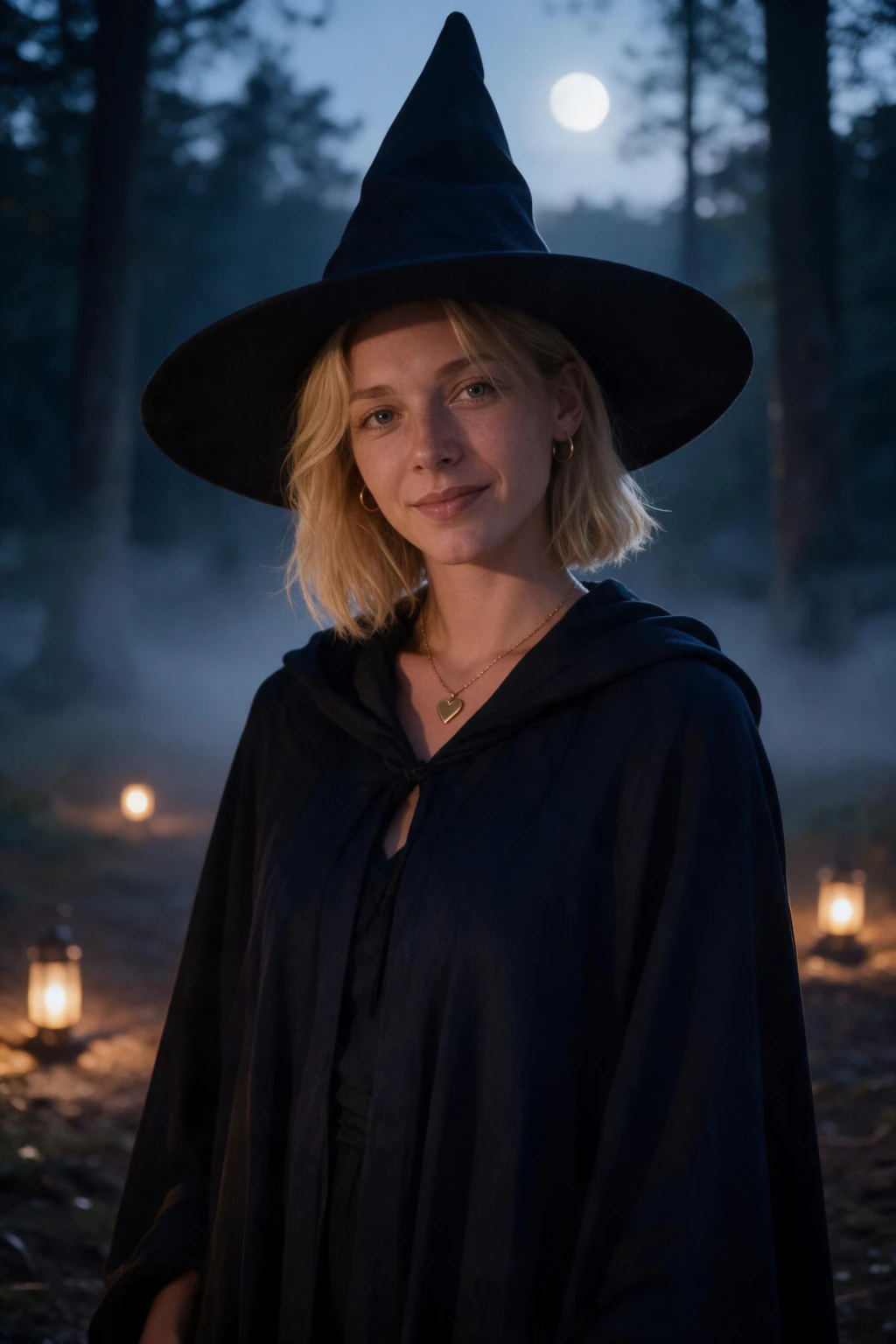
Three looks dominate this season's feeds, and each is a small tweak to a prompt you already have above. The Y2K vampire takes the Classic Vampire Portrait and swaps the velvet suit for a metallic slip dress or shiny leather jacket, frosted lighting, and a direct-flash party feel. The cursed forest look takes the Elegant Witch prompt and pushes it darker: dead trees instead of golden leaves, cold blue moonlight instead of golden hour, fog raised to waist height.
The third is the AI Polaroid. Add one line to any prompt above: shot as an instant film photo with a white border, harsh direct flash, slightly washed colors. It reads as a candid party snapshot instead of a studio portrait, and that casual look is exactly why it spreads.
Skip named horror-movie characters. Image models render licensed masks and costumes badly, and the physical descriptions above post more cleanly anyway.
Do these prompts work in Gemini and Nano Banana?
Yes. Every prompt above pastes straight into Gemini (the image model people call Nano Banana), ChatGPT, or Midjourney, and the costume, lighting, and framing directions carry over as written. That is the workflow behind the viral Gemini Halloween photo posts: a specific physical prompt plus an uploaded photo of yourself.
The difference is the face. A general-purpose model treats your photo as loose inspiration, so the result often looks like a cousin of you in a great costume. A selfie-based generator like MakeAiPhotos locks your identity first and builds the Halloween scene around it, which is what you want if the photo is going on your own profile.
Practical rule: use Gemini to explore looks, then run the winner through a selfie-based generator for the version that actually looks like you.
How to pick the right Halloween prompt for your goal
The 32 prompts above split into 5 use cases. Pick the use case first, then pick the prompt inside it. The mismatch most people make is using a candle-lit horror portrait for a LinkedIn post, or an autumn coffee portrait for a Halloween party invite, both miss the platform.
Use case 1: LinkedIn and professional Instagram. Pick the autumn moodboard prompts (Autumn Forest Walk, Autumn Coffee Date Portrait, Pumpkin Patch Autumn Portrait). Zero costume, all atmosphere. Reads as a real seasonal photoshoot, not a Halloween costume party. These post cleanly even on conservative work profiles.
Use case 2: Halloween party invites and stories. Pick the classic costume prompts (Classic Vampire Portrait, Elegant Witch in the Forest, Pirate Captain at Dusk, Greek Goddess Halloween). Clear costume read, family-friendly, works as a profile picture refresh for October. The Pirate and Greek Goddess options work across age groups.
Use case 3: High-fashion or editorial. Pick the dramatic prompts (Vampire High Fashion Editorial, Black Cat Aesthetic Portrait, Renaissance Vampire Royal, Gothic Ballroom). These read as Vogue Halloween covers. Skip them for LinkedIn, use them for Instagram aesthetic feeds.
Use case 4: Cozy and shareable. Pick the warm prompts (Cozy Halloween Movie Night, Funny Pumpkin Patch Group Energy, Modern Witch in a Coffee Shop). These get the most likes per post because they read as friendly and approachable rather than dramatic. Start here if you want shareable content rather than statement photos.
Use case 5: profile picture and party invite. Pick the format prompts (Halloween Profile Picture Square, Party Invite Poster Frame, Y2K Party Flash Portrait). These are built around a crop rather than a costume: a centred square that still reads at thumbnail size, a wide frame with empty sky for the party details, and a direct-flash snapshot that looks like it came off a phone at the party.
What MakeAiPhotos packs map to Halloween prompts?
The fastest route is the Halloween pack: seven pre-tuned costume looks (vampire, witch, zombie, skeleton face paint, ghost, pirate, black cat) that need no prompt writing at all, one selfie in and the finished photo back in about 2 minutes. For the autumn, gothic-ballroom and editorial prompts that sit outside those seven, the five packs below cover the rest. Paste the prompt into ChatGPT or Gemini, or pick the MakeAiPhotos pack with the closest lighting.
Luxury pack: maps to elegant gothic, vampire, Renaissance, and ballroom prompts. Pre-tuned for candlelight, chandeliers, velvet, and gold accents. Use Luxury for the Classic Vampire, Gothic Ballroom, Renaissance Vampire Royal, Sorcerer in a Library, Party Invite Poster Frame, Paired Couples Set, and 1920s Seance prompts.
Modeling pack: maps to high-fashion editorial Halloween. Pre-tuned for magazine cover composition, dramatic side light, and avant-garde wardrobe. Use Modeling for the Vampire High Fashion Editorial, Ghost Bride Aesthetic, Greek Goddess, Black Cat, Day of the Dead, Y2K Party Flash, Skeleton Glam Half Face, and Museum Mummy prompts.
Drama pack: maps to cinematic and superhero Halloween. Pre-tuned for moody rim light, rooftop dusk, lantern light, and theatrical framing. Use Drama for the Superhero Cosplay, Pirate Captain at Dusk, Candle-Lit Horror Portrait, Masked Figure Behind You, Halloween Profile Picture Square, and Cloaked Figure in the Fog prompts.
Traveler pack: maps to outdoor autumn moodboard. Pre-tuned for golden hour, forest backlight, fog, and lifestyle wardrobe. Use Traveler for the Elegant Witch in the Forest, Autumn Forest Walk, Elf Ranger in the Forest, Werewolf Under a Full Moon, and Scarecrow at Dusk prompts. See the full pack library at the AI photo ideas hub.
Summer pack: maps to the cosy, no-costume end of the list. Pre-tuned for daylight, casual knitwear, and lifestyle framing. Use Summer for the Funny Pumpkin Patch, Autumn Coffee Date, and Trick-or-Treat Street at Blue Hour prompts.
Do Halloween AI photo prompts work with selfie-based generators?
Yes, and that is the right tool for Halloween portraits of yourself. A selfie-based generator like MakeAiPhotos reads your face from your one uploaded selfie, then renders that face into the Halloween scene the prompt describes. The output is a photo of you in the costume and lighting you specified, not a photo of a generic AI face that vaguely resembles your description.
Text-to-image tools like Midjourney, ChatGPT image, and Adobe Firefly cannot render your specific face. They produce a stranger in a vampire costume, which is fine for concept art but useless if the goal is your Halloween profile photo. The 32 prompts above are written to work in either category, but only selfie-based generators put your face in the result.
The workflow on MakeAiPhotos is: upload one clean selfie once, then run whichever Halloween prompts you want against that same upload. You do not re-upload for each prompt. One upload, as many prompts from this guide as your credits cover, about 2 minutes per photo. See our guide on how to make AI photos look realistic for the input-selfie checklist that maximises Halloween-portrait likeness.
Couples and group Halloween prompts: the real-world limit
A common request is a Halloween couples photo (vampire couple, witch and warlock, two friends in matching costumes). The honest answer is the same every year so far: selfie-based generators produce single-person portraits at near-photographic quality, but composite group photos of two real people are still the weakest area of the technology.
If you want a real couples Halloween portrait, both people each need their own selfie upload. Then you generate separate solo portraits for each person using a matching prompt (Gothic Ballroom Vampire Energy for one, Elegant Witch in the Forest for the other) and post them as a paired set rather than a single composite. The paired-set approach reads as a couples editorial without exposing the AI seam where two faces would have been composited.
Group photos of three or more real people in a single Halloween frame are not reliably achievable yet on any selfie-based generator. For now, use solo portraits in matching styles and post them as a carousel. The visual storytelling lands the same way as a true group photo without the artefacts.
Why do Halloween AI prompts get blocked or come back wrong?
Two reasons cover almost every failure: the prompt names something trademarked, or it asks for injury. Google's own Halloween guidance for Gemini and Nano Banana, published on blog.google in October 2025, tells people to describe costumes in generic, physical terms for exactly this reason. Costume style, fabric, colour, and light pass. A character name does not.
That is awkward, because the most-searched costumes are usually characters. Google's Frightgeist report for October 2025 listed trademarked toy and streaming-series characters at the top of US costume searches, which is precisely the set image generators refuse or garble. The workaround is to describe what the costume looks like, since the visual cues are what people recognize in the photo anyway.
Gore is the second trigger. Blood, wounds, and graphic injury trip content filters on most image tools, and on MakeAiPhotos a flagged prompt costs you the wait rather than the credits. Keep the mood eerie and let the fog, the backlight, and the candle do the work.
How do you keep your own face in a Halloween costume prompt?
Add one identity line to any prompt above, before the camera line: keep the face structure, skin tone, and hairline from the uploaded photo unchanged, natural skin texture, no beautification. Prompt writers passing Halloween prompts around call this a face-lock line. It is a plain instruction to the model, not a feature, and it helps most in tools that treat your photo as loose inspiration.
The bigger lever is the costume itself. Full masks, full-face paint, prosthetic noses, and heavy contouring cover the features that make a photo recognizably you, so the output can be a technically good photo of nobody in particular. Every prompt in both lists above keeps the face uncovered and lit for that reason.
On MakeAiPhotos the face comes from the selfie you upload rather than from the prompt, so the upload matters more than any wording. One sharp, front-facing, current-hair selfie, beauty mode off, no sunglasses. Our guide on how to make AI photos look realistic has the full input checklist.
When should you generate and post Halloween AI photos?
Earlier than feels natural. Google Trends shows Halloween costume interest climbing through September and peaking in the final week of October, which means the ideas everyone copies are already circulating two to three weeks before the 31st. A costume portrait posted on October 30th competes with every other costume post that day.
A workable order: generate a profile picture crop in early October and swap it in, post one or two costume portraits mid-month while the feed is still uncrowded, and keep the autumn lifestyle frames for the weeks either side, when a pumpkin patch photo reads as seasonal rather than as a Halloween post.
One upload covers all of it. You are not re-uploading a selfie per idea, so the whole October run costs one $9.99 purchase, about 10 finished photos, and roughly 2 minutes of waiting each.
Common Halloween AI photo prompt mistakes (and the fix for each)
Six specific mistakes account for almost every disappointing Halloween AI photo output. Run through this list before you regenerate and most concerns resolve themselves.
Mistake 1: naming a copyrighted character. Prompts like 'dressed as [famous wizard] from [famous movie]' confuse the model and often trigger filtered or watered-down output. Fix: describe the costume physically (long deep navy robe with silver constellation embroidery) and let the visual cues carry the read.
Mistake 2: stacking adjectives instead of specifying physics. 'Scary, creepy, terrifying, ultra realistic, 8K, masterpiece' produces stylised render output. Fix: replace adjectives with physical camera specs (Canon EOS R5, 85mm f/1.8, ISO 400) and lighting direction (candlelight from camera left).
Mistake 3: requesting graphic horror. Blood, gore, wounds, and graphic horror trip content filters on most generators and produce broken output even when they pass. Fix: keep the Halloween mood elegant or playful (vampire, witch, ghost, autumn, pumpkin) and let lighting carry the spooky feel.
Mistake 4: skipping the lighting line. 'Person dressed as a vampire' with no lighting spec produces flat, generic, costume-shop output. Fix: every Halloween prompt needs a single lighting line (candlelight from camera left, golden hour backlight, single oil lamp on desk, lantern light at dusk).
Mistake 5: too-busy backgrounds. Cluttered haunted-house backgrounds drag attention away from your face and amplify any AI artefacts in the scene. Fix: use simple atmospheric backgrounds (foggy forest, plain charcoal wall, candle-lit library, pumpkin patch row).
Mistake 6: judging at full screen only. Most Halloween photos end up on Instagram stories (1080 pixels wide) or LinkedIn (small thumbnails). Fix: shrink every Halloween output to 96 to 200 pixels and check that the costume still reads at that size. A vampire portrait that needs a 1200 pixel view to read is a failed Halloween prompt.
Frequently Asked Questions
- What are good Halloween AI photo prompts?
- Good Halloween AI photo prompts name the costume physically (not by copyrighted character), specify the lighting source and direction (candlelight from camera left, golden hour backlight), specify the camera framing (close portrait, three-quarter, full body), and specify the mood (elegant, playful, eerie but not graphic). The 32 prompts in this guide each hit those four properties and map to a MakeAiPhotos pack.
- Can AI generate realistic Halloween photos of me?
- Yes, if you use a selfie-based generator like MakeAiPhotos that reads your face from your one uploaded selfie. Text-to-image tools like Midjourney and ChatGPT image cannot reproduce your specific face, they only generate a stranger in a Halloween costume. For Halloween photos of you in a vampire, witch, or autumn portrait, you need a selfie-based generator.
- Do these Halloween AI photo prompts work with selfie-based generators?
- Yes. Each of the 32 prompts above is written to paste directly into a selfie-based generator like MakeAiPhotos. You upload one selfie once, then run whichever Halloween prompts you want against it, about 2 minutes and 10 credits per finished photo. One upload, many costumes.
- What is the best Halloween costume prompt for AI photos?
- The single best Halloween costume prompt for AI photos in 2026 is the Classic Vampire Portrait (black velvet suit, crimson silk shirt, candlelight from camera left, gothic library background, three-quarter framing, Canon EOS R5, 85mm f/1.8). It produces consistent, family-friendly Halloween portraits with high likeness preservation and posts cleanly on every platform.
- How long does it take to generate Halloween AI photos?
- About 2 minutes per finished Halloween photo on MakeAiPhotos. There is no model training step. Each Halloween prompt returns a finished photo about 2 minutes later, and $9.99 covers about 30 of them from the one upload.
- How much does it cost to make Halloween AI photos of yourself?
- On MakeAiPhotos, $9.99 covers about 10 finished Halloween photos from one upload. Compare to a real Halloween photo shoot with a photographer at $200 to $500 for a 1 to 2 hour session in one costume. The AI option lets you try multiple costumes and settings in one paid session.
- Can I use these Halloween prompts in Midjourney or ChatGPT image?
- Yes, the prompts work in Midjourney, ChatGPT image, Adobe Firefly, and SDXL. The output will be a generic person matching the description, not your specific face. To get a Halloween portrait of yourself specifically, use a selfie-based generator like MakeAiPhotos. The prompts are written to be portable across either category.
- Are AI Halloween photos family-friendly?
- The 32 prompts in this guide are deliberately family-friendly. No gore, no graphic horror, no copyrighted character names, no nudity. The mood is carried by lighting (candlelight, moonlight, pumpkin glow), costume (vampire suit, witch cloak, autumn knitwear), and setting (pumpkin patch, gothic library, autumn forest). All 32 post cleanly on Instagram, LinkedIn, and other mainstream platforms.
- Do Halloween AI photo prompts work in Gemini?
- Yes. Paste any prompt from this guide into Gemini (Nano Banana) with a photo of yourself attached and the costume, lighting, and framing carry over as written. The caveat is likeness: general models often return a face that is close but not yours, while a selfie-based generator locks your identity first.
- What is the Halloween AI photo trend in 2026?
- The 2026 wave is specific prompt styles passed around on TikTok: the Y2K vampire, the cursed-forest witch under cold moonlight, and the AI Polaroid, a party snapshot look with direct flash and a white instant-film border. Each is a small tweak to a classic prompt, and this guide shows the adaptation for all three.
- How do I make a Halloween profile picture with AI?
- Use the Halloween Profile Picture Square prompt in the second list. It is written for a 1:1 crop: head and shoulders large in frame, an empty dark background, and two light colours (warm pumpkin glow from below, cool moonlight rim from behind) so the Halloween read survives at 96 pixels. Generate it in early October, check it at thumbnail size, and swap it in before the feed fills up.
- Can I make AI Halloween photos of my kids?
- Not on MakeAiPhotos. The service is for adults 18 and over generating photos of their own face, and uploading a photo of a minor is not permitted under our terms. The prompt text in this guide is portable, so a kid-friendly costume scene can be explored in a general text-to-image tool, but the result will be an invented face rather than a real child, which is the point.
- What are some good ChatGPT Halloween prompts?
- Any prompt in the two lists above works as a ChatGPT Halloween prompt: paste it into ChatGPT image with a photo of yourself attached. The ones that hold up best there are the Classic Vampire Portrait, the Y2K Party Flash Portrait and the Halloween Profile Picture Square, because each names the costume, the light and the framing in physical terms, which is what ChatGPT needs to avoid a generic costume-shop render.
- How do you make the viral Halloween AI photos?
- The viral versions are a selfie plus a specific prompt, not a filter. Upload one clear selfie, paste a prompt that describes the costume physically (velvet suit, candlelight from camera left, three-quarter framing), and generate. On MakeAiPhotos the Halloween pack does the prompt work for you: pick the vampire, witch, zombie, skeleton, ghost, pirate or black cat look and the photo comes back in about 2 minutes with your own face kept.
- How do I stop the AI from changing my face in a Halloween photo?
- Two things. Add an identity line to the prompt (keep the face structure, skin tone, and hairline from the uploaded photo unchanged, natural skin texture, no beautification), and pick a costume that leaves the face uncovered and lit. Full masks, full-face paint, and prosthetics hide the features that make the photo recognizably you. On MakeAiPhotos the likeness comes from the selfie you upload, so a sharp, front-facing, current-hair selfie does more than any wording.